# Runwick documentation
> Runwick is a background-job library for .NET 10. An app writes a job to a store (PostgreSQL, SQLite or Redis) and a worker, in the same process or another, runs its handler. Delivery is at-least-once; schedules, retries, rate limits, uniqueness, a transactional outbox, a management API, a dashboard and a CLI are included.
---
# Introduction
URL: https://runwick.temtem.dev/docs/introduction
> Runwick is a background-job library for .NET 10 that stores jobs in PostgreSQL, SQLite or Redis and runs them on workers you control.
Runwick is a background-job library for .NET 10. Your app writes a job to a store (PostgreSQL, SQLite or Redis), and a worker picks it up and runs your handler. The worker can run inside your app or in a separate process.
It is a library, not a service. There is no Runwick server to deploy. The store is the single source of truth, and workers never talk to each other: they talk to the store.
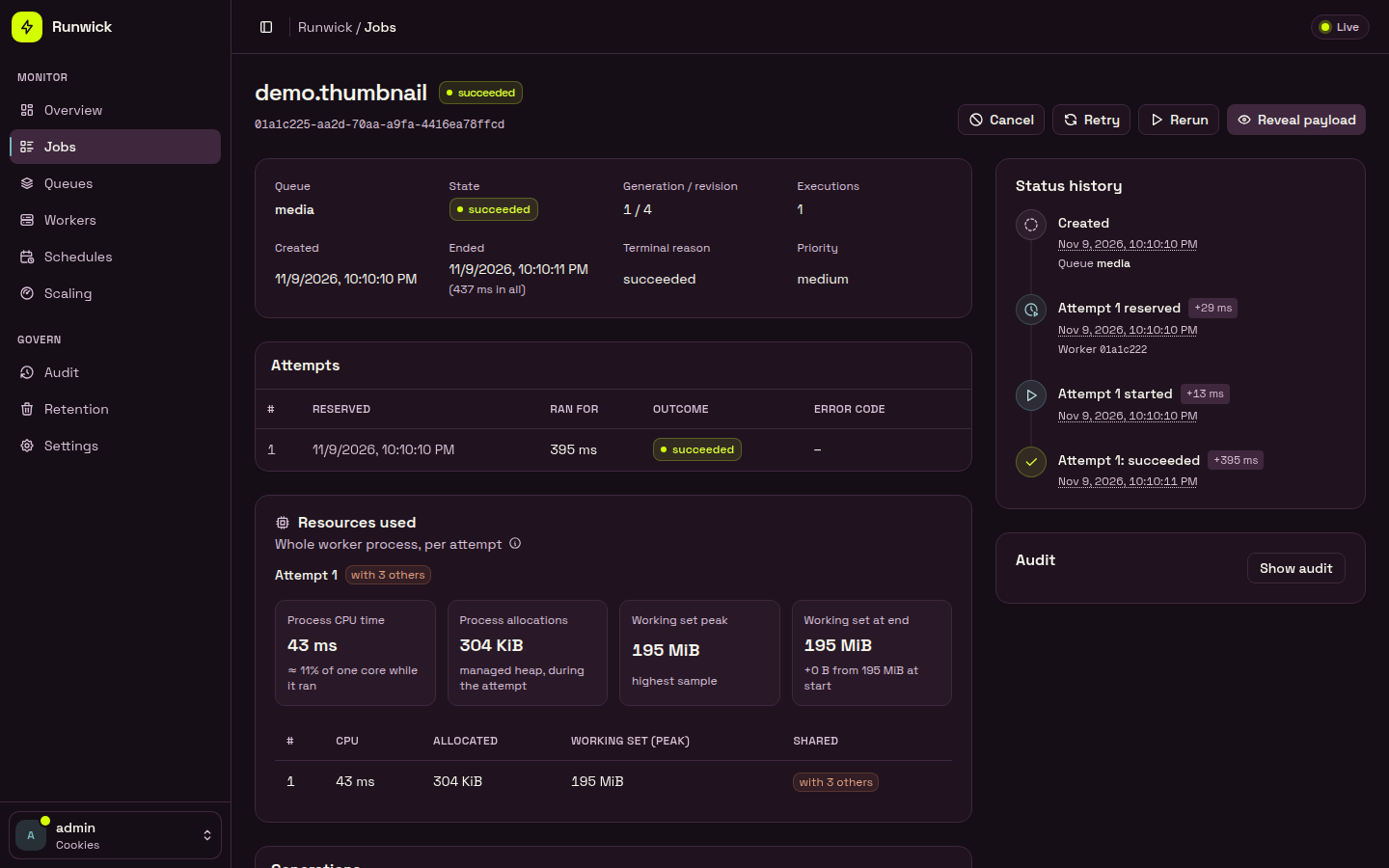
## How it works
A job is a plain record with a stable name. A handler is a class that knows what to do with it.
```csharp
[JobName("email.welcome")] // the stored name; CLR type names are never stored
public sealed record SendWelcomeEmail(Guid UserId) : IQueueJob;
public sealed class SendWelcomeEmailHandler : IJobHandler
{
public Task HandleAsync(SendWelcomeEmail job, CancellationToken cancellationToken)
{
// Do the work. This code may run more than once.
return Task.CompletedTask;
}
}
```
```csharp
await dispatcher.DispatchAsync(new SendWelcomeEmail(userId)); // IJobDispatcher from DI
```
`DispatchAsync` returns only after the store has confirmed the write.
A worker reserves the job from the store, holds a lease on it while it runs, and records the result. If the handler fails and there are attempts left, the job waits for a retry delay and runs again. If it runs out of attempts, it ends up `failed`, where an operator can retry it.
Producer, worker, scheduler and management are roles, not separate programs. One process can take any combination of them. See [Choosing a store](/docs/choosing-a-store) for the common shapes.
## What you get
- **Three stores, one API.** PostgreSQL is the reference store, for many hosts. SQLite suits a single machine. Redis needs one durable primary. Your jobs and handlers do not change between them.
- **Retries and timeouts.** Each job has an execution budget (3 by default) and an exponential, partly random retry delay. Timeouts are off unless you set one.
- **Queues and priorities.** Worker pools read named queues with high, medium and low lanes. Queues can be paused.
- **Uniqueness, rate limits and concurrency caps.** All off until you declare them.
- **Schedules.** Cron and one-time schedules that create at most one job per occurrence.
- **Same-transaction work.** On PostgreSQL and SQLite, you can create a job, or complete one, in the same transaction as your own data.
- **Transactional outbox.** Commit a message with your business data, then deliver it to any store.
- **Operations.** A management HTTP API, a web dashboard and the `runwick` command line. All three share the same permissions and audit trail.
- **Observability.** OpenTelemetry traces and metrics, structured logs and health checks.
## What it promises, and what it does not
Runwick's guarantees are deliberately narrow, and the docs say so plainly.
- **At-least-once delivery.** A handler can run more than once: after a crash, a lost lease or a lost reply. Write handlers that are safe to repeat, and pass an idempotency key to outside systems.
- **One exactly-once case.** If your handler's effect is a change in the same PostgreSQL or SQLite database as Runwick's tables, the change and the job's completion can commit together. Nothing else is exactly-once: not emails, not HTTP calls, not Redis.
- **Cooperative cancellation.** Cancelling a job signals its `CancellationToken`. Runwick cannot stop code that ignores the token.
- **A lease running out does not prove the old handler stopped.** Two copies of a handler can briefly overlap.
- **Durable settings are checked, not assumed.** Runwick refuses store settings that could lose jobs, such as SQLite without `synchronous=FULL` or Redis without `appendfsync always`.
The API and storage formats can still change before 1.0. The work to certify the stores for 1.0 (Windows and macOS checks, a reference benchmark and a 24-hour soak test) is not finished, so no store is labelled "certified" yet.
[Delivery guarantees](/docs/delivery-guarantees) has the full list.
## Requirements
- .NET 10. Every package targets `net10.0` only.
- One store: PostgreSQL 16, 17 or 18; a local SQLite file (the engine is bundled); or Redis 8.2 or newer.
- No Node or npm. The dashboard's web files are inside its package.
## Next steps
Pick the packages for your store, install the CLI and create the schema.
Go from an empty project to a job that runs, in five steps.
PostgreSQL, SQLite or Redis: what each supports and where each stops.
What at-least-once means for your handlers, and the one exactly-once case.
Job names, attributes, dependency injection and the job context.
See queues, jobs and workers, and retry or cancel jobs from the browser.
---
# Installation
URL: https://runwick.temtem.dev/docs/installation
> Install Runwick and one store package, add the optional packages you need, install the CLI and create the store's schema.
Runwick is split into small packages. Every app needs `Runwick` and exactly one store package. Everything else is optional.
## Packages
| Package | Install when |
|---|---|
| `Runwick` | always, in any process that dispatches or runs jobs |
| `Runwick.Postgres` | your store is PostgreSQL |
| `Runwick.Sqlite` | your store is a SQLite file on one machine |
| `Runwick.Redis` | your store is a single Redis primary |
| `Runwick.Contracts` | you want to share job types with a project that has no database code. It holds `IQueueJob`, `IJobHandler`, the attributes and `IJobDispatcher` |
| `Runwick.AspNetCore` | you want the [management HTTP API](/docs/management-api) or the [health checks](/docs/health-checks) |
| `Runwick.Dashboard` | you want the [web dashboard](/docs/dashboard). It brings in `Runwick.AspNetCore` |
| `Runwick.OpenTelemetry` | you want [metrics and traces](/docs/observability) |
| `Runwick.Outbox` | you want the [transactional outbox](/docs/outbox), plus `Runwick.Outbox.Postgres` or `Runwick.Outbox.Sqlite` for the source database |
| `Runwick.Testing` | reserved for test helpers. It has no public types in this release; see [Testing](/docs/testing) for the patterns to use today |
| `Runwick.Cli` | a .NET tool, installed with `dotnet tool install`. The command is `runwick` |
Use the same version for every Runwick package.
## Add the packages
```bash
dotnet add package Runwick
dotnet add package Runwick.Postgres
```
```bash
dotnet add package Runwick
dotnet add package Runwick.Sqlite
```
```bash
dotnet add package Runwick
dotnet add package Runwick.Redis
```
Add the optional packages the same way, for example:
```bash
dotnet add package Runwick.Dashboard # dashboard (includes the management API package)
dotnet add package Runwick.OpenTelemetry # metrics and traces
```
## The command line tool
The `runwick` command migrates stores, raises one-time capabilities, and talks to the management API for jobs, queues and workers.
```bash
dotnet tool install --global Runwick.Cli
runwick version
```
See [CLI](/docs/cli) for the full command list.
## Requirements
- **.NET 10.** Every package targets `net10.0` only. There are no .NET 8, .NET 9, .NET Framework or .NET Standard builds.
- **No Node or npm.** The dashboard's web files ship inside its package.
- **One store:**
- **PostgreSQL** 16, 17 or 18 (18 is the reference version). Connect to the primary directly.
- **SQLite** 3.38 or newer. The engine is bundled with `Microsoft.Data.Sqlite`, so there is nothing to install. The file must be on a local disk.
- **Redis** 8.2 or newer, one standalone primary with durable settings (see below).
The tested operating systems are Linux x64 and Windows x64. Runwick makes no claim for Native AOT or trimming.
## Create the schema
Workers never change the schema when they start. You create it once, as a deployment step, before the first app starts. Running the migration again on a store that is already up to date does nothing.
Each store has a `MigrateAsync` method, and the CLI runs the same code.
```csharp
using Runwick.Postgres.Migrations;
var result = await RunwickPostgresMigrations.MigrateAsync(connectionString);
Console.WriteLine($"schema revision {result.SchemaRevision}");
```
```bash
export MY_CONN="Host=localhost;Database=app;Username=migrator;Password=..."
runwick migrate --provider postgres --connection-env MY_CONN
```
Run the migration with a role that may create schemas. Everything goes into one schema, `runwick`, and that name cannot be changed. Your running app can then use a role with data access only.
```csharp
using Runwick;
await RunwickSqliteMigrations.MigrateAsync("Data Source=/var/lib/my-app/runwick.db");
```
```bash
export MY_CONN="Data Source=/var/lib/my-app/runwick.db"
runwick migrate --provider sqlite --connection-env MY_CONN
```
Use a file on a local disk. A file on a network share, or an in-memory database, is refused when the app starts.
```csharp
using Runwick;
await RunwickRedisMigrations.MigrateAsync("localhost:6379");
```
```bash
export MY_CONN="localhost:6379"
runwick migrate --provider redis --connection-env MY_CONN
```
The server must run with these settings, or Runwick refuses to start:
```bash
redis-server --appendonly yes --appendfsync always --no-appendfsync-on-rewrite no \
--maxmemory-policy noeviction --aof-load-truncated no
```
Replicas, Redis Cluster and Sentinel are refused.
The CLI never takes a connection string as an argument. Pass the name of an environment variable with `--connection-env`, or pipe the string in with `--connection-stdin`.
## Next steps
Define a job, register a worker and watch it run.
Compare PostgreSQL, SQLite and Redis before you commit to one.
Apply new migrations and raise capabilities when you move to a new version.
---
# Quick start
URL: https://runwick.temtem.dev/docs/quick-start
> Go from an empty project to a background job that a worker picks up and runs.
This page builds one small console app that is both a producer and a worker. It dispatches a job, and its own worker runs it. The same job and handler work unchanged when you later split them into a web app and a separate worker service.
You need the .NET 10 SDK and one store. Docker is the quickest way to get PostgreSQL or Redis; SQLite needs nothing.
```bash
dotnet new worker -n QuickStart
cd QuickStart
dotnet add package Runwick
```
```bash
dotnet add package Runwick.Postgres
docker run -d --name runwick-pg -e POSTGRES_PASSWORD=pg -p 5432:5432 postgres:18
```
```bash
dotnet add package Runwick.Sqlite
# no server: the store is a file on local disk
```
```bash
dotnet add package Runwick.Redis
docker run -d --name runwick-redis -p 6379:6379 redis:8.2 \
redis-server --appendonly yes --appendfsync always --no-appendfsync-on-rewrite no \
--maxmemory-policy noeviction --aof-load-truncated no
```
Runwick refuses a Redis server without these durability settings.
Create `Jobs.cs`. A job is a record that implements `IQueueJob` and has a `[JobName]`. The name is what gets stored, so you can rename or move the C# type later without breaking jobs already in the store.
```csharp
using Runwick;
namespace QuickStart;
[JobName("email.welcome")]
public sealed record SendWelcomeEmail(Guid UserId) : IQueueJob;
public sealed class SendWelcomeEmailHandler(ILogger logger, IJobContext context)
: IJobHandler
{
public Task HandleAsync(SendWelcomeEmail job, CancellationToken cancellationToken)
{
// Stop promptly when cancellationToken is cancelled. This code may run more than once.
logger.LogInformation("Welcome email for {UserId}, execution {Execution}", job.UserId, context.ExecutionNumber);
return Task.CompletedTask;
}
}
```
The handler is created from dependency injection, in a fresh scope for each run, so constructor injection works as usual. `IJobContext` tells it which job and which execution it is on.
Workers never create the schema themselves. Run the migration once, before the app starts. In a real deployment this is a separate step with its own credentials; here it runs at the top of `Program.cs` to keep things short.
Delete the template's `Worker.cs` and replace `Program.cs` with:
```csharp
using QuickStart;
using Runwick;
using Runwick.Postgres.Migrations;
var conn = "Host=localhost;Username=postgres;Password=pg;Database=postgres";
await RunwickPostgresMigrations.MigrateAsync(conn);
```
```csharp
using QuickStart;
using Runwick;
var conn = "Data Source=runwick.db";
await RunwickSqliteMigrations.MigrateAsync(conn);
```
```csharp
using QuickStart;
using Runwick;
var conn = "localhost:6379";
await RunwickRedisMigrations.MigrateAsync(conn);
```
You can run the same migration from the command line instead: `runwick migrate --provider postgres --connection-env MY_CONN`. See [Installation](/docs/installation#create-the-schema).
Continue `Program.cs` below the migration. Only the `Use...` line depends on the store.
```csharp
var builder = Host.CreateApplicationBuilder(args);
builder.Services.AddRunwick(runwick =>
{
runwick.Application("quickstart")
.UsePostgres(conn) // or .UseSqlite(conn) or .UseRedis(conn)
.AddJobsFromAssemblyContaining();
runwick.AddHandler();
runwick.AddWorker(w => w.Pool("main", p => p.Queues("default").FixedConcurrency(4)));
});
using var host = builder.Build();
await host.StartAsync();
```
- `Application("quickstart")` names your app inside the store, so several apps can share one database.
- `AddJobsFromAssemblyContaining` registers every `[JobName]` type in that assembly.
- `AddWorker` makes this process a worker. Pool `main` reads queue `default` and runs at most 4 jobs at once. Jobs with no `[Queue]` go to `default`.
Leave out `AddWorker` in an app that only dispatches.
Add this after `StartAsync`:
```csharp
var dispatcher = host.Services.GetRequiredService();
var receipt = await dispatcher.DispatchAsync(new SendWelcomeEmail(Guid.NewGuid()));
Console.WriteLine($"Dispatched job {receipt.JobId.Value}");
await host.WaitForShutdownAsync();
```
Run it:
```bash
dotnet run
```
You should see the `Dispatched job` line, then the handler's log line a moment later. Press Ctrl+C to stop. The worker stops taking new jobs and gives running ones time to finish.
In a web app, inject `IJobDispatcher` into an endpoint or a service instead of resolving it by hand:
```csharp
app.MapPost("/users/{id:guid}/welcome", async (Guid id, IJobDispatcher dispatcher) =>
{
await dispatcher.DispatchAsync(new SendWelcomeEmail(id));
return Results.Accepted();
});
```
## What just happened
`DispatchAsync` returned only after the store confirmed the job was written. The worker found the job, took a lease on it, ran your handler in its own dependency-injection scope, and recorded the result as `succeeded`.
If the handler had thrown, the job would have waited a few seconds and run again. By default a job runs at most 3 times, so 2 automatic retries, before it ends up `failed`.
A network failure can leave `DispatchAsync` unable to tell whether the write happened. The job may or may not exist. [Dispatching](/docs/dispatching) and [Delivery guarantees](/docs/delivery-guarantees) explain how to handle it safely.
## Check it with the sample host
The repository ships a sample host for PostgreSQL that migrates, dispatches a batch of jobs, runs them on an in-process worker, and prints how many succeeded:
```bash
dotnet run --project samples/Runwick.Samples.Host -- \
--conn "Host=localhost;Username=postgres;Password=pg;Database=postgres" --migrate --dispatch 10
```
It prints `10 succeeded` and exits with code 0 when every job ran.
## Add the dashboard (optional)
The dashboard runs inside an ASP.NET Core app and needs your own sign-in, such as cookie authentication registered with `AddAuthentication().AddCookie()` and `app.UseAuthentication()`. There is no anonymous mode.
```bash
dotnet add package Runwick.Dashboard
```
```csharp
builder.Services.AddRunwickManagement(m => m
.AuthenticationSchemes("Cookies") // you bring the sign-in
.MapGrants(principal => ManagementRoles.Operator)); // using Runwick.Management;
builder.Services.AddRunwickDashboard("default", d => { });
app.MapRunwickManagement("/runwick/api");
app.MapRunwickDashboard("/runwick");
```
This example gives every signed-in user the Operator role; map roles from your own claims in a real app. Sign in, open `/runwick`, and you can see the job, its attempts and its status history. [Dashboard](/docs/dashboard) covers permissions and setup in full.
## Next steps
Queues, priorities, execution limits and the fluent alternative to attributes.
Change the retry budget and delay, and set an execution timeout.
Pools, concurrency, shutdown and running workers in a separate process.
Why handlers must be safe to repeat, and how to make them so.
---
# Choosing a store
URL: https://runwick.temtem.dev/docs/choosing-a-store
> Compare PostgreSQL, SQLite and Redis as Runwick stores, see where each one stops, and pick a deployment shape.
All three stores give the same job behaviour: the same states, retries, receipts, uniqueness and rate rules. Your jobs and handlers do not change between them. The stores differ in where they can run, what they survive, and whether a job can share a transaction with your own data.
## At a glance
| | PostgreSQL | SQLite | Redis |
|---|---|---|---|
| Package | `Runwick.Postgres` | `Runwick.Sqlite` | `Runwick.Redis` |
| Server | PostgreSQL 16, 17 or 18 (18 is the reference) | a local file, SQLite 3.38 or newer (bundled) | Redis 8.2 or newer, one standalone primary |
| Hosts | many, connected to the primary | one machine only | many, all reaching one primary |
| Job or completion in the same transaction as your data | yes, same database | yes, same file | no, use the [outbox](/docs/outbox) |
| How workers notice new jobs | LISTEN/NOTIFY wake-up, with polling as the fallback | polling | polling |
| Refused at startup | nothing listed; replicas and proxies are simply not certified | a network share, an in-memory database, sync weaker than `FULL` | a replica, Cluster, Sentinel, wrong persistence settings |
| High availability | not certified | none | none |
Runwick checks each store's durability settings when it starts and again while it runs. It refuses settings that could lose jobs rather than run on them.
## Which one to pick
Pick PostgreSQL if you already run it, if your workers run on more than one host, or if you want to commit a job in the same transaction as your business data. It is the reference store: the one the rest of Runwick is measured against.
```csharp
runwick.Application("my-app").UsePostgres("Host=db;Database=app;Username=app;Password=...");
```
Pick SQLite for a single-machine app, a desktop or edge service, or a small internal tool where running a database server is not worth it. Every process that uses the file must be on the same machine.
```csharp
runwick.Application("my-app").UseSqlite("Data Source=/var/lib/my-app/runwick.db");
```
Pick Redis if you already operate a durable Redis primary and do not need jobs to share a transaction with your business database. If you need that, put the [outbox](/docs/outbox) in your PostgreSQL or SQLite database and let it deliver to Redis.
```csharp
runwick.Application("my-app").UseRedis("redis:6379");
```
## Limits to plan around
### PostgreSQL
- Connect to the primary directly. Decisions about who owns a job never read from a replica.
- High-availability setups and connection poolers (proxies) are not certified. If you use one, you are outside what has been tested.
- The schema is always named `runwick`. You cannot change it.
### SQLite
- One file on one machine. There is no multi-host support and no high availability.
- Writes use WAL with `synchronous=FULL`. A weaker setting is refused.
- Only one write happens at a time across all processes. Nothing here claims SQLite matches PostgreSQL's throughput.
- Durability is whatever your disk and its fsync give you. Restoring the file from a backup is a break in history: receipts and uniqueness windows from before the restore do not carry over as one continuous record.
- A test that kills a process is not a power-loss test, and Runwick does not claim it is.
### Redis
- One primary, no high availability. Failover, Sentinel promotion and Cluster are not supported. A promoted replica may have lost jobs that were already acknowledged.
- The server must run with `appendonly yes`, `appendfsync always`, `no-appendfsync-on-rewrite no`, `maxmemory-policy noeviction` and `aof-load-truncated no`. Redis without `appendfsync always` is not a supported configuration.
- One application lives in one hash slot. Its throughput is bounded by one server thread, and one very large command can delay everything else for that application.
- Redis cannot join your business transaction. There is no same-transaction completion.
- Nothing here says Redis is faster than PostgreSQL. No speed comparison is claimed.
Your jobs and handlers stay the same, so code written for one store runs on another by changing the `Use...` line. Jobs already in the old store stay there.
## Roles are configuration, not programs
A Runwick process can take any combination of four roles:
| Role | How you turn it on |
|---|---|
| Producer | any code that calls `IJobDispatcher.DispatchAsync`. Every app with `AddRunwick` can dispatch |
| Worker | `runwick.AddWorker(...)` |
| Scheduler | `runwick.AddScheduler()` |
| Management | `app.MapRunwickManagement(...)`, and optionally the dashboard |
There is nothing else to deploy. The store is the only shared piece, and processes never talk to each other directly.
### Deployment shapes
| Shape | What runs where |
|---|---|
| One app, embedded worker | your web app dispatches and works in one process |
| One app, external worker | the web app only dispatches; a separate worker service runs the jobs |
| Many replicas, embedded workers | every replica both dispatches and works |
| Replicas plus a worker tier | the web tier only dispatches; a worker tier only works |
| Mixed | some replicas embed workers, and extra external workers run too |
PostgreSQL and Redis support all five shapes across hosts. SQLite supports all five as long as every process is on the same machine.
A web app that only dispatches registers the store and the jobs, and leaves out `AddWorker`:
```csharp
// Web app: producer only
builder.Services.AddRunwick(runwick =>
{
runwick.Application("shop")
.UsePostgres(connectionString)
.AddJobsFromAssemblyContaining();
});
```
The worker service registers the same jobs, plus handlers and a worker:
```csharp
// Worker service
builder.Services.AddRunwick(runwick =>
{
runwick.Application("shop")
.UsePostgres(connectionString)
.AddJobsFromAssemblyContaining();
runwick.AddHandlersFromAssemblyContaining();
runwick.AddWorker(w => w.Pool("main", p => p.Queues("default").FixedConcurrency(8)));
});
```
Put the job records in a shared project that references only `Runwick.Contracts`, so the web app does not need your handler code.
### Worth knowing before you deploy
- **Automatic concurrency.** `AutoConcurrency(min, max)` adjusts a pool inside one process. It does not coordinate across the cluster.
- **Schedules.** Pausing a schedule stops new jobs from being created. It does not pause jobs the schedule already created.
- **The scheduler capability.** Before any process can register a schedule, an operator raises the `scheduler` capability once per application with `runwick store activate-capability --name scheduler`. Until then, startup fails with `scheduler_not_active`. See [Schedules](/docs/schedules).
## Next steps
Connection strings, roles and the same-transaction APIs.
File location, durability settings and single-machine limits.
Required server settings and what Runwick checks while it runs.
Migrations, shutdown timeouts and running workers in production.
---
# Jobs and handlers
URL: https://runwick.temtem.dev/docs/jobs-and-handlers
> Define a job contract with a stable name, write the handler that runs it, and register both.
A **job** is a small data record that describes work to do. A **handler** is the class that does the work. Runwick stores the job, and a worker later decodes it and calls the handler.
```csharp
[JobName("email.welcome")]
public sealed record SendWelcomeEmail(Guid UserId, string Locale) : IQueueJob;
public sealed class SendWelcomeEmailHandler(IEmailSender emails) : IJobHandler
{
public Task HandleAsync(SendWelcomeEmail job, CancellationToken cancellationToken) =>
emails.SendWelcomeAsync(job.UserId, job.Locale, cancellationToken);
}
```
## The job contract
A job contract is a concrete class or record that implements `IQueueJob`. `IQueueJob` is an empty marker interface. Payloads are data only: they carry no behaviour, and attributes on them cannot resolve services or do I/O.
Every contract needs a **stable name**. The name is what Runwick stores, so you can rename, move or re-namespace the class without breaking queued jobs. The CLR type name is never stored.
```csharp
[JobName("email.welcome")]
[Queue("emails")]
[Priority("medium")]
[MaxExecutions(3)]
public sealed record SendWelcomeEmail(Guid UserId, string Locale) : IQueueJob;
```
```csharp
// The contract has no attributes; the host names and configures it.
public sealed record BuildReport(string ReportId, int Rows) : IQueueJob;
runwick.AddJob()
.Named("reports.build")
.ToQueue("reports")
.WithPriority("low")
.WithMaxExecutions(5);
```
You can use both. Identity settings (`[JobName]` and `Named`, `[PayloadVersion]` and `AtVersion`) must agree if both are present, or startup fails with `identity_conflict`. For queue, priority and `MaxExecutions` the fluent value wins over the attribute. The full order is in [Configuration](/docs/configuration).
| Attribute | Fluent twin | What it sets |
|---|---|---|
| `[JobName("x")]` | `.Named("x")` | The stored name. Required. |
| `[PayloadVersion(n)]` | `.AtVersion(n)` | The payload version. Default 1. |
| `[Queue("q")]` | `.ToQueue("q")` | Default queue. Default `default`. |
| `[Priority("p")]` | `.WithPriority("p")` | `low`, `medium` or `high`. Default `medium`. |
| `[MaxExecutions(n)]` | `.WithMaxExecutions(n)` | Run budget, 1 to 100. Default 3. |
| `[UseJobMiddleware("alias")]` | `.UseMiddleware("alias")` | Middleware by alias. |
Attributes are not inherited. A derived class never picks up its base class's name.
Hangfire also has a `QueueAttribute`. If a file imports both, alias Runwick's: `using JobQueue = Runwick.QueueAttribute;` and write `[JobQueue("emails")]`.
### Naming rules
| Name | Rule |
|---|---|
| Job name | 1 to 200 characters of `A-Z a-z 0-9 . _ -`, starting with a letter or digit |
| Application, queue, pool, middleware alias | Same characters, 1 to 128 |
Names are case-sensitive and never trimmed. A dotted style such as `email.welcome` or `billing.invoice.send` reads well in the dashboard. Two contracts with the same name fail startup with `duplicate_job_name`.
## The handler
A handler implements `IJobHandler` with one method, `HandleAsync(TJob job, CancellationToken cancellationToken)`.
- Returning normally means success.
- Throwing an exception means a retryable failure, unless it is a `PermanentJobFailureException`. See [Retries and timeouts](/docs/retries-and-timeouts).
- The token is cancelled on a user cancel, a timeout, a lost lease or shutdown. Pass it to every awaited call. See [Cancellation](/docs/cancellation).
Handlers are registered as **scoped** services. Runwick creates a fresh DI scope for every attempt, so a scoped `DbContext` belongs to that one attempt and is disposed afterwards. Inject anything you need into the constructor, including `IJobContext` (see [Job context](/docs/job-context)).
Runwick is at-least-once. A crash after the work but before the result is saved runs the handler again. Make the effects safe to repeat. See [Delivery guarantees](/docs/delivery-guarantees).
There is one handler per job name per worker. Binding two handlers to one job fails with `duplicate_handler`.
## Registration
Registration happens inside `AddRunwick`. Nothing is scanned automatically.
```csharp
builder.Services.AddRunwick(runwick =>
{
runwick.Application("my-app")
.UsePostgres(connectionString)
.AddJobsFromAssemblyContaining(); // contracts with [JobName]
runwick.AddHandlersFromAssemblyContaining();
runwick.AddWorker(w => w.Pool("main", p => p.Queues("default", "emails").FixedConcurrency(4)));
});
```
| Call | What it does |
|---|---|
| `AddJobsFromAssemblyContaining()` | Registers every non-abstract class in that assembly that implements `IQueueJob` and has `[JobName]`. Classes without `[JobName]` are skipped. |
| `AddHandlersFromAssemblyContaining()` | Registers every class in that assembly that implements one or more `IJobHandler`, and registers each `TJob`. |
| `AddHandler()` | Binds one handler and registers its job. |
| `AddJob()` | Registers a contract and returns a builder to configure it. |
| `ConfigureJob()` | Configures a contract registered elsewhere. On its own it registers nothing (`job_not_registered`). |
Each scan only looks at the one assembly you point it at, and runs in a fixed order.
Configuration is checked once, at startup. Runwick collects every error and throws one `RunwickConfigurationException` that lists them all, so a typo in a queue name stops the app before it does any work.
## Payload serialization
Payloads are stored as UTF-8 JSON using Runwick's own fixed profile, `runwick.json` version 1. It does not use your ASP.NET JSON settings, so changing those can never change what is in the queue.
The profile is strict:
- Property names are camelCase. Unknown properties and duplicate properties are rejected when reading.
- Numbers must be real JSON numbers. Enums are written as their member names.
- `DateTime` values must be UTC. Prefer `DateTimeOffset` for instants.
- Members typed `object`, `[Flags]` enums, `[JsonConverter]` and attributes that loosen the rules are rejected at startup. Use `JsonElement` for free-form data.
- Polymorphism works only for closed hierarchies declared with `[JsonPolymorphic]` and `[JsonDerivedType]`.
You can supply source-generated metadata with `runwick.AddJsonTypeInfoResolver(MyJsonContext.Default)`.
### Payload limits
These limits are fixed. Dispatch fails before anything is written if a payload breaks them.
| Limit | Value |
|---|---|
| Serialized payload | 1 MiB |
| Nesting depth | 32 levels |
| One string value | 256 KiB |
| Properties per object | 256 |
| Elements per array | 16,384 |
Keep payloads small. Store a file or a large document elsewhere and put its ID in the job.
### Changing a payload's shape
The worker decodes the stored bytes fresh on every run. If you change the record, raise the version and register an upgrade from the old shape:
```csharp
[JobName("email.welcome")]
[PayloadVersion(2)]
public sealed record SendWelcomeEmail(Guid UserId, string Locale) : IQueueJob;
// The old shape: a plain decoding type, no [JobName], no IQueueJob needed.
public sealed record SendWelcomeEmailV1(Guid UserId);
runwick.ConfigureJob()
.Upgrade(1, 2, v1 => new SendWelcomeEmail(v1.UserId, "en"));
```
Each step goes up by exactly one version. Upgrades run on the worker, after the run is authorized, and must be pure functions. A worker only picks up jobs whose version it can decode, so during a rolling deploy old workers leave version 2 jobs alone. More in [Upgrades](/docs/upgrades).
## Runwick.Contracts for shared job types
`Runwick.Contracts` holds `IQueueJob`, the handler interface, the attributes and the dispatch types. It has no dependencies.
Put your job records in a class library that references only `Runwick.Contracts`. Producers and workers both reference that library, and the library never pulls in database drivers or handler code.
```bash
dotnet add src/MyApp.Jobs package Runwick.Contracts
```
The app that actually dispatches still needs `Runwick` and a store package, because `IJobDispatcher` is implemented there. A producer-only app simply leaves out `AddWorker` and does not need the handlers.
## Next
- [Dispatching](/docs/dispatching): create jobs.
- [Queues and priorities](/docs/queues-and-priorities): route them.
- [Retries and timeouts](/docs/retries-and-timeouts): what happens when they fail.
---
# Dispatching
URL: https://runwick.temtem.dev/docs/dispatching
> Create jobs with IJobDispatcher, set queue, priority, start time and metadata, dispatch in batches, and handle an unknown outcome.
Dispatching writes a job to the store. Inject `IJobDispatcher` (a singleton) anywhere in your app:
```csharp
app.MapPost("/users", async (CreateUser request, IJobDispatcher dispatcher, CancellationToken ct) =>
{
var userId = Guid.NewGuid();
// ... save the user ...
var receipt = await dispatcher.DispatchAsync(new SendWelcomeEmail(userId, "en"), cancellationToken: ct);
return Results.Accepted(value: new { jobId = receipt.JobId.ToString() });
});
```
`DispatchAsync` returns only after the store has confirmed the write. There is no "fire and forget" mode.
The job's type must be registered (see [Jobs and handlers](/docs/jobs-and-handlers)). Runwick looks it up by the object's runtime type.
## The receipt
`DispatchAsync` returns a `DispatchReceipt`:
| Property | Meaning |
|---|---|
| `JobId` | The job's permanent ID. It stays the same across retries. |
| `OperationId` | The ID of this dispatch command. |
| `Disposition` | `Created` for a new job, or `Reused` when a [uniqueness](/docs/uniqueness) key matched an existing job. |
| `DuplicateMatch` | Which key matched: `None`, `Active`, `Window` or `ActiveAndWindow`. |
| `PolicyDrift` | `true` when a reused job was created under a different retry or timeout policy than the current one. |
| `ConfirmedAcknowledgementProfile` | The durability rule the store confirmed, for example `postgres.synchronous-commit`. |
A receipt tells you which job it is. It is not a status snapshot: a reused job may already have finished.
## Dispatch options
Pass a `DispatchOptions` to change one dispatch. Every property is optional.
```csharp
await dispatcher.DispatchAsync(
new BuildReport("2026-11", Rows: 50_000),
new DispatchOptions
{
Queue = "reports",
Priority = "high",
NotBefore = DateTimeOffset.UtcNow.AddMinutes(30),
Metadata = new Dictionary { ["tenant"] = "acme" },
},
ct);
```
| Option | What it does |
|---|---|
| `Queue` | Sends the job to another registered queue. An unknown queue fails with `unknown_queue`. |
| `Priority` | `low`, `medium` or `high`. Raises or lowers the job's declared priority. |
| `NotBefore` | The earliest time the job may start. |
| `Uniqueness` | Active and window keys. See [Uniqueness](/docs/uniqueness). |
| `Metadata` | Business metadata such as a tenant. The handler reads it from `IJobContext.Metadata`. |
### Delayed jobs
`NotBefore` is a lower bound, not an exact start time. The job waits in `pending` until that instant and then becomes eligible like any other job. It starts when a worker has a free slot. A time in the past means "eligible now". The value is rounded up to the next millisecond.
There is no separate "schedule" call for one-off delays. For repeating work, use [Schedules](/docs/schedules).
### Metadata rules
- Keys use the name grammar (`A-Z a-z 0-9 . _ -`, up to 128 characters). Values must be valid text without control characters.
- At most 32 entries and 16 KiB in total.
- Metadata is part of what a [window key](/docs/uniqueness) compares, so the same key with different metadata is a conflict.
Runwick also captures the current trace context (`traceparent`, `tracestate`) at dispatch, so the run is linked to the request that created it.
## Batch dispatch
`DispatchManyAsync` dispatches up to 100 jobs in **one** store transaction:
```csharp
var items = invoices
.Select(i => new BatchDispatchItem(new SendInvoice(i.Id), new DispatchOptions { Priority = "low" }))
.ToList();
var batch = await dispatcher.DispatchManyAsync(items, cancellationToken: ct);
foreach (var item in batch.Items)
{
Console.WriteLine($"{item.Ordinal}: {item.Receipt?.JobId}");
}
```
- Every item is created (or reused) or none is.
- `Items` has one result per input, in input order (`Ordinal` is the 0-based index).
- The limits are 100 items and 2 MiB for the whole batch. Split larger inputs yourself.
- If any item is invalid, the whole batch is rejected before anything is written. The `DispatchValidationException` lists every bad ordinal in `ItemFailures`.
- Duplicates inside one batch resolve as if dispatched one after another: a later item that matches an earlier one is `Reused`.
By default a [uniqueness conflict](/docs/uniqueness) in any item fails the whole batch with `UniquenessConflictException`. Set `ContinueOnConflict` to commit the other items and report the conflicts per item:
```csharp
var batch = await dispatcher.DispatchManyAsync(items, new BatchDispatchOptions { ContinueOnConflict = true }, ct);
foreach (var failed in batch.Items.Where(i => i.Failure is not null))
{
logger.LogWarning("Item {Ordinal} conflicted: {Code}", failed.Ordinal, failed.Failure!.Code);
}
```
## Errors
Every Runwick exception has a stable `Code` and a `Disposition`. The disposition answers "did anything get written?":
| Disposition | Meaning |
|---|---|
| `KnownNotApplied` | Nothing was written. It is safe to fix the input and try again. |
| `OutcomeUnknown` | The write may or may not have happened. |
Common cases:
| Exception | Code | Disposition |
|---|---|---|
| `DispatchValidationException` | for example `payload_too_large`, `invalid_key` | known not applied |
| `UniquenessConflictException` | `uniqueness_conflict`, `uniqueness_composition_conflict` | known not applied |
| `LocalCapacityExceededException` | `local_capacity_exceeded` | known not applied, never sent |
| `StoreUnavailableException` | `store_unavailable` | known not applied |
| `DispatchOutcomeUnknownException` | `outcome_unknown` | **unknown** |
| `DispatchCanceledAfterSendException` | `cancelled_after_send` | **unknown** |
### When the outcome is unknown
A network failure after the command was sent leaves Runwick unable to say whether the store committed it. It does not guess. It throws an exception with `Disposition == ErrorDisposition.OutcomeUnknown` that carries the `OperationId` and, when available, the prepared request.
You have three honest options:
The exception's `Prepared` property holds the exact request. Sending it again through `IPreparedJobDispatcher` is safe: the store recognises the operation ID and returns the original receipt instead of creating a second job.
```csharp
catch (DispatchOutcomeUnknownException ex) when (ex.Prepared is not null)
{
var receipt = await preparedDispatcher.DispatchAsync(ex.Prepared, ct);
}
```
`IPreparedJobDispatcher.ResolveAsync(operationId)` returns `Confirmed` (with the receipt), `NotObserved`, `Recovering` or `ExpiredUnknown`. `NotObserved` is **not** proof the write failed: the original command may still be running.
If the dispatch had a [window key](/docs/uniqueness), dispatching again with the same key and payload returns the same job.
A plain second `DispatchAsync` is a new operation. Without a uniqueness key it can create a second job.
A prepared request is valid for 5 minutes by default (`ProducerOptions.CommandLifetime`). After that the store guarantees it will never apply it, and re-sending it gives a definite answer (`command_expired`) for 24 hours more.
### Cancellation
The `CancellationToken` only stops **waiting**. It never cancels a job the store has accepted. Cancelled before the command was sent, you get a plain `OperationCanceledException` (nothing written). Cancelled after, you get `DispatchCanceledAfterSendException`, which means the outcome is unknown.
## Prepared dispatch
`IPreparedJobDispatcher` splits dispatch into two steps. `Prepare` validates and serializes the job and fixes its operation ID and deadline without touching the store. `DispatchAsync(prepared)` sends it, as many times as you need.
```csharp
var prepared = preparedDispatcher.Prepare(new ChargeCard(orderId, amount));
await SaveOperationIdAsync(orderId, prepared.OperationId); // survive a crash
var receipt = await preparedDispatcher.DispatchAsync(prepared, ct);
```
`Export()` turns a prepared request into bytes you can store and `ImportPrepared(bytes)` reads them back. The bytes contain the payload unencrypted, so keep them out of logs.
## Producer limits
Each process limits how many dispatch calls it sends at once, so a burst cannot exhaust the database connection pool. Configure them with `runwick.Producer(...)`:
```csharp
runwick.Producer(p =>
{
p.MaxConcurrentCalls = 8; // calls in flight at once
p.MaxWaitingOperations = 64; // callers allowed to wait for a slot
p.AdmissionWait = TimeSpan.FromSeconds(1); // longest wait for a slot
p.CommandLifetime = TimeSpan.FromMinutes(5); // prepared request deadline; 5 min is also the maximum
});
```
The values above are the defaults. When all slots are busy and the wait runs out, or too many callers are already waiting, the call fails at once with `LocalCapacityExceededException`. Nothing was sent, so it is safe to retry later. A batch counts as one call.
Dispatch works while a queue is paused. Pausing only stops workers from picking jobs up.
## Next
- [Uniqueness](/docs/uniqueness): stop duplicate jobs.
- [Transactions](/docs/transactions): create a job in the same transaction as your own data.
- [Outbox](/docs/outbox): dispatch reliably to a different store.
---
# Queues and priorities
URL: https://runwick.temtem.dev/docs/queues-and-priorities
> Route jobs to queues, use the high, medium and low priority lanes, tune weights and aging, and pause a queue.
A **queue** is a named stream of jobs, such as `emails` or `reports`. Workers subscribe to queues. Inside each queue there are three **priority lanes**: `high`, `medium` and `low`. A lane is one queue and priority pair.
Every job has exactly one queue and one priority. The defaults are queue `default` and priority `medium`.
## Putting a job in a queue
```csharp
[JobName("email.welcome")]
[Queue("emails")]
[Priority("high")]
public sealed record SendWelcomeEmail(Guid UserId) : IQueueJob;
```
```csharp
runwick.ConfigureJob()
.ToQueue("emails")
.WithPriority("high");
```
```csharp
// Applies to every job that does not set its own queue or priority.
runwick.JobDefaults(d => d.ToQueue("work").WithPriority("low"));
```
A single dispatch can override both:
```csharp
await dispatcher.DispatchAsync(job, new DispatchOptions { Queue = "emails-bulk", Priority = "low" });
```
## Registering queues
A queue exists once something registers it. A job whose effective queue is `emails` registers `emails`. You can also declare a queue directly, which is also where you give it a [concurrency cap](/docs/rate-limits-and-concurrency):
```csharp
runwick.Queue("emails-bulk");
runwick.Queue("pdf", q => q.MaxConcurrent(5)); // at most 5 running at once, across all workers
```
Dispatching to an unregistered queue fails with `unknown_queue`. Queue names follow the name grammar: 1 to 128 characters of `A-Z a-z 0-9 . _ -`, case-sensitive.
## Subscribing workers
A worker has one or more **pools**. Each pool subscribes to queues and has its own number of slots:
```csharp
runwick.AddWorker(w => w
.Pool("mail", p => p.Queues("emails", "emails-bulk").FixedConcurrency(8))
.Pool("heavy", p => p.Queue("reports", weight: 1).Queue("pdf", weight: 3).FixedConcurrency(2)));
```
`Queues(...)` gives each queue weight 1. `Queue(name, weight)` sets a weight from 1 to 1,000. When several queues in a pool have work, weights decide how often each gets the next free slot. With `reports` at 1 and `pdf` at 3, about three in four claims go to `pdf`.
Subscriptions are explicit. Registering a handler never subscribes a pool to anything. A job in a queue no pool subscribes to simply waits. See [Workers](/docs/workers) for pool sizing.
## Priority lanes
Priority is not a sort order. Each pool picks a lane using **weighted round robin**, with default weights `high` 6, `medium` 3, `low` 1. When all three lanes in a queue have work, roughly 60% of claims come from `high`, 30% from `medium` and 10% from `low`. Low-priority work keeps moving; it just moves more slowly.
You can change the weights per pool. Each must be from 1 to 1,000:
```csharp
w.Pool("main", p => p
.Queues("default")
.LaneWeights(high: 10, medium: 3, low: 1));
```
Weights share out **chances to claim** a job. They do not reserve CPU, they do not interrupt a running job, and a long job holds its slot as long as it runs.
### Aging
In the default mode a lower lane that has waited a long time gets an extra turn. After 8 claims from a queue, if the oldest eligible job in a lower lane has waited at least 60 seconds, the next claim goes to that lane. These two numbers are fixed.
Aging changes the ratios on purpose so that `low` jobs do not wait forever behind a steady stream of `high` jobs. It is not a start-time guarantee, and it never changes a job's stored priority.
### Lane selection modes
```csharp
p.LaneSelection(LaneSelectionMode.StrictWithAging);
```
| Mode | Behaviour |
|---|---|
| `Weighted` (default) | Weighted round robin, with aging. |
| `StrictWithAging` | Always the highest lane that has work, with aging as the escape valve. |
| `Strict` | Always the highest lane that has work. No aging. |
In `Strict` mode a steady supply of `high` jobs means `low` jobs never run. Use it only when that is what you want.
Between queues, the choice is always weighted, whatever the lane mode.
## Pausing a queue
Pausing a queue stops workers from **claiming** new jobs from it. That is all it does:
- Jobs already running keep running and finish normally.
- Dispatching into a paused queue still works. Jobs pile up as `pending`.
- Nothing is cancelled or released.
Resume the queue and workers pick the backlog up again.
```bash
runwick queues list
runwick queues pause emails
runwick queues resume emails
```
```csharp
using Runwick.Management;
// IQueueControl comes from DI. The revision is the one you last read for this queue.
var result = await queueControl.PauseAsync("emails", expectedRevision, new ManagementActor("ops-bot", "Ops bot", "service"), reason: "provider outage");
if (!result.Succeeded)
{
Console.WriteLine(result.Code); // for example a revision conflict
}
```
Every change carries the queue revision you last saw. If someone else changed the queue in between, you get a conflict instead of a surprise. Pauses and resumes are written to the audit trail. The dashboard has the same buttons; see [Dashboard](/docs/dashboard) and [Management API](/docs/management-api).
`IQueueControl` trusts the actor you pass. The HTTP API, dashboard and CLI check permissions first.
## Next
- [Rate limits and concurrency](/docs/rate-limits-and-concurrency): cap how much runs at once.
- [Workers](/docs/workers): pools, fixed and automatic concurrency.
---
# Retries and timeouts
URL: https://runwick.temtem.dev/docs/retries-and-timeouts
> How many times a job runs, how long Runwick waits between tries, how execution timeouts work, and how failures are recorded.
When a handler fails, Runwick waits a little and runs it again, up to a budget. When the budget is spent, the job ends in `failed` and stays there until someone retries it.
| Setting | Default | Where |
|---|---|---|
| `MaxExecutions` | 3 (the first run plus up to two retries) | attribute, fluent, `JobDefaults` |
| Retry delay | 5 s first, doubling, never more than 60 s, half-random | fluent, `JobDefaults` |
| `ExecutionTimeout` | none | fluent, `JobDefaults` |
These values are copied onto the job when it is dispatched. Changing the configuration later does not change jobs already in the queue.
## MaxExecutions
`MaxExecutions` counts **runs that actually started**: each time a worker is authorized to call your handler. It includes the first run, so `MaxExecutions(3)` means at most two automatic retries. The allowed range is 1 to 100.
```csharp
[JobName("payments.capture")]
[MaxExecutions(5)]
public sealed record CapturePayment(Guid OrderId) : IQueueJob;
```
```csharp
runwick.ConfigureJob().WithMaxExecutions(5);
```
```csharp
runwick.JobDefaults(d => d.WithMaxExecutions(5));
```
Precedence, later wins: library default, then `JobDefaults`, then the attribute, then fluent job configuration.
### Crashes before the handler starts
A worker can claim a job and die before calling the handler, for example during a deploy. No user code ran, so Runwick does not charge `MaxExecutions` for it. It counts these on a separate guard instead: after 5 consecutive claims that never started, the job fails with `reservation_abandonment_exhausted`. The delay between these re-queues starts at 1 second and grows to 30 seconds.
```csharp
runwick.ConfigureJob()
.WithMaxUnstartedAbandonments(5) // 1 to 100; cannot be turned off
.WithUnstartedRecoveryDelay(TimeSpan.FromSeconds(1), TimeSpan.FromSeconds(30));
```
A crash in the tiny window right after a run is authorized but before your method is called still costs one execution.
## Retry delay
After a failed run, the next try waits an exponential delay with "equal jitter": the nominal delay is `initial × 2^(n−1)`, capped at the maximum, and the actual delay is a random value between half the nominal and the full nominal. The randomness spreads out jobs that failed together.
With the defaults (5 s initial, 60 s maximum):
| After run | Waits between |
|---|---|
| 1 | 2.5 s and 5 s |
| 2 | 5 s and 10 s |
| 3 | 10 s and 20 s |
| 5 and later | 30 s and 60 s |
```csharp
runwick.ConfigureJob()
.WithRetryDelay(initialDelay: TimeSpan.FromSeconds(30), maxDelay: TimeSpan.FromMinutes(10));
```
Both values must be whole milliseconds, from 1 ms to 24 hours, and the initial delay must not exceed the maximum. There is no attribute for the retry delay.
The chosen delay is stored with the outcome. If the store's reply is lost and the write is repeated, the same delay is reused.
## What counts as a failure
| What the handler does | Outcome |
|---|---|
| Returns normally | Succeeded |
| Throws any exception | Retryable failure |
| Throws `PermanentJobFailureException` | Permanent failure: no more retries |
| Runs past `ExecutionTimeout` | Timed out (retryable) |
| Stops because of a user cancel | Cancelled |
| Stops because the worker is shutting down | Interrupted (retryable) |
| Payload cannot be decoded or upgraded | Permanent failure |
A retryable outcome is retried only while the budget lasts. After that the job is `failed`.
### Failing permanently
Throw `PermanentJobFailureException` when retrying cannot help, such as invalid input:
```csharp
public async Task HandleAsync(CapturePayment job, CancellationToken ct)
{
var order = await orders.FindAsync(job.OrderId, ct)
?? throw new PermanentJobFailureException("order_not_found", $"Order {job.OrderId} does not exist.");
await gateway.CaptureAsync(order, idempotencyKey: job.OrderId.ToString(), ct);
}
```
The code follows the name grammar (`A-Z a-z 0-9 . _ -`, up to 128 characters).
### Deciding in middleware
[Middleware](/docs/job-context#middleware) can turn exceptions into explicit results:
```csharp
public sealed class HttpRetryMiddleware : IJobMiddleware
{
public async Task InvokeAsync(IJobContext context, JobExecutionDelegate next, CancellationToken ct)
{
try
{
return await next();
}
catch (HttpRequestException ex) when (ex.StatusCode == HttpStatusCode.TooManyRequests)
{
return JobExecutionResult.Retry("rate_limited", TimeSpan.FromMinutes(2));
}
catch (HttpRequestException ex) when (ex.StatusCode == HttpStatusCode.BadRequest)
{
return JobExecutionResult.Failed("bad_request", "The provider rejected the request.");
}
}
}
runwick.UseMiddleware(); // every job
```
`Retry(reason, delay)` still uses up one execution. The delay is used as given (no jitter), capped at the job's maximum retry delay. A `null` delay uses the normal policy. A negative delay is a contract fault and fails the job permanently.
## Execution timeout
There is no timeout by default. Set one per job or for the whole application:
```csharp
runwick.ConfigureJob().WithExecutionTimeout(TimeSpan.FromMinutes(2));
runwick.JobDefaults(d => d.WithExecutionTimeout(TimeSpan.FromMinutes(10)));
// Turn an inherited default off for one job:
runwick.ConfigureJob().WithoutExecutionTimeout();
```
The timeout must be a whole number of milliseconds, at most 30 days. There is no attribute for it.
When the time is up, Runwick:
1. records the cause `Timeout` and cancels the handler's `CancellationToken`;
2. waits up to the cancellation grace (10 seconds) for the handler to return;
3. records the run as **timed out**, even if the handler then returned normally.
A timed-out run is retryable and costs one execution.
The clock measures the local pipeline: from the moment the worker starts the run, including decoding, DI and middleware, until the handler's task completes. It does not measure what happened in the outside world. A payment that went through just before the timeout fired still went through.
.NET cannot safely stop running code. If the handler ignores the token, it keeps running after the grace period. The worker then stops renewing the lease and writes no result; the job is recovered after the lease expires and may run again elsewhere. See [Cancellation](/docs/cancellation).
## How failures are recorded
Every run is an **attempt**, and every attempt is kept (until [retention](/docs/retention) removes it) with:
- its outcome (succeeded, retryable failure, permanent failure, timed out, interrupted, cancelled, abandoned);
- an error code, the exception type and message;
- the full exception text, capped at 16 KiB with a truncation marker.
A `Failed(code, message)` message longer than 1,024 bytes is truncated.
Exception text can contain sensitive data. The dashboard, API and CLI show it only with a separate permission, and each reveal is audited:
```bash
runwick jobs get 0193a7c2-5b1e-7c3d-9f00-1a2b3c4d5e6f
runwick jobs reveal-error
```
## Retrying a failed job by hand
A `failed` or `cancelled` job can be retried from the dashboard, the API or the CLI. This starts a new **generation** of the same job ID with a fresh execution budget. The old attempts stay in the history.
```bash
runwick jobs retry 0193a7c2-5b1e-7c3d-9f00-1a2b3c4d5e6f
```
In C#, use `IJobControl.RetryAsync` from `Runwick.Management`. See [Management API](/docs/management-api).
## Next
- [Cancellation](/docs/cancellation): how the token works.
- [Delivery guarantees](/docs/delivery-guarantees): why a run can repeat.
---
# Uniqueness
URL: https://runwick.temtem.dev/docs/uniqueness
> Stop duplicate jobs from being created with active keys and window keys, and know what uniqueness does not prevent.
Uniqueness stops the **same job from being created twice**. A user double-clicks "Sign up", or a client retries a request whose response was lost: you want one job, not two.
Runwick has two kinds of key, for two different questions:
| Key | Question | Held for |
|---|---|---|
| **Active key** | "Is one of these already queued or running?" | As long as the job is `pending`, `reserved`, `running` or `retrying` |
| **Window key** | "Did I already ask for exactly this?" | A fixed time after the first dispatch, even after the job finished |
Keys are scoped to the application and the job name. The same key on two different job types does not collide.
## Active keys
While a job with a given active key is waiting or running, another dispatch with the same key creates nothing. It returns the existing job with `Disposition = Reused` and `DuplicateMatch = Active`. When the job finishes (succeeded, failed or cancelled) the key is free again.
```csharp
runwick.ConfigureJob()
.UniqueWhileActive(job => $"tenant:{job.TenantId}");
```
```csharp
await dispatcher.DispatchAsync(
new RecalculateStats(tenantId),
new DispatchOptions { Uniqueness = new DispatchUniqueness(ActiveKey: $"tenant:{tenantId}", WindowKey: null, Window: null) });
```
Use it for work where a second copy in the queue is pointless, such as "recalculate statistics for tenant X".
The second dispatch's payload is discarded. Check `receipt.Disposition` if you need to know that your payload was not the one stored.
## Window keys
A window key makes a dispatch **idempotent** for a fixed time. For the length of the window after the *first* dispatch, any dispatch with the same key and the same request returns the same job, even if that job finished hours ago.
```csharp
runwick.ConfigureJob()
.UniqueWithinWindow(job => job.RequestId, TimeSpan.FromHours(24));
```
```csharp
app.MapPost("/orders", async (PlaceOrderRequest body, [FromHeader(Name = "Idempotency-Key")] string requestId, IJobDispatcher dispatcher) =>
{
var receipt = await dispatcher.DispatchAsync(
new PlaceOrder(body.CartId),
new DispatchOptions { Uniqueness = new DispatchUniqueness(ActiveKey: null, WindowKey: requestId, Window: TimeSpan.FromHours(24)) });
return Results.Accepted(value: new { jobId = receipt.JobId.ToString() });
});
```
The window does not slide. It is measured from the first dispatch, so retrying with the same key cannot keep it alive forever. After the window the key is forgotten and a new dispatch creates a new job. There is no default window; you always choose it. It must be positive, in whole milliseconds, and at most 3,650 days.
### Same key, different request
Runwick stores a fingerprint of what you asked for: the payload, job name, queue, priority, start time, keys, resource keys and business metadata. If you reuse a window key with a **different** request, that is not a retry. It is a bug or a key collision, and dispatch fails with `UniquenessConflictException` (`uniqueness_conflict`) instead of quietly handing back an unrelated job. The exception's `ConflictingJobId` names the existing job.
A difference only in retry or timeout settings (for example after you changed a default) is not a conflict. The dispatch returns the existing job with `PolicyDrift = true`, and the existing job keeps its original settings.
## Using both
A dispatch can carry both keys:
```csharp
new DispatchUniqueness(ActiveKey: $"welcome:{userId}", WindowKey: requestId, Window: TimeSpan.FromHours(1))
```
The window key makes retries of *this* request safe. The active key makes *any* request for that user collapse onto one queued job. If a new window key meets an existing active job, the window key is linked to that job, so later retries find it even after it finishes. If the two keys point at two different jobs, dispatch fails with `uniqueness_composition_conflict`.
## Declared keys are required
When a job type declares `UniqueWhileActive` or `UniqueWithinWindow`, that key is **required** for every dispatch of it. There is no option to skip it.
- If the dispatch also passes an explicit key for the same dimension, the two must be equal (and the windows equal), or it fails with `uniqueness_key_mismatch`.
- A selector that returns `null` fails with `uniqueness_required`. A selector that throws fails with `key_selector_failed`.
- Selectors run once, when the dispatch is prepared. Keep them pure and fast.
Job types without declared keys can pass keys per dispatch, or not.
## Key rules
- 1 to 512 bytes as UTF-8.
- Valid Unicode with no control characters.
- Case-sensitive and compared exactly: no trimming, no case folding, no Unicode normalization.
A key that breaks these rules fails with `invalid_key` before anything is written.
## In batches
In `DispatchManyAsync`, items behave as if dispatched one after another in input order. A later item that matches an earlier one is `Reused`. Conflicts fail the whole batch unless you set `ContinueOnConflict`. See [Dispatching](/docs/dispatching#batch-dispatch).
## What uniqueness does not do
Uniqueness is about **inserting** jobs. It is not an execution lock and it never promises a handler runs once.
| You want to avoid… | Use |
|---|---|
| Two copies queued at once | Active key |
| A client retry creating a second job | Window key |
| Two jobs touching the same thing at the same moment | A [resource scope](/docs/rate-limits-and-concurrency) with capacity 1 |
| A repeated run having a visible effect twice | Idempotent handlers: pass an idempotency key to the other side (see [Delivery guarantees](/docs/delivery-guarantees)) |
Things to keep in mind:
- An active key is about being queued. Retries and crash recovery can still run the job more than once.
- A window key lives in the store. Restoring the database from a backup can bring back or lose keys.
- Window keys are not tied to job retention. A key can outlive the job's history, and the reused job may already be cleaned up.
## Next
- [Rate limits and concurrency](/docs/rate-limits-and-concurrency)
- [Delivery guarantees](/docs/delivery-guarantees)
---
# Rate limits and concurrency
URL: https://runwick.temtem.dev/docs/rate-limits-and-concurrency
> Cap how many jobs run at once and how many start per time window, per process or across every worker.
There are two different limits, and they answer different questions:
| | Concurrency limit | Rate limit |
|---|---|---|
| Question | How many run **at the same time**? | How many **start** per window of time? |
| Example | "At most 5 PDF renders at once" | "At most 100 calls to the email API per minute" |
| Checked when | a worker claims the job | the run is authorized, just before the handler |
A 1 ms job barely touches a concurrency limit but counts fully against a rate limit. A 10-minute job holds a concurrency slot the whole time but counts once against a rate limit.
## Per process or across all workers
Some limits live in one process's memory. Others live in the store and hold across every worker.
| Setting | Scope |
|---|---|
| `FixedConcurrency(n)` / `AutoConcurrency(min, max)` on a pool | This process, this pool |
| `MaxOutstandingAttempts(n)` on a worker (default 16) | This process, all pools |
| `runwick.Queue("q", q => q.MaxConcurrent(n))` | All workers |
| `MaxConcurrent(n)` on a job | All workers |
| `PerResource(selector, n)` on a job | All workers, per key |
| `RollingWindow(...)`, `RollingWindowPerResource(...)` | All workers |
Four processes with `FixedConcurrency(8)` run up to 32 jobs. If you need "5 at most, anywhere", use a store-backed limit. Pool sizing is covered in [Workers](/docs/workers).
## Concurrency caps
A store-backed concurrency limit is called a **scope**. Each scope has a capacity. A job that needs a scope must get a free slot in it when it is claimed; a crashed worker's slot frees itself when its lease runs out.
```csharp
// Queue scope: at most 20 jobs from "emails" running anywhere.
runwick.Queue("emails", q => q.MaxConcurrent(20));
// Job-type scope: at most 5 renders running anywhere.
runwick.ConfigureJob().MaxConcurrent(5);
// Resource scope: at most 1 job per invoice at a time.
runwick.ConfigureJob().PerResource(job => $"invoice:{job.InvoiceId}", 1);
```
| Kind | Key | Example |
|---|---|---|
| `queue` | the queue name | `emails`, capacity 20 |
| `job-type` | the job name | `pdf.render`, capacity 5 |
| `resource` | what your selector returns | `invoice:123`, capacity 1 |
A job can need several scopes at once, for example its queue, its type and two resources. It must get a slot in **all** of them or it waits. The limit is 8 scopes per job (`too_many_scopes`). All capacities must be at least 1.
A resource scope with capacity 1 is a distributed lock on one thing. Use it for "never recalculate the same account twice at the same time". [Uniqueness](/docs/uniqueness) cannot do this: it controls creating jobs, not running them.
### The resource selector
The selector runs once, when the job is dispatched. Its result is stored with the job. Keep it a pure function of the payload. The key follows the same rules as uniqueness keys: 1 to 512 UTF-8 bytes, no control characters, case-sensitive. A throwing selector fails the dispatch with `key_selector_failed`.
### Changing a capacity
Queue and job-type scopes are created at startup if they do not exist. Resource scopes are created by the first dispatch that needs them. **An existing scope is never overwritten from code.** If you change `MaxConcurrent(5)` to `MaxConcurrent(10)` and redeploy, the stored capacity stays 5 and the difference is reported as drift.
Change a live capacity with the CLI, the dashboard or `ICapacityControl`:
```bash
runwick capacity list --kind job-type
runwick capacity set job-type pdf.render 10
```
```csharp
using Runwick.Management;
var result = await capacity.SetScopeCapacityAsync("job-type", "pdf.render", 10, expectedPolicyRevision,
new ManagementActor("ops-bot", "Ops bot", "service"));
```
Lowering a capacity revokes nothing. Jobs already running keep their slots; new claims wait until the count drops below the new limit.
### Fencing tokens
A worker can lose its lease and keep running, for example after a long pause. With a capacity-1 resource scope, another worker can then take the slot while the first one is still writing. Runwick cannot stop the first worker's code, but each new holder of a capacity-1 resource scope gets a **fencing token**: a number that only goes up.
```csharp
public sealed class SyncInvoiceHandler(IJobContext context, InvoiceApi api) : IJobHandler
{
public Task HandleAsync(SyncInvoice job, CancellationToken ct)
{
// One capacity-1 resource scope (PerResource(..., 1)), so one fence.
var fence = context.Fences.Single();
return api.UpdateAsync(job.InvoiceId, job.Data, fencingToken: fence.Value, ct);
}
}
```
The token only protects you if the other system remembers the highest value it has seen and rejects lower ones.
## Rate limits
A rate limit allows at most N **run authorizations** in any rolling window of time:
```csharp
// At most 100 runs of this job type per minute, across all workers.
runwick.ConfigureJob().RollingWindow(maxExecutions: 100, window: TimeSpan.FromMinutes(1));
// At most 10 runs per customer per second.
runwick.ConfigureJob()
.RollingWindowPerResource(job => $"customer:{job.CustomerId}", maxExecutions: 10, window: TimeSpan.FromSeconds(1));
```
| Bound | Value |
|---|---|
| Limit | 1 to 100,000 per window |
| Window | whole milliseconds, 1 second to 24 hours |
| Rate scopes per job | at most 8, and at most one `RollingWindow` for the job type |
"Rolling" means the window always ends now. It is never "this calendar minute", so 200 cannot slip through across a minute boundary.
### What happens at the limit
When a scope is full, the job is **deferred**: it goes back to waiting with a new earliest start time, roughly when the oldest run in the window drops out (at least 250 ms later, plus up to 100 ms of jitter). A deferral costs nothing: no execution, no retry budget. The worker's slot is freed at once. The deferral time is a hint, not a reservation; another worker may take the capacity first.
If a job needs several rate scopes, it needs room in all of them, or none is charged. A run that fails after it was authorized keeps its charge, and its retry needs a new one.
### What a rate limit counts
The limit counts authorizations, the moment Runwick says "run now". It does not count your handler's later HTTP calls. A handler that waits five minutes before calling the API, or calls it three times, is not tracked. If your provider is strict, add a limiter around the HTTP client too.
### Turn on rate_admission first
Rate limits need the store capability `rate_admission`, raised once per application. Until then, dispatching a job that has a rate limit is refused with `rate_admission_not_active` and nothing is written.
This registers the application in the store.
```bash
runwick store activate-capability --name rate_admission --application my-app --provider postgres --connection-env MY_CONN
```
Use `--provider sqlite` or `--provider redis` for the other stores. From code: `RunwickPostgresMigrations.ActivateCapabilityAsync(connectionString, "my-app", "rate_admission", "deploy")` (the SQLite and Redis migration classes have the same method).
The step is done once per application.
A capability is never lowered. After activation, older Runwick binaries that do not know `rate_admission` can no longer create jobs for that application. Upgrade every process first. See [Upgrades](/docs/upgrades).
Rate scopes, like concurrency scopes, are created by the first dispatch that needs them and are not overwritten from code later.
## Next
- [Workers](/docs/workers): pool sizes and automatic concurrency.
- [Queues and priorities](/docs/queues-and-priorities)
---
# Schedules
URL: https://runwick.temtem.dev/docs/schedules
> Create jobs on a cron timetable or at one fixed time, handle missed runs and daylight saving, and pause or trigger a schedule.
A **schedule** turns "every night at 02:00" into ordinary jobs. The scheduler only creates jobs; workers run them like any other job, with the same retries, limits and guarantees.
```csharp
builder.Services.AddRunwick(runwick =>
{
runwick.Application("my-app")
.UsePostgres(connectionString)
.AddJobsFromAssemblyContaining();
runwick.AddScheduler(); // run the scheduler role in this process
runwick.AddSchedule("nightly-cleanup", new NightlyCleanup(RetentionDays: 30))
.Cron("0 2 * * *", timeZone: "Europe/Berlin");
});
```
## Turn on the scheduler capability first
Schedules need the store capability `scheduler`, raised once per application. Until then, startup fails with `scheduler_not_active`, and the error message names the command to run.
This registers the application in the store. The first start fails at the scheduler; that is expected.
```bash
runwick store activate-capability --name scheduler --application my-app --provider postgres --connection-env MY_CONN
```
Use `--provider sqlite` or `--provider redis` for the other stores. From code: `RunwickPostgresMigrations.ActivateCapabilityAsync(connectionString, "my-app", "scheduler", "deploy")`, or the same method on `RunwickSqliteMigrations` and `RunwickRedisMigrations`.
This is done once per application and cannot be undone. Older Runwick binaries that do not know the capability can no longer create jobs for that application afterwards.
## Where the scheduler runs
`AddScheduler()` runs the scheduler role in this process. You can run it in as many processes as you like. There is no leader election: each occurrence has a unique key in the store, so only one process can create its job.
`AddSchedule` without `AddScheduler` in the same process is allowed. The schedule is then registered the first time a process that runs the scheduler and declares it starts.
```csharp
runwick.AddScheduler(s =>
{
s.PollInterval = TimeSpan.FromSeconds(1); // while work is due
s.IdlePollInterval = TimeSpan.FromSeconds(5); // backs off to this when idle
s.JobsPerSecond = 100; // per scheduler process
s.Burst = 32;
});
```
The values above are the defaults. `AddScheduler` may be called once.
## Defining a schedule
`AddSchedule(key, job)` takes a key and the job instance to create on each occurrence. The payload is frozen when the schedule is registered. The job type must be registered. Each key may be declared once.
Every schedule has exactly one of `Cron` or `Once` (`schedule_definition_missing` otherwise).
### Cron
```csharp
runwick.AddSchedule("hourly-sync", new SyncCatalog())
.Cron("15 * * * *"); // 15 past every hour, UTC
runwick.AddSchedule("weekday-report", new BuildReport("daily", 0))
.Cron("0 9 * * MON-FRI", timeZone: "America/New_York");
runwick.AddSchedule("heartbeat", new Heartbeat())
.Cron("*/30 * * * * *", ScheduleCronFormat.SixField); // every 30 seconds
```
| Format | Fields |
|---|---|
| `FiveField` (default) | minute, hour, day of month, month, day of week |
| `SixField` | second, minute, hour, day of month, month, day of week |
Each field takes `*`, a value, a range `a-b`, a step `*/n` or `a-b/n`, or a comma list of those. Months accept `JAN`–`DEC` and days of week `SUN`–`SAT`; Sunday is 0 or 7.
Not supported: macros such as `@daily`, `?`, `L`, `W`, `#`, `H`, year fields and `TZ=` prefixes. An expression is at most 256 characters.
When both day of month and day of week are restricted, a date matches if **either** matches. `0 9 1 * MON` runs at 09:00 on the 1st of every month and on every Monday.
### Time zones
Without a zone, schedules run in UTC. A zone must be an IANA ID such as `Europe/Berlin`. Windows IDs and `Local` are refused. Runwick ships a pinned copy of the time-zone database, so a server's OS update cannot silently move a schedule.
Daylight saving needs two decisions:
```csharp
runwick.AddSchedule("berlin-0230", new Tick())
.Cron("30 2 * * *", timeZone: "Europe/Berlin")
.OnGap(ScheduleGap.Shift) // 02:30 does not exist in spring: run at the next valid time
.OnFold(ScheduleFold.Earlier); // 02:30 happens twice in autumn: run the first one
```
| Option | Values |
|---|---|
| `OnGap` | `Skip` (default), `Shift` |
| `OnFold` | `Earlier` (default), `Later`, `Both` |
### Once
```csharp
runwick.AddSchedule("launch-mail", new SendLaunchMail())
.Once(new DateTimeOffset(2026, 12, 1, 9, 0, 0, TimeSpan.Zero));
```
After its one occurrence the schedule is finished. For a single delayed job you usually want `DispatchOptions.NotBefore` instead; see [Dispatching](/docs/dispatching).
## At most one job per occurrence
Each occurrence, such as "02:00 on 5 March", creates **at most one job**. The job it creates is at-least-once like every job, so its handler can still run more than once. Make it safe to repeat.
When a schedule is first registered, the first occurrence is the first one after that moment. There is no backfill of earlier times.
The handler can read which occurrence it belongs to from `IJobContext.Schedule`. See [Job context](/docs/job-context).
## Missed occurrences
If no scheduler was running when an occurrence was due, and it is now more than the grace period late (default 60 seconds), the misfire policy decides:
```csharp
runwick.AddSchedule("nightly-cleanup", new NightlyCleanup(30))
.Cron("0 2 * * *")
.OnMisfire(MisfirePolicy.CatchUp, grace: TimeSpan.FromMinutes(5))
.CatchUpLimits(maxJobsPerEpisode: 100, maxAge: TimeSpan.FromDays(2));
```
| Policy | What happens |
|---|---|
| `RunOnce` (default) | One job now, recorded as covering the whole missed range. |
| `Skip` | No job. The skipped range is recorded. |
| `CatchUp` | One job per missed occurrence, oldest first, in small paced batches. |
Grace can be 0 to 24 hours. Catch-up stops at 1,000 jobs per episode by default (1 to 10,000) and refuses occurrences older than 7 days by default (1 minute to 31 days). When it hits either limit it creates no more jobs and flags the schedule as needing review, rather than silently dropping occurrences.
## Overlap
By default a new occurrence's job can run while the previous one is still running.
```csharp
runwick.AddSchedule("import", new ImportFeed()).Cron("*/5 * * * *").Overlap(ScheduleOverlap.Serialize);
```
`Serialize` adds a capacity-1 [concurrency scope](/docs/rate-limits-and-concurrency) shared by the schedule's jobs, so only one runs at a time. It does not stop jobs being created: if each run takes longer than the interval, jobs queue up.
## Options for the created jobs
`WithOptions` sets the queue, priority, metadata and active uniqueness of every job the schedule creates:
```csharp
runwick.AddSchedule("import", new ImportFeed())
.Cron("*/5 * * * *")
.WithOptions(new DispatchOptions { Queue = "imports", Priority = "low" });
```
- `NotBefore` is refused (`schedule_delay_unsupported`).
- Window uniqueness is refused (`schedule_window_unsupported`).
- An active key makes every occurrence share one key, so it requires `.AllowOccurrenceReuse()` (`schedule_occurrence_reuse_required`). An occurrence that finds the key held is linked to the existing job instead of creating a new one.
## Changing a schedule in code
Registration never overwrites. If you change a schedule's cron, zone, payload or options in code and redeploy, the scheduler logs a warning that the stored definition differs, and the **stored definition stays in effect**. Pause and enabled state are never reset by a restart either.
There is no public operation to edit a stored schedule in this release. To change timing, declare the new definition under a new key and pause the old one.
## Pausing, resuming and triggering
Pausing a schedule stops it creating jobs. Jobs it already created are not paused or cancelled.
```bash
runwick schedules list
runwick schedules pause nightly-cleanup
runwick schedules resume nightly-cleanup --policy skipPaused
runwick schedules trigger nightly-cleanup
```
```csharp
using Runwick.Management;
var actor = new ManagementActor("ops-bot", "Ops bot", "service");
await schedules.PauseAsync("nightly-cleanup", expectedControlRevision, actor, reason: "maintenance");
await schedules.ResumeAsync("nightly-cleanup", expectedControlRevision + 1, ResumePolicy.SkipPaused, actor);
await schedules.TriggerAsync("nightly-cleanup", expectedDefinitionRevision, triggerId: Guid.CreateVersion7(), actor);
```
On resume you choose what happens to occurrences missed while paused: `SkipPaused`, `RunOnce` or `CatchUp`.
**Trigger** creates one extra job now, even while the schedule is paused. It never moves the timetable. The trigger ID is an idempotency key: the same ID returns the same job.
A schedule flagged as needing review can be cleared with `runwick schedules revalidate ` once you have fixed the cause. Every one of these actions is audited. `IScheduleControl` trusts the actor you pass; the HTTP API, dashboard and CLI check permissions.
## Next
- [Job context](/docs/job-context): read the occurrence in a handler.
- [Rate limits and concurrency](/docs/rate-limits-and-concurrency)
---
# Cancellation
URL: https://runwick.temtem.dev/docs/cancellation
> Cancelling a job is a request, not a kill. How the token works, how long Runwick waits, and how to write handlers that stop cleanly.
Cancellation in Runwick is a **request**, not a kill. .NET has no safe way to stop code that is already running, and Runwick does not try. It cancels the `CancellationToken` your handler received and waits for your code to notice.
## What happens when you cancel a job
| The job is… | What happens |
|---|---|
| Waiting (`pending` or `retrying`) | It moves to `cancelled` and never runs. |
| Running | The store records "cancel requested". The worker cancels the handler's token. Your code must stop. |
| Already finished | Nothing changes. The answer says the job had already finished; it is not reported as a successful cancel. |
If the handler stops by throwing `OperationCanceledException`, the run ends as **cancelled** and is not retried. If the handler finishes successfully before the cancel reaches it, success wins; the history shows both the request and the success.
### Cancelling from the CLI, dashboard or API
```bash
runwick jobs cancel 0193a7c2-5b1e-7c3d-9f00-1a2b3c4d5e6f
```
`runwick jobs cancel-many --file jobs.jsonl` cancels up to 100 jobs at once. In C#, use `IJobControl` from `Runwick.Management`:
```csharp
using Runwick.Management;
var result = await jobControl.CancelAsync(
new JobTarget(jobId, ExpectedGeneration: 1, ExpectedRevision: revision),
new ManagementActor("ops-bot", "Ops bot", "service"),
reason: "customer asked to stop");
Console.WriteLine($"{result.Succeeded} {result.Code} {result.State}");
```
The target carries the generation and revision you last saw. If the job changed in between, you get a conflict rather than cancelling something you did not look at. A rejection comes back as a result with a `Code`, not as an exception.
The dashboard, CLI and API show **"cancel requested"** until the worker reports how the run ended. They never claim a cancel "stopped the handler".
## One token, four causes
The same token is cancelled for four different reasons:
| Cause | When |
|---|---|
| `UserRequested` | Someone cancelled the job. |
| `Timeout` | The job's `ExecutionTimeout` ran out. See [Retries and timeouts](/docs/retries-and-timeouts). |
| `Shutdown` | The worker is stopping. |
| `LeaseLost` | The worker could not renew its lease in time and no longer owns the job. |
`IJobContext.CancellationCauses` is a flags value that tells you which ones Runwick has seen. More than one can be set.
```csharp
public sealed class ExportHandler(IJobContext context, ILogger logger) : IJobHandler
{
public async Task HandleAsync(ExportOrders job, CancellationToken ct)
{
try
{
await ExportAsync(job, ct);
}
catch (OperationCanceledException) when (ct.IsCancellationRequested)
{
logger.LogInformation("Export {JobId} stopped: {Causes}", context.JobId, context.CancellationCauses);
throw; // let Runwick classify it
}
}
}
```
Rethrow rather than swallow. Runwick classifies the run from the causes:
| Cause | Outcome |
|---|---|
| Timeout | Timed out. Retryable. |
| User request | Cancelled. Not retried. |
| Shutdown | Interrupted. Retryable, and picked up again after restart. |
| Lease lost | The worker writes no result. The store's recovery decides once the lease expires. |
An `OperationCanceledException` that is not caused by any of these, for example your own `HttpClient` timeout, is an ordinary retryable failure.
## Write handlers that cooperate
Give `ct` to every database call, HTTP call and `Task.Delay`. Most .NET APIs stop promptly when it is cancelled.
```csharp
foreach (var chunk in chunks)
{
ct.ThrowIfCancellationRequested();
await ProcessAsync(chunk, ct);
}
```
If a step cannot be interrupted, keep it well under the grace period.
A cancelled or interrupted run may have done part of its work. A retried run starts from the top. See [Delivery guarantees](/docs/delivery-guarantees).
## Grace period
After the first user, timeout or shutdown cancellation, Runwick waits up to `CancellationGrace` (default 10 seconds) for the handler to return. Repeated signals do not restart the clock.
- **Handler returns within grace:** the worker cleans up the DI scope and records the outcome normally.
- **Handler ignores the token:** after the grace period the worker stops renewing the lease and writes no result. The code keeps running in the process, holding its pool slot and DI scope until it actually returns. When the lease expires, the store's recovery closes the attempt: cancelled if a cancel was requested, otherwise retried or failed by the usual budget. Another worker may then run the job while the old code is still going.
```csharp
runwick.AddWorker(w => w
.Pool("main", p => p.Queues("default"))
.Configure(o => o.CancellationGrace = TimeSpan.FromSeconds(20)));
```
Worker timings are checked against each other at startup; see [Configuration](/docs/configuration).
Concurrency limits count valid leases, not code that is still physically running. If overlap would be harmful, honour the token and use [fencing tokens](/docs/rate-limits-and-concurrency#fencing-tokens).
## Shutdown
When the host stops, the worker stops claiming new jobs and lets running handlers finish. After the drain phase (15 seconds by default) it cancels the remaining handlers with cause `Shutdown`, gives them a few seconds, then records what it knows. The whole shutdown budget is 25 seconds by default, inside .NET's usual 30-second host shutdown timeout. Keep the host's timeout above Runwick's. See [Workers](/docs/workers) and [Deployment](/docs/deployment).
## Cancelling a dispatch call
The token you pass to `DispatchAsync` is different. It only stops **waiting** for the store; it never cancels a job the store has accepted. See [Dispatching](/docs/dispatching#cancellation).
## Next
- [Job context](/docs/job-context)
- [Retries and timeouts](/docs/retries-and-timeouts)
---
# Job context
URL: https://runwick.temtem.dev/docs/job-context
> Read facts about the current run with IJobContext, log with them, and wrap runs in middleware.
`IJobContext` gives a handler read-only facts about the run it is in: the job ID, which run this is, the queue, metadata, schedule and more. Inject it into the handler's constructor. It is not a `HandleAsync` argument, so handlers that do not need it simply leave it out.
```csharp
public sealed class SendInvoiceHandler(IJobContext context, ILogger logger, IMailer mailer)
: IJobHandler
{
public async Task HandleAsync(SendInvoice job, CancellationToken ct)
{
logger.LogInformation("Sending invoice {InvoiceId}, job {JobId}, run {Run} of {Max}",
job.InvoiceId, context.JobId, context.ExecutionNumber, context.MaxExecutions);
// The job ID is the same on every retry: a good idempotency key.
await mailer.SendAsync(job.InvoiceId, idempotencyKey: context.JobId.ToString(), ct);
}
}
```
There is one context per run. It can only be resolved inside the run's DI scope; resolving it anywhere else throws `InvalidOperationException`.
## What it exposes
### Identity
| Property | Meaning |
|---|---|
| `Application` | The application name. |
| `JobId` | The job's permanent ID. Stable across retries and manual retries. |
| `AttemptId` | The ID of this one attempt. New on every try. |
| `JobName` | The stored job name, for example `email.welcome`. |
| `CreatedAt` | When the store created the job. |
### Runs and budget
| Property | Meaning |
|---|---|
| `ExecutionNumber` | Which run this is within the current generation, from 1. |
| `MaxExecutions` | The run budget for this generation. |
| `Generation` | 1 for the original dispatch. A manual retry or rerun starts generation 2, 3 and so on, each with a fresh budget. |
`ExecutionNumber == MaxExecutions` means this is the last automatic try. You might log louder, or send a different alert, on that run.
### Routing and payload
| Property | Meaning |
|---|---|
| `Queue`, `Priority` | Where the job was routed. |
| `OriginalPayloadVersion` | The version of the stored bytes. |
| `CurrentPayloadVersion` | The version handed to the handler after upgrades. |
| `SerializerProfileId`, `SerializerProfileVersion` | `runwick.json`, 1. |
| `GetPayload()` | The same upgraded payload the handler received. Useful in middleware. `TJob` must be the registered current type. |
### Metadata, tracing and fences
| Property | Meaning |
|---|---|
| `Metadata` | Business metadata passed at dispatch, such as a tenant. |
| `Trace` | The W3C `traceparent` and `tracestate` captured at dispatch. |
| `Fences` | One fencing token per capacity-1 resource scope this run holds. See [Rate limits and concurrency](/docs/rate-limits-and-concurrency#fencing-tokens). |
| `Schedule` | The schedule occurrence that created this job, or `null`. |
| `CancellationCauses` | Which cancellation causes Runwick has seen. See [Cancellation](/docs/cancellation). |
| `Items` | A per-run dictionary for passing data between middleware and the handler. Never saved. |
Everything except `Items` and `CancellationCauses` stays the same for the whole run.
### Scheduled jobs
For a job created by a [schedule](/docs/schedules), `Schedule` holds:
| Property | Meaning |
|---|---|
| `ScheduleName` | The schedule key. |
| `ScheduledAt` | The occurrence this job belongs to. |
| `CoveredFrom`, `CoveredUntil` | The time range the job covers. After a missed run with the `RunOnce` policy, one job can cover several occurrences. |
```csharp
if (context.Schedule is { } s)
{
logger.LogInformation("Cleanup for {From:u} to {Until:u}", s.CoveredFrom, s.CoveredUntil);
}
```
## What it does not expose
The context is read-only by design. It has no database connection, no lease, no way to extend the lease or the timeout, and **no progress reporting**. Lease renewal is done by the worker, not the handler, so a handler cannot keep a job alive forever.
If you need to report progress, write it to your own table or cache keyed by `JobId`.
## Logging
Runwick does not add a logging scope for you. Inject `ILogger` as usual and include the IDs you need:
```csharp
using (logger.BeginScope(new Dictionary
{
["JobId"] = context.JobId.ToString(),
["AttemptId"] = context.AttemptId.ToString(),
}))
{
await DoWorkAsync(job, ct);
}
```
When tracing is on, each run gets a `process {queue}` span, and the handler runs inside a `runwick.execute` child span. Spans your own code starts become its children, and the run is linked to the dispatch that created it. See [Observability](/docs/observability).
## Middleware
Middleware wraps every run, like ASP.NET Core middleware wraps a request. It receives the same context and token as the handler:
```csharp
public sealed class TenantMiddleware(ITenantAccessor tenants) : IJobMiddleware
{
public async Task InvokeAsync(IJobContext context, JobExecutionDelegate next, CancellationToken ct)
{
if (!context.Metadata.TryGetValue("tenant", out var tenant))
{
return JobExecutionResult.Failed("tenant_missing", "Every job needs a tenant.");
}
tenants.Current = tenant;
context.Items["tenant"] = tenant;
return await next(); // call exactly once
}
}
```
A middleware either calls `next()` exactly once and returns its result, or returns a result without calling it. Calling `next()` twice, or returning while it is still running, is a contract fault and fails the job permanently.
| Result | Meaning |
|---|---|
| `JobExecutionResult.Succeeded()` | Success. Return it explicitly if you skip the handler on purpose. |
| `JobExecutionResult.Retry(reason, delay)` | Retryable failure. Costs one run. |
| `JobExecutionResult.Failed(code, message)` | Permanent failure. |
| `JobExecutionResult.Cancelled(reason)` | Ends the job as cancelled. |
Register middleware globally, per job, or by alias so that a contracts assembly can name middleware without referencing its code:
```csharp
runwick.UseMiddleware();
```
```csharp
runwick.ConfigureJob().UseMiddleware();
```
```csharp
// In the contracts assembly:
[JobName("billing.invoice.send")]
[UseJobMiddleware("audit", Order = 10)]
public sealed record SendInvoice(Guid InvoiceId) : IQueueJob;
// On the worker:
runwick.AddMiddleware("audit");
```
The order, outer to inner, is: global middleware in registration order, then attribute aliases by `Order` (ties by alias name), then fluent per-job middleware, then the handler. Middleware is scoped and resolved fresh for every run. A worker that sees an alias nobody registered refuses to start (`unknown_middleware_alias`); a producer-only app does not check aliases.
Middleware cannot extend leases, reset budgets or finish a job itself. Those are the worker's job.
## Next
- [Retries and timeouts](/docs/retries-and-timeouts)
- [Testing](/docs/testing): run handlers without a database.
---
# PostgreSQL
URL: https://runwick.temtem.dev/docs/postgresql
> Run Runwick on PostgreSQL 16, 17 or 18, create its schema with a migration role, and stage jobs in your own transactions.
PostgreSQL is Runwick's reference store. The rest of Runwick is measured against it. Producers and workers can run on many hosts, as long as they all connect to the same primary. It is also the store where a job can share a transaction with your own data.
## Requirements
| Item | Requirement |
|---|---|
| Server | PostgreSQL 16, 17 or 18 (18 is the reference) |
| Database | `UTF8` encoding, `standard_conforming_strings = on` (the default) |
| Extensions | None |
| Topology | Connect directly to the primary |
| Package | `Runwick.Postgres` (uses Npgsql) |
The migration checks the server version and encoding before it writes anything, and stops with a clear error if they do not match.
## Install
```bash
dotnet add package Runwick
dotnet add package Runwick.Postgres
```
## Create the schema
Runwick never changes the schema when your application starts. You run the migration as a separate deployment step, from code or from the command line:
```csharp
using Runwick.Postgres.Migrations;
var result = await RunwickPostgresMigrations.MigrateAsync(migrationConnectionString);
Console.WriteLine($"schema revision {result.SchemaRevision}, phases: {string.Join(", ", result.AppliedPhases)}");
```
```bash
export RUNWICK_MIGRATE_CONN="Host=db;Database=app;Username=runwick_owner;Password=..."
runwick migrate --provider postgres --connection-env RUNWICK_MIGRATE_CONN
```
The migration is safe to run again: a fully applied migration is a no-op. Two runners at once do not collide, because the runner holds a PostgreSQL advisory lock for the whole run. It waits up to 60 seconds for that lock. If it fails, it throws `PostgresMigrationException`, whose `Code` says what went wrong (for example `server_version_unsupported` or `migration_lock_unavailable`).
The CLI never takes a connection string as an argument, because command lines are visible to other users of the machine. Pass the name of an environment variable (`--connection-env`) or pipe it in (`--connection-stdin`). Use the CLI version that matches your Runwick packages: it installs the migrations compiled into it.
## Roles: migration role and runtime role
Use two database roles:
- **Migration role.** Creates and owns the `runwick` schema. It runs `MigrateAsync`, and the store administration commands (`runwick store status`, `store admission`, `store activate-capability`, `store reidentify`).
- **Runtime role.** Used by your application. It needs data access to the tables in the `runwick` schema, and no DDL rights.
Runwick does not create database roles or grant privileges for you. Grant the runtime role access with your usual tooling after the migration has run.
Schedules and rate limits need a capability raised once per application, with the migration role: `runwick store activate-capability --name scheduler --application my-app --provider postgres --connection-env RUNWICK_MIGRATE_CONN`. Use `--name rate_admission` for rate limits. See [Schedules](/docs/schedules) and [Upgrades](/docs/upgrades).
## Register the store
```csharp
builder.Services.AddRunwick(runwick =>
{
runwick.Application("billing")
.UsePostgres(builder.Configuration.GetConnectionString("Runwick")!)
.AddJobsFromAssemblyContaining();
runwick.AddHandler();
runwick.AddWorker(w => w.Pool("main", p => p.Queues("default").FixedConcurrency(4)));
});
```
`UsePostgres` takes the connection string and an optional `Action`. Runwick creates and owns its own Npgsql data sources, and never logs the connection string.
| Option | Default | Notes |
|---|---|---|
| `PostgresOptions.Schema` | `runwick` | Only `runwick` is supported in this release. Any other value is refused at startup. |
An empty connection string fails at startup with `missing_store`.
### Connections
Runwick keeps separate connection pools for lease work (claim, renew, finish) and for everything else, so a burst of dispatches cannot starve lease renewals. With default settings, plan for about 23 connections per worker process: 8 for lease work, 14 for other work and 1 for the listener described below. A process that only dispatches opens no lease-work pool. Raising `ProducerOptions.MaxConcurrentCalls` adds the same number of connections. Add your own business connections on top when you size `max_connections`.
### How workers notice new jobs
Workers poll for due work. On PostgreSQL, a committed dispatch also sends a `NOTIFY` on a dedicated listener connection, so idle workers wake up sooner. The notification is only a hint. If it is lost, polling still finds the job.
## Primary only
Ownership decisions (who holds a job's lease) are never read from a replica. Point every Runwick process at the primary.
Connection poolers such as PgBouncer, proxies, and failover setups have not been tested with Runwick. If you use one, you are outside what has been tested. In particular, do not route Runwick through anything that could send a query to a replica.
## Create a job in your own transaction
When your business tables and Runwick's tables are in the same database, you can create a job in the same transaction as your own rows. Inject `IPostgresJobDispatcher` and call `StageAsync` with your open `NpgsqlTransaction`:
```csharp
using Runwick.Postgres;
public sealed class SignupService(NpgsqlDataSource db, IPostgresJobDispatcher jobs)
{
public async Task SignUpAsync(string email, CancellationToken ct)
{
await using var connection = await db.OpenConnectionAsync(ct);
await using var tx = await connection.BeginTransactionAsync(ct);
var userId = Guid.NewGuid();
await using (var insert = new NpgsqlCommand("INSERT INTO users (id, email) VALUES ($1, $2)", connection, tx))
{
insert.Parameters.AddWithValue(userId);
insert.Parameters.AddWithValue(email);
await insert.ExecuteNonQueryAsync(ct);
}
StagedDispatch staged = await jobs.StageAsync(new SendWelcomeEmail(userId), tx, cancellationToken: ct);
await tx.CommitAsync(ct); // the user row and the job commit together, or neither does
}
}
```
`StageAsync` returns a `StagedDispatch`, not a `DispatchReceipt`. Nothing is durable until you commit. Runwick never commits, rolls back or retries your transaction. If the transaction fails with a serialization error or a deadlock, retrying the whole transaction is your job. `StageManyAsync` stages a batch of up to 100 jobs the same way.
The other direction works too: a handler can mark its job as succeeded inside your transaction. [Transactions](/docs/transactions) covers both, with their rules and limits.
## What PostgreSQL does not promise
- No high availability. A failover or a restored backup is a break in history: receipts, uniqueness windows and fences from before it are not guaranteed to carry over.
- Delivery is still at-least-once. A handler can run more than once. See [Delivery guarantees](/docs/delivery-guarantees).
- Durability is what your server's settings give you. A confirmed dispatch means PostgreSQL committed it. Runwick does not check `synchronous_commit`; keep it `on` (the default), or a crash can lose writes that were already confirmed.
## Next steps
Stage jobs and complete them inside your own transaction.
Migrate, drain and roll back safely.
Process shapes, shutdown timing and connection budgets.
---
# SQLite
URL: https://runwick.temtem.dev/docs/sqlite
> Run Runwick on one SQLite file for apps whose workers all live on one machine, with WAL and synchronous=FULL enforced.
The SQLite store keeps all of Runwick's data in one database file. It behaves like the PostgreSQL store: the same job states, retries, receipts, uniqueness and rate rules. It suits an app that runs on a single machine, in one process or several, and that does not want a database server.
## Requirements
| Item | Requirement |
|---|---|
| Engine | SQLite 3.38 or newer. The bundled native library already is. |
| Topology | One file on a local disk. Every process that uses it runs on the same machine. |
| Durability | WAL journal mode and `synchronous=FULL`, on every connection |
| Package | `Runwick.Sqlite` (uses Microsoft.Data.Sqlite) |
## Install and create the file
```bash
dotnet add package Runwick
dotnet add package Runwick.Sqlite
```
Run the migration once before the app starts. It creates the file if needed, creates the tables and switches the file to WAL mode:
```csharp
using Runwick;
await RunwickSqliteMigrations.MigrateAsync("Data Source=/var/lib/my-app/runwick.db");
```
```bash
export RUNWICK_SQLITE="Data Source=/var/lib/my-app/runwick.db"
runwick migrate --provider sqlite --connection-env RUNWICK_SQLITE
```
Running it again does nothing if the schema is already current.
## Register the store
```csharp
builder.Services.AddRunwick(runwick =>
{
runwick.Application("my-app")
.UseSqlite("Data Source=/var/lib/my-app/runwick.db", o =>
{
o.WriterBusyTimeout = TimeSpan.FromSeconds(2);
o.ReaderThreads = 2;
})
.AddJobsFromAssemblyContaining();
runwick.AddHandler();
runwick.AddWorker(w => w.Pool("main", p => p.Queues("default").FixedConcurrency(4)));
});
```
The connection string must name a file with `Data Source=`. Runwick opens its own connections from it and never logs it.
| Option | Default | Allowed | What it does |
|---|---|---|---|
| `WriterBusyTimeout` | 2 s | 100 ms to 30 s | How long a write waits for another process to release the file's write lock. |
| `ReaderThreads` | 2 | 1 to 8 | Threads for read-only calls, each with its own connection. |
A value outside its range fails at startup with `invalid_policy`.
### How the store uses threads
The .NET SQLite library runs its "async" methods synchronously. So Runwick runs its database work on a few dedicated threads: one writer and `ReaderThreads` readers. The worker's lease and scheduling loops never wait inside a SQLite call.
## Durability: WAL and synchronous=FULL
Every connection Runwick opens sets `synchronous = FULL` and `foreign_keys = ON`, then reads the settings back. The file must be in WAL mode, which the migration sets once and SQLite remembers. A reply from the store means the commit is on disk, as far as your disk's fsync goes.
If any of these settings does not stick, the store refuses to start with `store_profile_mismatch`. There is no "faster but less safe" mode.
## Setups that are refused
| Setup | What happens |
|---|---|
| In-memory database (`:memory:`, `Mode=Memory`), empty `Data Source` | Refused at startup with `invalid_policy` |
| `Mode=ReadOnly`, `Cache=Shared`, `Foreign Keys=False` | Refused at startup with `invalid_policy` |
| A file on a network share (a UNC path or network drive on Windows; NFS, SMB/CIFS, 9p, sshfs, Ceph, GlusterFS and similar on Linux) | Refused at startup. The message names the filesystem type. |
| A file not in WAL mode (for example, never migrated) | Refused with `store_profile_mismatch` |
| SQLite older than 3.38 | Refused with `engine_version_unsupported` |
On Linux the check reads the mount table. A filesystem Runwick does not recognise as either local or network is accepted, but reported as unverified rather than verified.
SQLite's locking only works between processes on the same machine. A file shared over the network can corrupt silently, which is why Runwick refuses it. A container volume is fine if every container that opens the file runs on the same host and the volume is a local disk.
## One writer at a time
SQLite lets one transaction write to a file at once, across all processes. Every Runwick write takes that lock up front. Workers send routine work in batches (claim and start up to 32 jobs, renew up to 64 leases, finish up to 32 jobs in one transaction), so they wait for the lock and sync to disk once per batch rather than once per job.
This has two practical effects:
- Nothing here says SQLite matches PostgreSQL's throughput. Measure your own load.
- While any write transaction is open on the file, every Runwick write waits, lease renewals included. A long transaction of your own on the same file can make leases expire. Keep them short.
## Polling
There are no wake-up notifications between processes. Workers find new jobs by polling, which is enough for correctness. Within one process, a commit wakes that process's own workers, scheduler and outbox relay straight away. A job dispatched by another process is picked up on the next poll.
## Your transaction, the same file
If your business tables live in the same SQLite file, you can create a job, or complete one, in your own transaction with `ISqliteJobDispatcher` and `ISqliteJobCompletion`. Your connection must use the same file and have `foreign_keys = 1` and `synchronous = FULL`. Begin the transaction with `BeginTransaction(deferred: false)` so it takes the write lock at the start:
```csharp
using Microsoft.Data.Sqlite;
using Runwick.Sqlite;
await using var connection = new SqliteConnection("Data Source=/var/lib/my-app/runwick.db");
await connection.OpenAsync(ct);
await using (var pragma = connection.CreateCommand())
{
pragma.CommandText = "PRAGMA foreign_keys = ON; PRAGMA synchronous = FULL;";
await pragma.ExecuteNonQueryAsync(ct);
}
using var tx = connection.BeginTransaction(deferred: false);
// ... insert your own rows on tx ...
await jobs.StageAsync(new ResizeImage(imageId), tx, cancellationToken: ct); // jobs: ISqliteJobDispatcher
tx.Commit();
```
A `SQLITE_BUSY` error from your transaction reaches you unchanged; retrying the whole transaction is up to you. See [Transactions](/docs/transactions) for the full rules.
## What SQLite does not promise
- No multi-host support and no high availability.
- No durability beyond your disk and its fsync behaviour. Restoring the file from a backup is a break in history.
- A killed process is not a power-loss test. Runwick's tests claim crash consistency, not protection from a disk that lies about fsync.
## Next steps
When SQLite fits, and when to move to PostgreSQL.
Commit jobs with your own rows in the same file.
---
# Redis
URL: https://runwick.temtem.dev/docs/redis
> Run Runwick on one durable Redis primary with append-only fsync on every write, and know the limits that come with it.
The Redis store keeps Runwick's data on one Redis primary that writes every change to its append-only file and syncs it to disk before it replies. Producers and workers can run on many hosts. Job behaviour is the same as on PostgreSQL: the same states, retries, receipts, uniqueness and rate rules.
Redis is only safe for jobs with the right server settings, so Runwick checks them before it starts and keeps checking while it runs.
## Requirements
| Item | Requirement |
|---|---|
| Server | Redis 8.2 or newer |
| Topology | One standalone primary. No Cluster, no Sentinel. |
| Persistence | AOF with `appendfsync always` (see below) |
| Package | `Runwick.Redis` (uses StackExchange.Redis) |
## Server configuration
Start Redis with these settings. Runwick refuses to run with anything else:
```conf
# redis.conf
appendonly yes
appendfsync always
no-appendfsync-on-rewrite no
maxmemory-policy noeviction
aof-load-truncated no
```
| Setting | Why |
|---|---|
| `appendonly yes`, `appendfsync always` | Every write is on disk before Redis replies, so a confirmed job survives a crash. |
| `no-appendfsync-on-rewrite no` | Keeps fsync on while the AOF is being rewritten. |
| `maxmemory-policy noeviction` | Redis must never drop keys to free memory. A full server returns errors instead. |
| `aof-load-truncated no` | A damaged AOF stops Redis at startup instead of quietly loading less data. |
Size `maxmemory` with room to spare. With `noeviction`, a full server refuses writes, and dispatches fail until you free space.
Runwick reads the settings with `CONFIG GET` and `MODULE LIST`. If an ACL blocks either, the value counts as unverifiable and the store refuses to run. Restrict `CONFIG SET` with ACLs if you need to, but leave `CONFIG GET` and `MODULE LIST` allowed for Runwick's user. Do not remove `CONFIG` with `rename-command`. Managed Redis services that hide `CONFIG` are not supported.
## Install and migrate
```bash
dotnet add package Runwick
dotnet add package Runwick.Redis
```
Write the store's identity once before the first start:
```csharp
using Runwick;
await RunwickRedisMigrations.MigrateAsync("redis-primary:6379,password=...");
```
```bash
export RUNWICK_REDIS="redis-primary:6379,password=..."
runwick migrate --provider redis --connection-env RUNWICK_REDIS
```
Running it again does nothing if the store is already installed. Without it, the app refuses to start because the store is not installed.
## Register the store
```csharp
builder.Services.AddRunwick(runwick =>
{
runwick.Application("notifications")
.UseRedis(builder.Configuration.GetConnectionString("Redis")!, o =>
{
o.ProfileRecheckInterval = TimeSpan.FromSeconds(30);
})
.AddJobsFromAssemblyContaining();
runwick.AddHandler();
runwick.AddWorker(w => w.Pool("main", p => p.Queues("default").FixedConcurrency(4)));
});
```
The configuration string is a StackExchange.Redis string. Runwick uses only the endpoint, credentials, TLS settings, `defaultDatabase` and `connectTimeout` from it, and never logs it. Several endpoints, or a Sentinel service name, are refused at startup with `topology_unsupported`.
| Option | Default | Allowed | What it does |
|---|---|---|---|
| `ProfileRecheckInterval` | 30 s | 5 s to 5 min | How often the settings and topology check runs while the app runs. |
## What Runwick checks
At startup, on every reconnect and every `ProfileRecheckInterval`, Runwick checks on a separate connection:
- the five settings above, through `CONFIG GET`;
- through `INFO`: `role:master`, `redis_mode:standalone`, `cluster_enabled:0`, AOF enabled, the last AOF write succeeded, and the version is at least 8.2;
- through `MODULE LIST`: the loaded modules, which are reported but allowed.
| When | A failed check means |
|---|---|
| At startup | The app does not start. The error names the setting and the value it saw, for example `appendfsync=everysec`. |
| While running | Runwick stops sending new work: no new claims, dispatches or schedule runs. Health reports the store as unhealthy (`store_profile_mismatch`) until a later check passes. Calls already sent finish as usual. |
Replicas attached to the primary are allowed and reported. But a replica promoted to primary is a different history, and Runwick does not follow a failover.
### History checks
Each process remembers the store's identity and the highest revision it has seen for the application. If Redis comes back empty (for example after `FLUSHALL`), with another store's identity, or with a lower revision, Runwick stops admitting work and treats every lease it held as lost. It does not resume until you restart the process against an intact store. This check catches a history that went backwards. It cannot prove that no write was lost.
## One application, one hash slot
Every key of an application starts with `rw:{}:`, so all of them live in one hash slot. That is what lets one Lua script change a job's records together. Several applications can share one Redis database.
The cost: one application's throughput is bounded by one Redis server thread, and one very large command (for example a big batch) delays every other command of that application while it runs. If one application needs more, split the work into separate applications.
## No transactions with your data
Redis cannot join your business database's transaction. There is no `StageAsync` and no transactional completion on Redis. To create a job only when your business data commits, write it to an [outbox](/docs/outbox) in your business database; the relay delivers it to the Redis store.
## Polling
There are no wake-up notifications between processes. Workers find new jobs by polling. Within one process, a commit wakes that process's own workers.
## What Redis does not promise
- No high availability. Failover, Sentinel promotion and Cluster are not supported. A promoted replica may have lost acknowledged jobs.
- Durability is the primary's disk and `appendfsync always`. Restoring an AOF or RDB file is a break in history.
- Running Redis without `appendfsync always` is not a supported configuration, even for benchmarks.
- Results on Redis say nothing about speed compared with PostgreSQL.
## Next steps
Commit a job with your business data, then deliver it to Redis.
See the store's status in your health endpoint.
---
# Transactions
URL: https://runwick.temtem.dev/docs/transactions
> Create a job, or mark one as succeeded, inside your own PostgreSQL or SQLite transaction so it commits with your data or not at all.
When your business tables and Runwick's tables live in the same PostgreSQL database or the same SQLite file, one transaction can hold both. Runwick uses that in two places:
- **Staging a job.** Create a job in the same transaction as your own rows. Either both are saved, or neither is.
- **Completing a job.** A handler marks its job as succeeded in the same transaction as the changes it made. This is Runwick's one exactly-once case.
Redis cannot join a business transaction. With Redis, or with a business database that is not the job store, use the [outbox](/docs/outbox).
| | PostgreSQL | SQLite |
|---|---|---|
| Stage a job | `IPostgresJobDispatcher.StageAsync` | `ISqliteJobDispatcher.StageAsync` |
| Stage a batch | `StageManyAsync` (up to 100 jobs) | `StageManyAsync` (up to 100 jobs) |
| Complete the current job | `IPostgresJobCompletion.CompleteInTransactionAsync` | `ISqliteJobCompletion.CompleteInTransactionAsync` |
| Transaction type | `NpgsqlTransaction` | `SqliteTransaction` |
| Namespace | `Runwick.Postgres` | `Runwick.Sqlite` |
All of these are registered by `UsePostgres` or `UseSqlite`. You do not add anything else.
## Staging a job
```csharp
await using var connection = await db.OpenConnectionAsync(ct);
await using var tx = await connection.BeginTransactionAsync(ct);
await orders.InsertAsync(order, connection, tx, ct);
var staged = await jobs.StageAsync(new ShipOrder(order.Id), tx, cancellationToken: ct); // IPostgresJobDispatcher
await tx.CommitAsync(ct); // the order row and the job commit together
```
`StageAsync` takes the same `DispatchOptions` as `DispatchAsync` (queue, priority, `NotBefore`, uniqueness, metadata). It returns a `StagedDispatch` with the job ID and whether the job was `Created` or `Reused` by a uniqueness key. It is not a `DispatchReceipt`, because nothing is durable until you commit.
Rules:
- Runwick never commits, rolls back, disposes or retries your transaction.
- A serialization failure or deadlock (PostgreSQL), or `SQLITE_BUSY` (SQLite), reaches you unchanged. Retry the whole transaction. To reuse the same operation on a retry, prepare once with `IPreparedJobDispatcher.Prepare` and pass the `PreparedDispatch` to `StageAsync` each time.
- On PostgreSQL, a committed staged job wakes idle workers through the same notification as a normal dispatch. A rolled-back one never does.
### Checks on your transaction
Before writing anything, Runwick checks the transaction. A failure throws `TransactionValidationException` and leaves your transaction as it was.
| Code | Cause |
|---|---|
| `transaction_invalid` | The transaction is completed, has no connection, or is read-only. |
| `transaction_store_mismatch` | The connection points at a different database or file from the configured store. |
| `transaction_profile_mismatch` | SQLite only: the connection does not have `foreign_keys = 1` and `synchronous = FULL`. |
## Completing a job in your transaction
Inject `IPostgresJobCompletion` (or `ISqliteJobCompletion`) into the handler. It only works inside a running attempt.
```csharp
using Npgsql;
using Runwick.Postgres;
public sealed class ApplyPaymentHandler(NpgsqlDataSource db, IPostgresJobCompletion completion)
: IJobHandler
{
public async Task HandleAsync(ApplyPayment job, CancellationToken ct)
{
await using var connection = await db.OpenConnectionAsync(ct);
await using var tx = await connection.BeginTransactionAsync(ct);
await using (var credit = new NpgsqlCommand(
"UPDATE accounts SET balance = balance + $1 WHERE id = $2", connection, tx))
{
credit.Parameters.AddWithValue(job.Amount);
credit.Parameters.AddWithValue(job.AccountId);
await credit.ExecuteNonQueryAsync(ct);
}
await completion.CompleteInTransactionAsync(tx, ct); // marks this job succeeded, inside tx
await tx.CommitAsync(ct); // credit and completion commit together
}
}
```
If the process crashes before the commit, the credit and the "succeeded" mark both vanish, and the job runs again. If it crashes after the commit, both are saved and the job never runs again. Either way, the credit is applied exactly once.
### Rules for completion
A second call in the same attempt throws `JobCompletionException` with `completion_already_staged`. A call outside an attempt, or after the handler has returned, throws `no_active_attempt`.
If the worker no longer owns the job (its lease expired and another worker may have it), `CompleteInTransactionAsync` throws `JobOwnershipLostException`. Roll back your transaction. Your changes must not commit without the completion.
When the handler returns, Runwick looks for the staged completion. If your transaction is still open, or was rolled back while the handler returned normally, the job fails permanently with `staged_completion_not_committed`. If you rolled back on purpose and want a retry, throw an exception instead of returning.
While your transaction holds the staged completion, it also holds a lock on the job's row, so lease renewal for that job pauses. A transaction that stays open too long can outlive the lease (60 seconds by default). On SQLite, every Runwick write on the file waits while your write transaction is open.
If the commit succeeds and something throws afterwards, the job still counts as succeeded; the exception is kept for diagnostics only. If the reply to your `COMMIT` is lost but the commit went through, Runwick finds the stored outcome and never runs the handler again.
## What this does not cover
Transactional completion covers changes in that one database or file. It does not cover emails, HTTP calls, message brokers, other databases or Redis. A handler that sends an email and then completes in a transaction can still send the email twice. For those, use idempotency keys; see [Delivery guarantees](/docs/delivery-guarantees).
- It does not make the handler run once. A handler can still start more than once; only the committed effects are applied once.
- Staging is not available on Redis.
- A restored database is a break in history. Completions and receipts from before the restore are not guaranteed to behave as one continuous record.
For effects outside the database, a common pattern combines both tools: record "already done" in your own table in the same transaction as the completion, and pass an idempotency key to the outside service.
```csharp
// context: the IJobContext injected into the handler; sentLog: your own table of calls already made
var alreadySent = await sentLog.ExistsAsync(context.JobId, "receipt-email", connection, tx, ct);
if (!alreadySent)
{
await email.SendAsync(job.CustomerId, idempotencyKey: $"{context.JobId}:receipt", ct);
await sentLog.InsertAsync(context.JobId, "receipt-email", connection, tx, ct);
}
await completion.CompleteInTransactionAsync(tx, ct);
await tx.CommitAsync(ct);
```
If the process crashes between sending and committing, the next run sends again with the same key, and a provider that honours idempotency keys ignores the duplicate.
---
# Outbox
URL: https://runwick.temtem.dev/docs/outbox
> Commit a job with your business data in a database that is not the job store, then let a relay deliver it at least once.
[Staging](/docs/transactions) only works when your business tables and Runwick's tables share one database. When they do not (your data is in one PostgreSQL database and the jobs in another, or the job store is Redis), no single transaction can span both. The outbox closes that gap:
1. Your transaction writes your rows and an outbox message to your own database. They commit together.
2. A relay reads committed messages and delivers each one to the Runwick store.
3. The store remembers each delivery, so a message the relay sends twice still creates one job, within a time window.
## Packages
| Package | What it adds |
|---|---|
| `Runwick.Outbox` | The relay and the shared types (`OutboxStageOptions`, `OutboxRelayOptions`, `StagedOutboxMessage`) |
| `Runwick.Outbox.Postgres` | A PostgreSQL source: `IPostgresOutbox`, `PostgresOutboxSchema`, `AddRunwickPostgresOutbox` |
| `Runwick.Outbox.Sqlite` | A same-machine SQLite source: `ISqliteOutbox`, `SqliteOutboxSchema`, `AddRunwickSqliteOutbox` |
The **source** is your business database. The **destination** is the Runwick store the host is configured with: PostgreSQL, SQLite or Redis. Redis can be a destination but not a source.
```bash
dotnet add package Runwick.Outbox.Postgres # brings Runwick.Outbox
```
## Set it up
Run this once per source database, with a role that may create schemas. It creates a `runwick_outbox` schema (PostgreSQL) or `runwick_outbox_*` tables (SQLite) and returns the source's ID. It is safe to run again.
```csharp
using Runwick.Outbox.Postgres;
await PostgresOutboxSchema.InstallAsync(businessDbAdminConnectionString);
```
For SQLite: `await SqliteOutboxSchema.InstallAsync("Data Source=/var/lib/my-app/app.db");` (namespace `Runwick.Outbox.Sqlite`).
```csharp
builder.Services.AddRunwick(runwick =>
{
runwick.Application("billing")
.UseRedis(redisConfiguration) // the destination store
.AddJobsFromAssemblyContaining();
});
builder.Services.AddRunwickPostgresOutbox(
businessDbConnectionString, // the source
relay: o => o.MaxInFlight = 4); // optional
```
`AddRunwickPostgresOutbox` registers `IPostgresOutbox` and the relay, which runs as a hosted service. `AddRunwickSqliteOutbox` does the same for SQLite. Only one source adapter can be registered per host; a second registration throws.
```csharp
using Runwick.Outbox;
using Runwick.Outbox.Postgres;
public sealed class InvoiceService(NpgsqlDataSource businessDb, IPostgresOutbox outbox)
{
public async Task IssueAsync(Invoice invoice, CancellationToken ct)
{
await using var connection = await businessDb.OpenConnectionAsync(ct);
await using var tx = await connection.BeginTransactionAsync(ct);
await invoices.InsertAsync(invoice, connection, tx, ct);
await outbox.StageAsync(new SendInvoice(invoice.Id), tx, new OutboxStageOptions
{
MessageId = invoice.MessageId, // optional: a stable ID you keep
Dispatch = new DispatchOptions { Priority = "high" },
}, ct);
await tx.CommitAsync(ct); // the invoice and the message commit together
}
}
```
`StageAsync` writes inside a savepoint on your transaction. It never contacts the destination, and never commits, rolls back or retries your transaction. If it rejects the message, your transaction is left as it was. It returns a `StagedOutboxMessage` with the message ID, the proposed job ID and `AcceptUntil`, the end of the de-duplication window. Nothing is delivered until you commit.
### Staging options
| `OutboxStageOptions` | Default | Notes |
|---|---|---|
| `MessageId` | a new UUIDv7 | A stable ID of your own. Staging the same ID with the same content again returns the stored message with `Existing = true`. The same ID with different content throws `OutboxMessageConflictException`. Never reuse an ID for something else. |
| `Dispatch` | none | Ordinary `DispatchOptions`, frozen at staging time. |
| `AcceptanceHorizon` | 7 days | How long the destination accepts and de-duplicates this message. Up to 30 days, whole milliseconds. |
### Processes that only stage
A process that stages but should not deliver can turn the relay off: `relay: o => o.Enabled = false`. It still needs `AddRunwick` with the destination store, because staging checks the destination. Before the runtime has connected to the store once, staging fails with `outbox_destination_unknown`. To stage before that, set the destination store's ID: `destination: new OutboxDestination { StoreId = storeId }` (the ID that the migration returned).
## Relay options
| `OutboxRelayOptions` | Default | Allowed |
|---|---|---|
| `Enabled` | `true` | |
| `MaxInFlight` | 4 | 1 to 64 messages |
| `LeaseDuration` | 60 s | at least 5 s, and at least 3 × `RenewalInterval` |
| `RenewalInterval` | 15 s | positive |
| `ProviderCallTimeout` | 5 s | positive, shorter than `RenewalInterval` |
| `IdlePoll` | 1 s | positive. With a PostgreSQL source, the relay listens for new messages and polls every 5 s while the listener is healthy. |
| `RetryInitial` / `RetryMax` | 1 s / 60 s | exponential, `RetryMax` at least `RetryInitial` |
| `TransportLifetime` | 30 s | at most 30 s |
Bad values throw when you register the outbox. The relay opens at most two connections to the source. Several relays can serve one source: each message is leased to one relay at a time. The relay also deletes delivered rows from the source in small batches.
The relay needs a destination store that accepts outbox deliveries; all three Runwick stores do. If the store does not, the relay fails when it starts.
## The de-duplication window
Each message carries `AcceptUntil`: the time it was staged plus its acceptance horizon (7 days by default). Up to that moment, a message the relay delivers twice, after a lost reply or a crash, maps to the same job. The destination keeps that mapping until at least 24 hours after `AcceptUntil`.
After `AcceptUntil`, the destination accepts nothing new for that message. If it was delivered in time, the relay finds the mapping and marks it delivered. If not, the message is **blocked** with `horizon_passed_undelivered`, so a person can decide. Restaging the same ID returns the original cutoff, never a longer one. To try again, stage a new message ID and accept that the work could happen twice.
## Blocked messages
The relay blocks a message, rather than retrying it forever, when it cannot be delivered as written. Examples: the job type is no longer registered (`contract_not_registered`), the message was bound to another store or application (`destination_binding_mismatch`), the window passed (`horizon_passed_undelivered`), or the store rejected it.
Blocked messages are never rewritten or retried automatically. They stay in the source table with state `blocked` and a `blocked_reason` (in PostgreSQL, `runwick_outbox.outbox_messages`). Fix the cause and reset the row to pending, or accept the loss. A destination that is simply down is not a reason to block: the relay retries with backoff.
- **Not exactly-once.** Delivery is at-least-once with de-duplication inside the window. A delivered message means the store accepted it; the job itself is still at-least-once like any other.
- **No ordering.** Messages are not delivered in the order they were staged, even from one source.
- **No de-duplication after the window**, after the destination's mappings are cleaned up, or after the destination is restored from a backup without them.
- **No safe source restore** beyond the destination's retained window.
- **SQLite sources are same-machine only.** Every process that uses the SQLite file must run on one machine.
## Errors when staging
| Code | Cause |
|---|---|
| `outbox_message_conflict` | The same message ID was staged with different content or destination. |
| `outbox_destination_unknown` | No `OutboxDestination.StoreId`, and the runtime has not connected to the store yet. |
| `outbox_horizon_invalid` | The horizon is not positive, exceeds 30 days, or is not whole milliseconds. |
| `outbox_not_installed` | The source schema is missing. Run `InstallAsync`. |
| `outbox_schema_incompatible` | The source schema has another version than this package. |
| `transaction_invalid` | The transaction is completed, has no connection, or is read-only. |
None of these writes anything. A database error such as a deadlock or `SQLITE_BUSY` reaches you unchanged; retry the whole transaction.
---
# Workers
URL: https://runwick.temtem.dev/docs/workers
> Run jobs with AddWorker - pools, queues, concurrency, leases, shutdown and recovery after a crash.
A worker is any process that calls `AddWorker`. It claims jobs from the store, runs your handlers and writes the results back. The same process can also dispatch, run the scheduler or serve the dashboard. A process without `AddWorker` only produces jobs and never runs a handler.
## Adding a worker
```csharp
builder.Services.AddRunwick(runwick =>
{
runwick.Application("my-app")
.UsePostgres(connectionString)
.AddJobsFromAssemblyContaining();
runwick.AddHandlersFromAssemblyContaining();
runwick.AddWorker(w => w
.Pool("main", p => p.Queues("default", "emails").FixedConcurrency(8))
.Pool("reports", p => p.Queues("reports").FixedConcurrency(2)));
});
```
`AddWorker` may be called once per application. A worker needs at least one pool, and pool names must be unique. Startup fails with a clear configuration error if any of these rules is broken.
## Pools
A pool is a group of slots (tickets) that share a set of queues. A job needs a free ticket before the worker claims it, and the ticket comes back only when the job has finished *and* its result is stored. That is what keeps memory bounded when the store is slow or away.
Use more than one pool when some work must not starve other work. In the example above, a flood of reports can never take the slots that emails need.
| Method | What it does |
|---|---|
| `Queues("a", "b")` | Subscribes to queues, each with weight 1 |
| `Queue("a", weight)` | Subscribes to one queue with a weight from 1 to 1,000. Higher weight means a larger share of claims |
| `FixedConcurrency(n)` | A fixed number of tickets. This is the default, with 4 |
| `AutoConcurrency(min, max)` | Lets the pool grow and shrink between `min` and `max` |
| `LaneSelection(mode)` | `Weighted` (default), `StrictWithAging` or `Strict` |
| `LaneWeights(high, medium, low)` | Shares of the priority lanes. Default 6 : 3 : 1 |
Rules checked at startup:
- Every queue a pool names must be used by a registered job or declared with `runwick.Queue("name")`.
- A pool subscribes to at least one queue, and to each queue only once.
- A pool is either fixed or automatic, never both.
- The sum of every pool's maximum must not exceed `MaxOutstandingAttempts`, which is 16 by default.
```csharp
runwick.Queue("imports"); // a queue no job type names by default
runwick.AddWorker(w => w
.MaxOutstandingAttempts(32)
.Pool("main", p => p.Queue("default", 3).Queue("imports", 1).FixedConcurrency(24))
.Pool("slow", p => p.Queues("reports").FixedConcurrency(8)));
```
How priorities and lanes interact is explained in [Queues and priorities](/docs/queues-and-priorities).
### Automatic concurrency
`AutoConcurrency(min, max)` adjusts the pool's ticket count from how busy the tickets are and from the pool's share of waiting work. It moves carefully: it needs several samples in a row before it grows or shrinks, waits between changes, and never changes by more than a quarter at a time. It stops growing when the store looks unhealthy. Shrinking never cancels running work; it only stops refilling slots.
The automatic controller scales the slots of this process only. It does not start containers or coordinate with other replicas. To scale out, export the metrics (see [Observability](/docs/observability)) and let your platform add instances.
## Leases
When a worker claims a job it gets a **lease**: ownership with an expiry time decided by the store's clock. The worker renews the lease in the background while the handler runs. Every write the worker makes carries a token from the claim, so a worker that lost its lease cannot overwrite the result of whoever took over.
| `WorkerOptions` | Default | Meaning |
|---|---|---|
| `LeaseDuration` | 60 s | Length of each lease |
| `LeaseSafetyMargin` | 10 s | The worker stops trusting a lease this long before the store would expire it |
| `RenewalInterval` / `RenewalJitter` | 15 s / 3 s | Renewal runs every 12 to 18 s |
| `MinimumInvocationMargin` | 15 s | A handler does not start unless at least this much lease time is left |
| `ControlRequestTimeout` | 5 s | Longest wait for one store call on the ownership path |
| `CancellationGrace` | 10 s | Time a cancelled handler gets to return |
| `CleanupBudget` | 10 s | Time allowed for disposing the job's DI scope |
Change them with `Configure`:
```csharp
runwick.AddWorker(w => w
.Pool("main", p => p.Queues("default"))
.Configure(o =>
{
o.LeaseDuration = TimeSpan.FromSeconds(90);
o.RenewalInterval = TimeSpan.FromSeconds(20);
}));
```
The timings depend on each other. Runwick checks the rules at startup and refuses a configuration that breaks them; it never quietly adjusts a value. The full list is in [Configuration](/docs/configuration).
If a renewal is not confirmed in time, the worker treats the lease as lost for good. It cancels the handler's `CancellationToken`, stops renewing, and never writes a result for that attempt, even if a late reply arrives.
.NET has no safe way to kill a running method. A handler that ignores its token keeps running while another worker may already run the same job. Handlers must be safe to run more than once. See [Delivery guarantees](/docs/delivery-guarantees).
## Shutdown
When the host stops, the worker shuts down in steps, measured from the moment the stop began:
No new jobs are claimed. This happens at once.
Running handlers keep going. Their leases are still renewed and their results are still written.
Every handler still running has its `CancellationToken` cancelled and gets a few seconds to return.
Known results are written. At 25 s the worker stops talking to the store. Anything still open is left to lease expiry and recovery by another worker.
| `WorkerOptions` | Default |
|---|---|
| `ShutdownDrain` | 15 s |
| `ShutdownCancellation` | 5 s |
| `ShutdownFinalization` | 5 s |
| `ShutdownBudget` | 25 s (the three slices must fit inside it) |
The .NET host gives hosted services 30 seconds to stop by default. Keep it above Runwick's 25 seconds, and keep your container platform's grace period above the host's:
```csharp
builder.Services.Configure(o => o.ShutdownTimeout = TimeSpan.FromSeconds(35));
```
If the host kills the process early, nothing is corrupted, but jobs still running wait for their leases to expire before another worker picks them up.
## When a worker crashes
Every worker runs a recovery loop, by default every 5 seconds (give or take 1 second, `RecoveryScanInterval` and `RecoveryScanJitter`). It finds jobs whose lease has expired and puts them back:
- **The handler had started.** The attempt is closed as abandoned. The job retries if it has executions left, and otherwise fails. If someone asked to cancel it meanwhile, it ends as cancelled.
- **The handler had not started yet.** The worker claimed the job but died before running it. This does not use up one of the job's executions. It is counted separately (5 times in a row by default, with short delays from 1 s to 30 s), so a job that crashes every worker before it starts still stops eventually.
There is one small gap: the store records "this execution started" just before calling your handler. A crash in that instant still costs an execution.
## Resource usage per attempt
`WorkerOptions.RecordResourceUsage` is on by default. The worker records CPU time, allocated bytes and working set for each attempt and stores them with it, so the [dashboard](/docs/dashboard) can show them. The measured cost is a few microseconds per attempt. Set it to `false` to turn it off.
## Other work a worker does
- It publishes a heartbeat ("worker X is alive, listening to these queues"), which the dashboard and `runwick workers list` show.
- It runs the cleanup loop for old records. See [Retention](/docs/retention).
- It reports a `worker` readiness check. See [Health checks](/docs/health-checks).
---
# Management API
URL: https://runwick.temtem.dev/docs/management-api
> The authenticated HTTP API behind the dashboard and the CLI - sign-in, permissions, antiforgery, limits and audit.
`Runwick.AspNetCore` adds an HTTP API for reading and controlling jobs, queues, schedules, capacity and retention. The [dashboard](/docs/dashboard) and the [CLI](/docs/cli) both go through the same checks, so they share one set of permissions and one audit trail.
```bash
dotnet add package Runwick.AspNetCore
```
## Setting it up
```csharp
builder.Services.AddAuthentication(CookieAuthenticationDefaults.AuthenticationScheme)
.AddCookie();
builder.Services.AddRunwickManagement(m => m
.AuthenticationSchemes(CookieAuthenticationDefaults.AuthenticationScheme) // required
.MapGrants(principal => ManagementRoles.Operator)); // required
var app = builder.Build();
app.MapRunwickManagement("/runwick/api"); // routes under /runwick/api/v1/...
```
Both `AuthenticationSchemes` and `MapGrants` are required. `MapRunwickManagement` throws at startup when either is missing, or when a named scheme is not registered. There is no anonymous mode and no "localhost only" mode.
You bring the sign-in: cookies, OpenID Connect, JWT bearer or anything else ASP.NET Core supports. Runwick does not change your default scheme. It tries the listed schemes in order and never sends a redirect challenge.
## Permissions
`MapGrants` turns the signed-in user into a list of `ManagementGrant` values. It runs on every request. Grants never come from the request body or headers.
| Permission | Allows |
|---|---|
| `Jobs.Read` | Listing and reading jobs (no payloads) |
| `Jobs.ReadPayload` | Revealing a job's payload (audited) |
| `Jobs.ReadError` | Revealing an attempt's error detail (audited) |
| `Jobs.Cancel`, `Jobs.Retry`, `Jobs.Rerun` | Job controls |
| `Jobs.Dispatch` | Creating a job from the API or CLI (audited) |
| `Queues.Read`, `Queues.Control` | Listing queues, pausing and resuming them |
| `Schedules.Read`, `Schedules.Trigger`, `Schedules.Control`, `Schedules.Edit` | Reading, triggering, pausing and resuming, revalidating schedules |
| `Capacity.Read`, `Capacity.Edit` | Workers and concurrency scopes |
| `Settings.Read` | The host's settings page |
| `Retention.Manage` | Editing the retention policy |
| `Audit.Read` | Reading the audit trail |
The names are constants on `ManagementPermissions`. Three presets cover the usual cases:
| Preset | Contains |
|---|---|
| `ManagementRoles.Viewer` | `Jobs.Read`, `Queues.Read`, `Schedules.Read`, `Capacity.Read`, `Settings.Read` |
| `ManagementRoles.Operator` | Viewer, plus cancel, retry, rerun, queue control, schedule trigger and control |
| `ManagementRoles.Administrator` | Operator, plus `Schedules.Edit`, `Capacity.Edit`, `Retention.Manage` |
Payload, error and audit reads and `Jobs.Dispatch` are in no preset. Add them on purpose:
```csharp
IReadOnlyList GrantsFor(ClaimsPrincipal user) =>
user.IsInRole("ops-admin")
? [.. ManagementRoles.Administrator,
new(ManagementPermissions.JobsReadPayload),
new(ManagementPermissions.JobsReadError),
new(ManagementPermissions.AuditRead)]
: user.IsInRole("ops") ? ManagementRoles.Operator
: user.IsInRole("support") ? ManagementRoles.Viewer
: [];
builder.Services.AddRunwickManagement(m => m
.AuthenticationSchemes("Cookies")
.MapGrants(GrantsFor));
```
### Scoping to queues
`Jobs.*` and `Queues.*` grants can be limited to some queues:
```csharp
new ManagementGrant(ManagementPermissions.JobsRead, new HashSet { "billing" })
```
Jobs outside the caller's queues answer `404`, exactly like jobs that do not exist, so hidden IDs are never confirmed. Lists are filtered before paging. Schedule, capacity, settings, retention and audit permissions are application-wide; giving them a queue list throws when the grant is built, so a mistake never widens access.
## Antiforgery
Every `POST` from a browser or a Basic client needs an antiforgery token. Fetch it with `GET {prefix}/v1/antiforgery`, then send it in the `X-Runwick-Antiforgery` header:
```bash
curl -c jar -b jar https://ops.example.com/runwick/api/v1/antiforgery
# {"token":"CfDJ8...","headerName":"X-Runwick-Antiforgery"}
```
The CLI does this for you.
## Machine clients
A service that calls the API with a bearer token has no cookie, so antiforgery adds nothing. Map the API for machine clients:
```csharp
builder.Services.AddRunwickManagement(m => m
.AuthenticationSchemes(JwtBearerDefaults.AuthenticationScheme)
.MapGrants(p => p.HasClaim("scope", "runwick.ops") ? ManagementRoles.Operator : []));
app.MapRunwickManagement("/runwick/api").ForMachineClients();
```
`ForMachineClients()` refuses cookie and Basic schemes. If any configured scheme is one of those, it throws at startup. Runwick ships no bearer handler; use your own.
## Basic authentication
For small setups, `AddRunwickBasic` adds a Basic scheme. You must supply the password check; there are no default credentials.
```csharp
builder.Services.AddAuthentication()
.AddRunwickBasic(o => o.Verifier = (user, password, ct) =>
ValueTask.FromResult(user == "ops" && CryptographicOperations.FixedTimeEquals(
Encoding.UTF8.GetBytes(password),
Encoding.UTF8.GetBytes(builder.Configuration["Ops:Password"]!))));
builder.Services.AddRunwickManagement(m => m
.AuthenticationSchemes(RunwickBasicDefaults.Scheme) // "Basic"
.MapGrants(p => ManagementRoles.Operator));
```
- Requests over plain HTTP are refused.
- After 10 failures a minute for one source address and user name, further tries are refused without checking.
- Basic counts as a browser scheme, so `POST` requests still need the antiforgery token.
## Revisions and command IDs
Every control carries the revision the caller last saw, for example "cancel job 42 at generation 1, revision 7". If the target changed in between, the answer is a `409` conflict (`stale_revision` or `stale_generation`), not a surprise.
Every control also carries a `commandId`. If a reply is lost, send the same request with the same command ID: the store returns the original result with `replayed: true`, with no second change and no second audit row.
## Limits
Limits are per process and per signed-in caller. Change them with `Configure`:
| `ManagementOptions` | Default |
|---|---|
| `ReadsPerMinute` | 120 |
| `MutationsPerMinute` | 30 |
| `RevealsPerMinute` | 10 |
| `MaxActiveRequests` | 16 |
| `MaxWaitingRequests` / `MaxWait` | 32 / 1 s |
Over a per-caller limit the answer is `429` with `Retry-After`. When the process is full it is `503 busy`. With several replicas, each replica counts on its own.
List cursors are protected with ASP.NET Core Data Protection. Replicas that share a key ring accept each other's cursors. Set `CursorKey` (32 bytes or more) if they do not.
## Audit
Every successful change writes an audit row in the same transaction as the change: who, what, when, the command ID and the reason you passed. Revealing a payload or an error is audited too, and the data is returned only after the audit row is committed. Read the trail with `Audit.Read`, in the dashboard's Audit page or with `runwick audit list`.
By default the actor is the user's `NameIdentifier` claim (or `Name`), their name, and the scheme used. Override it with `.Actor(principal => new ManagementActor(subject, display, scheme))`.
Denied requests are not audited. Failed sign-ins are logged (event 1401) with a coarse hash of the source, never the address or user name.
## A standalone management host
The API does not need workers. A small internal web app can serve only the API and the dashboard:
```csharp
builder.Services.AddRunwick(r => r
.Application("billing")
.UsePostgres(connectionString)
.AddJobsFromAssemblyContaining()); // needed only for dispatch from the API
// no AddWorker, no AddScheduler
builder.Services.AddAuthentication().AddRunwickBasic(o => o.Verifier = VerifyAsync);
builder.Services.AddRunwickManagement(m => m
.AuthenticationSchemes(RunwickBasicDefaults.Scheme)
.MapGrants(p => ManagementRoles.Operator));
builder.Services.AddRunwickDashboard("default", _ => { });
var app = builder.Build();
app.MapRunwickManagement("/runwick/api");
app.MapRunwickDashboard("/runwick");
app.Run();
```
This process runs no worker and writes no worker heartbeat. It is also a good place to collect application-wide metrics; see [Observability](/docs/observability).
---
# Dashboard
URL: https://runwick.temtem.dev/docs/dashboard
> A web UI for jobs, queues, workers and schedules, served from inside your ASP.NET Core app.
`Runwick.Dashboard` is a web UI that runs inside your own ASP.NET Core app. It reads and acts through the same layer as the [management API](/docs/management-api), so it has the same permissions, limits and audit trail. Its web files are embedded in the package; you do not need Node or npm.

```bash
dotnet add package Runwick.Dashboard
```
## Setting it up
The dashboard needs `AddRunwickManagement`, because it uses its sign-in schemes and grant mapping by default.
```csharp
builder.Services.AddAuthentication(CookieAuthenticationDefaults.AuthenticationScheme)
.AddCookie(o => o.LoginPath = "/login");
builder.Services.AddRunwickManagement(m => m
.AuthenticationSchemes(CookieAuthenticationDefaults.AuthenticationScheme)
.MapGrants(GrantsFor));
builder.Services.AddRunwickDashboard("default", d =>
{
d.Title = "Billing jobs"; // default "Runwick"
d.SignOutPath = "/account/logout"; // optional: shows a Sign out button
});
var app = builder.Build();
app.UseAuthentication();
app.MapRunwickDashboard("/runwick");
```
`AddRunwickDashboard` takes a mount ID (1 to 32 characters of `a-z`, `0-9` and `-`). You can register several mounts with different IDs and map each at its own path. `MapRunwickDashboard(path, mountId)` uses `"default"` when you leave out the ID.
You do not have to call `MapRunwickManagement` for the dashboard to work. Map it only if you also want the JSON API or the CLI.
### Options
| `DashboardOptions` | Default | Meaning |
|---|---|---|
| `Title` | `"Runwick"` | Page title |
| `SignOutPath` | `null` | Your own sign-out route, as a path on the same site, including any path base. The button posts an empty form to it. `null` hides the button |
| `AuthenticationSchemes(...)` | The management schemes | Schemes this mount accepts |
| `MapGrants(...)` | The management grant map | Grants on this mount |
| `Actor(...)` | The management actor map | The actor written to audit |
Per-mount schemes are useful when the JSON API uses bearer tokens for machine clients and the dashboard uses cookies for people.
## Order with your own Inertia app
The dashboard is built on Inertia.Net. If your app also uses Inertia, map the dashboard **before** your own `UseInertia()`:
```csharp
app.UsePathBase("/ops");
app.UseAuthentication();
app.MapRunwickDashboard("/runwick"); // first
app.UseInertia(); // your app's Inertia
```
Otherwise your app's Inertia middleware version-checks the dashboard's requests and sends its pages into a reload loop. Runwick cannot detect the wrong order, so this is on you.
The dashboard owns everything under its path. If one of your endpoints has a route under it, Runwick logs a critical error and stops the application once it has started. Until that check has run, the dashboard answers `503`.
## Permissions
Each page needs the permission behind the data it shows, and each button needs the permission for its action. The navigation lists only the pages the caller may open; other pages answer `403`.
| Page | Needs |
|---|---|
| Overview, Jobs, Runs, Run | `Jobs.Read` |
| Queues, Queue | `Queues.Read` (pause and resume: `Queues.Control`) |
| Workers, Pools, Scaling | `Capacity.Read` (set capacity: `Capacity.Edit`) |
| Schedules, Schedule | `Schedules.Read` |
| Settings | `Settings.Read` |
| Retention | `Settings.Read` (edit: `Retention.Manage`) |
| Audit | `Audit.Read` |
A payload or an error detail is hidden until someone with `Jobs.ReadPayload` or `Jobs.ReadError` clicks reveal, and every reveal writes an audit row. Errors show only their code until revealed.
Hiding a button is a convenience, not security: the server checks every request again.
## What you see
- **Overview:** key figures with small trend lines, recent failures, queues and recent scaling events.
- **Jobs and Runs:** each job type with its numbers, then the individual runs with filters by queue, state, name and time range. Cancel, retry and rerun from the list or the run page.
- **Run:** a job's status history, its attempts and the resources each attempt used.
- **Queues, Workers, Pools, Schedules:** each with a detail page. Pause and resume queues and schedules, trigger a schedule, set a concurrency limit.
- **Retention and Audit:** the cleanup policy with its progress, and the trail of who did what.
Lists show 50 rows a page with a "Next" link. There are no page counts or grand totals. Each list says when it was read ("as of 12:04:31").
## What it is not
- **Not live.** Pages poll every few seconds while the tab is visible (5 s at the fastest, and you can pick a slower interval or turn it off). There is no push channel.
- **No queue-depth totals of its own.** Figures on the Overview are tallies of what one read returned, shown as "50+" when there is more.
- **"Cancel requested" is not "stopped".** Cancellation is cooperative; a running handler stops only when it honours its token. See [Cancellation](/docs/cancellation).
- **A revealed payload cannot be taken back** from a browser that has seen it.
- **Permissions are per application and queue,** not per tenant.
- **Rate limits are per process.** Several replicas each allow the full rate.
## Running it on its own
The dashboard does not need a worker in the same process. A small internal app with only `AddRunwick`, `AddRunwickManagement` and `AddRunwickDashboard` is a common shape. See [A standalone management host](/docs/management-api#a-standalone-management-host).
The repository's `samples/Runwick.Dashboard.Host` shows a complete host: cookie sign-in, three users with different grants, a path base, and the dashboard mounted before the host's own Inertia pages.
---
# Command line
URL: https://runwick.temtem.dev/docs/cli
> The runwick CLI - contexts, job and queue controls, store administration, and stable output for scripts and agents.
`runwick` is a command-line tool with two halves:
- **Management commands** (`jobs`, `queues`, `schedules`, `events`, ...) talk to a [management API](/docs/management-api) over HTTPS, with your permissions, and are audited like any other caller.
- **Store commands** (`migrate`, `store ...`, and `doctor` with a connection) talk straight to the database, as the migration role.
## Install
```bash
dotnet tool install --global Runwick.Cli
runwick version
```
Self-contained single-file binaries also exist for Linux x64 and Windows x64.
`migrate` applies the migrations built into the CLI. Use the CLI from the same Runwick release as your application. `runwick doctor` tells you when the CLI and the store disagree.
## Contexts and sign-in
A context saves a server URL, a sign-in method, a user name and the **name** of an environment variable that holds the secret:
```bash
runwick context add prod --url https://ops.example.com/runwick/api \
--auth basic --user ops --secret-env RUNWICK_PROD_SECRET
runwick context use prod
runwick login # checks the credentials; stores nothing
```
- `--url` is the prefix you passed to `MapRunwickManagement`. It must be `https://`, or `http://` to a loopback address.
- `--auth basic` sends a user and password; mutations fetch an antiforgery token automatically.
- `--auth bearer` sends `Authorization: Bearer`. The server must map that API group with `.ForMachineClients()`.
- Secrets are never written to the config file. The CLI looks for one in this order: `--secret-stdin`, the context's variable, `RUNWICK_SECRET`, then a hidden prompt (only in human mode at a terminal).
The config file is `$RUNWICK_CONFIG`, or `runwick/config.json` in your application-data folder (`~/.config/runwick/config.json` on Linux). Use `--context NAME` or `--url URL` to override the current context for one command. Other commands: `context list`, `context show`, `context remove`.
## Jobs
```bash
runwick jobs list --state failed --queue billing --limit 20
runwick jobs get 0193c3a1-...
runwick jobs tail 0193c3a1-... # follow one job until it ends
runwick jobs cancel 0193c3a1-... --expected-generation 1 --expected-revision 7 --reason "duplicate import"
runwick jobs retry 0193c3a1-...
runwick jobs rerun 0193c3a1-...
runwick jobs cancel-many --file stuck.jsonl # up to 100 lines of {jobId, expectedGeneration, expectedRevision}
runwick jobs reveal-payload 0193c3a1-... --reason "ticket 4411" # audited
runwick jobs reveal-error # audited
```
`jobs list` and `jobs get` never show payloads. Only the two reveal commands do, and the server writes an audit row for each.
To create a job of a registered type from a JSON payload (needs `Jobs.Dispatch`):
```bash
runwick dispatch email.welcome --payload @payload.json --queue emails --reason "resend after outage"
echo '{"userId":"..."}' | runwick dispatch email.welcome --payload -
```
`--payload` takes `@file` or `-` for standard input. A payload is never accepted inline.
## Queues, schedules and capacity
```bash
runwick queues list
runwick queues pause default --expected-revision 3
runwick queues resume default
runwick schedules list
runwick schedules pause nightly-report
runwick schedules resume nightly-report --policy runOnce # skipPaused (default), runOnce or catchUp
runwick schedules trigger nightly-report
runwick schedules revalidate nightly-report
runwick workers list --include-expired
runwick capacity list --kind queue
runwick capacity set queue imports 4
```
## Events, audit and settings
```bash
runwick events tail --follow # job events, polled every 2 s
runwick events tail --after 9182.3 # resume from a cursor
runwick audit list --target-kind job --from 2026-11-01T00:00:00Z
runwick settings
```
## Expected revisions
Every change says which version of the target you were looking at. If someone else changed it in the meantime, you get `stale_revision` (or `stale_generation`) and nothing happens. Two people acting on the same stale view cannot overwrite each other.
In human and JSON mode you may leave out `--expected-revision` and `--expected-generation`. The CLI then reads the target first, uses what it read, and says which revision it used. In `--agent` mode they are required.
Every change also has a command ID (`--command-id`, generated when you leave it out). If the reply is lost, the CLI resends the same request with the same ID up to 3 times in 30 seconds. The server answers a resend with the original result, so nothing happens twice. If no answer arrives, the result is `outcome_unknown` with the command ID; run the same command again with that `--command-id`.
## Store commands
These run as the migration role. The connection string comes from an environment variable (`--connection-env`) or standard input (`--connection-stdin`). It is never accepted as an argument.
```bash
runwick migrate --provider postgres --connection-env RUNWICK_STORE
runwick store status --provider postgres --connection-env RUNWICK_STORE
runwick store admission --mode drain --provider postgres --connection-env RUNWICK_STORE
runwick store activate-capability --name scheduler --application my-app \
--provider postgres --connection-env RUNWICK_STORE
runwick store reidentify --confirm --provider postgres --connection-env RUNWICK_STORE
```
| Command | What it does |
|---|---|
| `migrate` | Applies this CLI's migrations. Safe to run again |
| `store status` | Store ID and revision, the revision this CLI expects, each application's admission mode, and counts of leases and worker heartbeats |
| `store admission --mode` (`open`, `drain`, `maintenance`) | Drain stops new work and lets running work finish. Maintenance stops everything but status reads. Add `--application` for one application |
| `store activate-capability --name` (`scheduler`, `rate_admission`) | Turns on a capability for an application. It cannot be undone |
| `store reidentify --confirm` | Gives a restored copy a new identity. Offline only |
`--provider` is `postgres` (default for `store` and `doctor`), `sqlite` or `redis`. `migrate` requires it. How these fit together is in [Upgrades](/docs/upgrades).
## doctor
```bash
runwick doctor
runwick doctor --connection-env RUNWICK_STORE
```
Checks that the server is reachable, the credentials work, the API version matches and the clocks agree within 5 seconds. With a connection it also checks the store: its revision against the CLI's, and the store's durability settings. A check it could not run is reported as `unverified`, never as passed.
## Output for scripts and agents
| Flag | Output |
|---|---|
| (none) | Tables and `key: value` lines for people. Errors go to stderr |
| `--output json` | The API's JSON body on stdout. Errors are JSON on stdout too, with a non-zero exit code |
| `--agent` | Exactly one JSON envelope per command on one line: `ok`, `result`, `error` (with `code`, `retryable` and `hint`), `commandId`, the revisions it saw, and suggested `nextActions` |
`runwick --agent describe` prints every command with its arguments, options, required permission, error codes and exit codes. See [AI agents](/docs/ai-agents) for how to use it.
Exit codes:
| Code | Meaning |
|---|---|
| 0 | OK |
| 1 | Rejected (conflict, invalid state, not found) |
| 2 | Usage error |
| 3 | Outcome unknown; resend with the same command ID |
| 4 | Unavailable; retry |
| 5 | Not signed in or not allowed |
The CLI never prints secrets, cookies, tokens or connection strings, even with `--verbose`.
---
# Observability
URL: https://runwick.temtem.dev/docs/observability
> Traces, metrics and logs from Runwick, how to export them with OpenTelemetry, and how to read the numbers.
Runwick uses the standard .NET tools and exports nothing unless you ask:
- **Traces:** one `ActivitySource` named `Runwick`.
- **Metrics:** one `Meter` named `Runwick`, with fixed names, units and attributes.
- **Logs:** `ILogger`, with fixed event IDs.
Payloads, credentials, connection strings and exception messages stay out by default. Job IDs may appear in spans and logs, never in metrics.
## Turning it on with OpenTelemetry
```bash
dotnet add package Runwick.OpenTelemetry
dotnet add package OpenTelemetry.Extensions.Hosting
dotnet add package OpenTelemetry.Exporter.OpenTelemetryProtocol
```
```csharp
using OpenTelemetry.Metrics;
using OpenTelemetry.Trace;
builder.Services.AddOpenTelemetry()
.WithTracing(t => t.AddRunwickInstrumentation().AddOtlpExporter())
.WithMetrics(m => m.AddRunwickInstrumentation().AddOtlpExporter());
```
`Runwick.OpenTelemetry` adds no exporter; use the one you already have. On the metrics side it keeps only Runwick's own attributes and sets a cardinality limit per instrument.
Without OpenTelemetry, any listener works: subscribe to the `Runwick` source and meter by name (the constant is `RunwickTelemetry.SourceName`).
## Options
```csharp
builder.Services.AddRunwick(r => r
.Application("my-app")
.UsePostgres(connectionString)
.Telemetry(t =>
{
t.CollectApplicationMetrics = true; // this process samples queue depth for the whole application
t.ApplicationSamplePeriod = TimeSpan.FromSeconds(15);
}));
```
| `RunwickTelemetryOptions` | Default | Meaning |
|---|---|---|
| `RecordExceptionDetails` | `false` | Put a cleaned, size-limited exception message on spans and on log event 1011 |
| `MaxSeriesPerInstrument` | 1,000 | Attribute combinations per instrument before measurements go to an overflow series (100 to 10,000) |
| `CollectApplicationMetrics` | `false` | Make this process the application-wide collector |
| `ApplicationSamplePeriod` | 15 s | How often the collector samples (5 s to 5 min) |
| `CollectorName` | `"default"` | Value of the `runwick.collector` attribute |
If you raise `MaxSeriesPerInstrument`, pass the same number to `AddRunwickInstrumentation(o => ...)` so the SDK limit matches.
## Traces
| Span | When |
|---|---|
| `send {queue}` | A dispatch, from prepare to confirmed reply |
| `stage {queue}` | Staging a job inside your own transaction |
| `process {queue}` | One attempt, from claim to stored result. Each attempt starts a new trace, linked to the dispatch |
| `runwick.begin`, `runwick.execute`, `runwick.attempt.cleanup`, `settle {queue}` | Steps inside `process`. Your handler's spans are children of `runwick.execute` |
| `runwick.recover` | Recovery of one expired lease |
| `runwick.schedule.materialize` | The scheduler creating jobs |
| `runwick.management.command` | A management change |
| `runwick.retention.batch` | One cleanup batch |
Lease renewals are not spans; they repeat too often. They show up in metrics.
## Metrics
Durations are in seconds unless noted.
| Metric | Type | What it counts |
|---|---|---|
| `runwick.dispatch.operations` | Counter | Dispatches by result, kind and queue |
| `runwick.dispatch.duration` | Histogram | Dispatch time |
| `runwick.execution.authorized` | Counter | Executions that started, by queue, job name and pool |
| `runwick.execution.duration` | Histogram | Handler time, by queue, job name and outcome |
| `runwick.execution.start_delay` | Histogram | Time from due to start, by queue |
| `runwick.admission.deferred` | Counter | Starts held back (for example by a rate limit), by reason |
| `runwick.attempt.cleanup.duration` | Histogram | Time to dispose the job's DI scope |
| `runwick.settlement.duration` | Histogram | Time to store a result, by settlement result |
| `runwick.storage.operation.duration` | Histogram | Store calls, by operation, result and I/O class |
| `runwick.lease.renewals` | Counter | Lease renewals by result |
| `runwick.lease.margin` | Histogram | Lease time left at renewal, by pool |
| `runwick.lease.authority_lost` | Counter | Attempts that lost their lease, by reason |
| `runwick.recoveries` | Counter | Expired leases recovered |
| `runwick.scaling.decisions` | Counter | Automatic concurrency changes, by pool, direction and reason |
| `runwick.schedule.materialization.delay` | Histogram | How late scheduled jobs were created |
| `runwick.schedule.occurrences` | Counter | Schedule occurrences by disposition |
| `runwick.management.requests` | Counter | Management requests by operation and result |
| `runwick.management.duration` | Histogram | Management request time |
| `runwick.retention.rows` | Counter | Rows deleted by cleanup, by record class |
| `runwick.retention.batches` | Counter | Cleanup batches by class and result |
| `runwick.retention.batch.duration` | Histogram | Cleanup batch time |
| `runwick.telemetry.dropped` | Counter | Log records dropped by Runwick's own limits |
| `runwick.telemetry.overflow` | Counter | Measurements sent to the overflow series |
| `runwick.worker.tickets` | Gauge | Tickets by pool and phase |
| `runwick.worker.target` | Gauge | Target ticket count by pool |
| `runwick.worker.oldest_unsettled.age` | Gauge | Oldest result not yet confirmed by the store, by pool |
| `runwick.worker.admission` | Gauge | Whether a pool is claiming work |
| `runwick.retention.caught_up.age` | Gauge | Time since cleanup last caught up, by class |
| `runwick.queue.due` | Gauge, collector only | Jobs waiting and due, by queue |
| `runwick.queue.oldest_due.age` | Gauge, collector only | Age of the oldest due job, by queue |
| `runwick.schedule.needs_review` | Gauge, collector only | Schedules that need review |
| `runwick.schedule.oldest_overdue.age` | Gauge, collector only | Most overdue schedule |
| `runwick.collector.snapshot.age` | Gauge, collector only | Age of the collector's last sample |
In Prometheus the names become `runwick_queue_due`, `runwick_execution_duration_seconds_bucket` and so on.
## Logs
Categories are `Runwick.Worker`, `Runwick.Dispatch`, `Runwick.Scheduler`, `Runwick.Outbox`, `Runwick.Management`, `Runwick.Retention`, `Runwick.Store` and `Runwick.Telemetry`. Every message has a fixed event ID, for example:
| ID | Event |
|---|---|
| 1003 | A running attempt lost its lease |
| 1004 | A result could not be confirmed |
| 1011 | A handler failed |
| 1101 | A dispatch outcome is unknown |
| 1202 | A schedule needs review |
| 1401 | A management sign-in failed |
| 1501 | A cleanup batch failed |
| 1701 | A role cannot reach the store |
| 1703 | The store schema does not match this binary |
Warnings are limited to 10 a minute per event ID per process. The rest are counted and summarised once a minute (event 1603).
## Reading the numbers honestly
- **Local and application-wide numbers are different.** Worker gauges describe one process and can be summed across processes. Queue depth and the oldest due job come only from processes with `CollectApplicationMetrics = true`. Usually that is one process, for example the [standalone management host](/docs/management-api#a-standalone-management-host).
- **Never sum collector series.** Runwick does not elect a collector. If two processes collect, both report the same queue. Use `max by (runwick_queue)`; the shipped dashboard and alerts do.
- **Missing is not zero.** When a collector's sample is older than three periods, its queue gauges disappear instead of reporting 0, and `runwick.collector.snapshot.age` keeps growing.
- **"Due" is not "runnable".** A due job may still wait for a concurrency slot, a rate limit, a paused queue or a worker that can run it.
- **A handler that succeeded is not a stored success.** If the result could not be confirmed, the span says `runwick.outcome = succeeded` with `runwick.settlement.result = unresolved`. A replayed command is not counted twice.
- **Counts can be lost** when a process crashes. Use them for operations, not for billing or audit.
## Grafana dashboard and Prometheus alerts
`Runwick.OpenTelemetry` ships two files in its package `content` folder (they are also in the repository's `ops` folder):
- `content/grafana/runwick-overview.json`: a Grafana dashboard with dispatch, execution, leases, pools, queues, schedules, management, retention and telemetry-health panels.
- `content/prometheus/runwick-alerts.yml`: alert rules.
| Alert | Fires when |
|---|---|
| `RunwickLeaseMarginLow` | The 5th percentile lease margin of a pool stays below 25 s |
| `RunwickAuthorityLost` | Any attempt lost its lease in the last 10 minutes |
| `RunwickSettlementOld` | A result has been unconfirmed for over 60 s |
| `RunwickDueAgeRising` | A queue's oldest due job has waited over 10 minutes |
| `RunwickFailuresRepeated` | More than 10% of a job type's executions do not succeed |
| `RunwickScheduleLag` | A schedule is over 2 minutes late or needs review |
| `RunwickRetentionFailing` | Cleanup fails repeatedly or has not caught up for 24 hours |
| `RunwickCollectorStale` | No fresh collector sample, or no collector at all |
| `RunwickStoreIncompatible` | Reads `runwick_host_readiness_incompatible`, a gauge **your host must export** from its health checks. Runwick does not emit it |
The thresholds are not tuned for your workload. Adjust them, especially the due-age and failure-rate rules.
The telemetry follows the OpenTelemetry semantic conventions version pinned in `RunwickTelemetry.SemanticConventionsVersion`, and no other.
---
# Health checks
URL: https://runwick.temtem.dev/docs/health-checks
> Liveness and per-role readiness checks for ASP.NET Core, and how to map them for your orchestrator.
`Runwick.AspNetCore` plugs Runwick's health into the standard ASP.NET Core health checks. No extra package is needed beyond that.
## Adding the checks
```csharp
builder.Services.AddRunwick(r => { /* ... */ });
builder.Services.AddRunwickManagement(m => { /* ... */ }); // if this host serves management
builder.Services.AddHealthChecks().AddRunwick();
```
Call `AddRunwick()` on the health-check builder **after** `AddRunwick` (and after `AddRunwickManagement`, if you use it). It looks at what the host has registered and adds:
| Check | Tag | Added when |
|---|---|---|
| `runwick-live` | `live` | Always |
| `runwick-producer` | `ready` | Always |
| `runwick-worker` | `ready` | The host calls `AddWorker` |
| `runwick-scheduler` | `ready` | The host calls `AddScheduler` |
| `runwick-management` | `ready` | The host calls `AddRunwickManagement` |
## Mapping the endpoints
Use the tags to split liveness from readiness:
```csharp
using Microsoft.AspNetCore.Diagnostics.HealthChecks;
app.MapHealthChecks("/health/live", new HealthCheckOptions
{
Predicate = check => check.Tags.Contains("live"),
});
app.MapHealthChecks("/health/ready", new HealthCheckOptions
{
Predicate = check => check.Tags.Contains("ready"),
});
```
Then point your orchestrator at them. For Kubernetes:
```yaml
livenessProbe:
httpGet: { path: /health/live, port: 8080 }
periodSeconds: 10
readinessProbe:
httpGet: { path: /health/ready, port: 8080 }
periodSeconds: 10
```
## What each check means
| Check | Healthy | Degraded | Unhealthy |
|---|---|---|---|
| Live | The worker's internal timer keeps ticking | | The timer stalled. A store outage alone never makes liveness fail |
| Producer | The startup compatibility check passed and the last store call worked | The last call failed less than 30 s ago | Incompatible schema, or failing for 30 s or more |
| Worker | Claiming and finishing work normally | Partly impaired | Draining, store outage, every pool stopped under pressure, or incompatible store |
| Scheduler | Compatible and recently wrote its progress | A recent write failed | Incompatible, or writes keep failing |
| Management | Configuration valid and the periodic store read works | A read failed less than 30 s ago | Failing for 30 s or more |
A few details worth knowing:
- **Checks never wait on the store.** They return cached state. Background refreshers update it every 10 seconds with a 1 second budget. A health request never claims a job.
- **Stale is not healthy.** If a refresher has not succeeded for three periods, the check reports Degraded with reason `stale`.
- **Draining makes a worker not ready, but still alive.** That is what you want during an [upgrade](/docs/upgrades): the orchestrator stops sending traffic but does not restart the process.
- **An empty queue, a paused queue or a backlog nobody can run does not change readiness.** Readiness is about whether this process can do its job, not about the work.
## Reasons stay private by default
Each result carries a short reason code (`ok`, `stale`, `store_unavailable`, `incompatible`, ...) in its description. The default response writer prints only the overall status, so public endpoints show `Healthy`, `Degraded` or `Unhealthy` and nothing more.
If you want the reasons, write a detailed response and put it behind your own authorization:
```csharp
app.MapHealthChecks("/health/details", new HealthCheckOptions
{
ResponseWriter = async (ctx, report) =>
{
ctx.Response.ContentType = "application/json";
await ctx.Response.WriteAsJsonAsync(report.Entries.ToDictionary(
e => e.Key,
e => new { status = e.Value.Status.ToString(), reason = e.Value.Description }));
},
}).RequireAuthorization("ops");
```
## Without ASP.NET Core
The same data is available from `IRunwickHealth` in dependency injection: `Liveness()` returns one `RunwickRoleHealth`, `Readiness()` returns one per enabled role, each with `Role`, `Status`, `Reason` and `ObservedAt`. A worker service without a web server can expose it however your platform expects, for example by touching a file.
The shipped Prometheus rule `RunwickStoreIncompatible` reads a gauge that your host exports, set to 1 while any `runwick-*` readiness check reports reason `incompatible`. See [Observability](/docs/observability#grafana-dashboard-and-prometheus-alerts).
---
# Retention
URL: https://runwick.temtem.dev/docs/retention
> How Runwick deletes old payloads, finished jobs, audit rows and history, and how to tune the cleanup.
Without cleanup, payloads, errors, finished jobs, audit rows and history would grow forever. Every worker process runs a background cleanup loop that removes old records in small, resumable batches. It never removes a record that something still depends on, and it never touches a job that is waiting, running or retrying.
## What gets deleted, and when
There is one retention policy per application. Each kind of record has its own age limit:
| Policy value | Default | What it removes |
|---|---|---|
| Completed detail | 7 days | Payload and error text of jobs that succeeded or were cancelled |
| Failed detail | 30 days | Payload and error text of failed jobs |
| Job history | 90 days | The rest of a finished job (its row, generations, attempts) and its events |
| Audit | 90 days | Management audit rows |
| Scaling events | 7 days | Automatic concurrency history |
| Schedule occurrences | 30 days | Which schedule fires created which jobs |
| Worker presence | 24 hours after expiry | Heartbeat rows of workers that went away |
Jobs go in two steps. First the **detail** expires: payload and error text are deleted, but the job's identity, state and history stay, and the job is marked "detail expired". Revealing its payload then answers `410 detail_expired`. Later, once job history expires, the whole job goes. After that a lookup by its ID answers `404`, and nothing tells it apart from an ID that never existed.
Some records follow fixed rules that no policy can shorten: command receipts until their replay window ends, uniqueness keys until their window ends, rate-limit grants until they leave the rate window, outbox mappings until 24 hours past their horizon. Concurrency scopes, queue controls and schedules are never deleted.
## Changing the policy
The policy is edited through the [management API](/docs/management-api) or the dashboard's Retention page, with the `Retention.Manage` permission. Every edit is checked against the current revision and audited. There is no CLI command for it.
```bash
# read the current policy and its revision (needs Settings.Read)
curl -b jar https://ops.example.com/runwick/api/v1/retention
```
```json
{
"commandId": "0193c3b2-7f1e-7c4a-9d1e-5b1f0a2c3d4e",
"expectedRevision": 0,
"completedDetailHours": 72,
"failedDetailHours": 720,
"jobHistoryHours": 2160,
"auditHours": 8760,
"scalingEventsHours": 168,
"scheduleOccurrencesHours": 720,
"workerPresenceHours": 24,
"reason": "shorter payload retention for GDPR"
}
```
Post that body to `{prefix}/v1/retention/policy` with the antiforgery header. Revision `0` means the defaults are still in force.
Rules:
- Every value is whole hours, from 1 to 87,600 (ten years).
- Audit is kept at least 7 days.
- Job history must be at least as long as both detail values.
- `null` means keep forever, except worker presence, which is required.
A value you leave out of the body is read as `null`, which means *keep forever*. Read the current policy first and send all seven values back.
## Tuning the cleanup loop
The loop runs in every process that calls `AddWorker`. Producer-only processes, schedulers and the standalone management host do not run it. Several workers cooperate through a progress row per record class, so only one batch of a class runs at a time and cleanup resumes where it stopped after a crash.
```csharp
runwick.AddWorker(w => w
.Pool("main", p => p.Queues("default"))
.Retention(r =>
{
r.BatchRows = 500;
r.BatchPause = TimeSpan.FromMilliseconds(200);
}));
```
| `RetentionOptions` | Default | Allowed |
|---|---|---|
| `Enabled` | `true` | |
| `BatchRows` | 100 | 1 to 1,000 rows per batch |
| `BatchDetailBytes` | 1 MiB | 64 KiB to 16 MiB of payload and error text per batch |
| `BatchTarget` | 500 ms | 50 ms to 2 s of database time a batch aims at |
| `BatchPause` | 1 s | 0 to 60 s between batches of one class |
| `IdlePoll` | 60 s | 1 s to 1 h after a pass that found nothing |
A failed batch backs off from 5 seconds, doubling up to 5 minutes. Values outside the bounds stop the app at startup.
### Cleanup is bounded work
Each process runs one batch at a time. It skips rows that are locked, so it never waits on live work, and it pauses while the worker is draining or under pressure. At the defaults that is roughly 100 rows a second for one busy class in one process. A store that finishes more than about 5 million jobs a day needs bigger batches, shorter pauses or more worker processes.
Cleanup does not promise to keep up with any load. It tells you when it falls behind:
- the dashboard's Retention page shows each class's progress and marks a class "behind" when no pass caught up in the last 24 hours;
- the `runwick.retention.caught_up.age` gauge and the `RunwickRetentionFailing` alert (see [Observability](/docs/observability));
- log events 1501 (batch failed) and 1503 (behind).
Cleanup itself writes one summary audit row per class per day, not one row per deleted record. Those rows do not list which rows were deleted. Cleanup never changes a health check.
## Backups and copies
Deleting a row does not erase it from backups, replicas, exports or log pipelines. If you have a legal reason to remove data, you also need a retention plan for those copies. Runwick has no "delete this job now" request and no legal hold.
Restoring a backup brings old rows back; the cleanup loop removes them again on its next passes. See [Upgrades](/docs/upgrades) for what else a restore changes.
---
# Deployment
URL: https://runwick.temtem.dev/docs/deployment
> Process shapes, containers, the migration step, shutdown timeouts, capabilities and a checklist for going live.
Runwick has no server of its own. It runs inside your processes, and the store (PostgreSQL, SQLite or Redis) is the only shared part. What a process does is decided by its configuration, not by which program it is.
## Roles
| Role | Turned on by |
|---|---|
| Producer | Always: any process with `AddRunwick` can dispatch |
| Worker | `AddWorker(...)` |
| Scheduler | `AddScheduler()` |
| Management host | `MapRunwickManagement(...)` and/or `MapRunwickDashboard(...)` |
A process can have any combination.
## Common shapes
One web app dispatches, runs workers, runs the scheduler and serves the dashboard. Simplest to run, and fine for many apps.
```csharp
builder.Services.AddRunwick(r =>
{
r.Application("shop").UsePostgres(cs).AddJobsFromAssemblyContaining();
r.AddHandlersFromAssemblyContaining();
r.AddScheduler();
r.AddWorker(w => w.Pool("main", p => p.Queues("default").FixedConcurrency(8)));
});
```
The trade-off: a slow job and a web request compete for the same CPU, and every deploy restarts both.
The web app only dispatches (no `AddWorker`). A separate worker service, built with `Host.CreateApplicationBuilder`, runs the handlers. The two can share a contracts project with `Runwick.Contracts`, so the web app needs no handler code.
```csharp
// web app
builder.Services.AddRunwick(r => r.Application("shop").UsePostgres(cs)
.AddJobsFromAssemblyContaining());
// worker service
var builder = Host.CreateApplicationBuilder(args);
builder.Services.AddRunwick(r =>
{
r.Application("shop").UsePostgres(cs).AddJobsFromAssemblyContaining();
r.AddHandlersFromAssemblyContaining();
r.AddScheduler();
r.AddWorker(w => w.Pool("main", p => p.Queues("default").FixedConcurrency(16)));
});
builder.Build().Run();
```
You can scale and deploy the two separately.
Several identical instances, each dispatching and working. Every replica claims from the same store; leases make sure one job has one owner at a time.
Keep in mind: concurrency limits declared on jobs and queues hold across replicas, because they are kept in the store. But rate limits on the management API, the producer's local limits and the automatic concurrency controller work **per process**. Ten replicas allow ten times the management API rate.
SQLite supports all of these only when every process is on the same machine. See [Choosing a store](/docs/choosing-a-store).
## Migrations are a separate step
Runwick does not migrate the store when your app starts. Run migrations as a deploy step, with credentials that may create schemas:
```bash
runwick migrate --provider postgres --connection-env RUNWICK_MIGRATE_CS
```
or from code, for example in a one-off job:
```csharp
await RunwickPostgresMigrations.MigrateAsync(migrationConnectionString);
```
The running app can then use a role that only reads and writes data. `migrate` is safe to run again: a second run applies nothing.
A binary works with exactly one store revision. A process that meets a store at another revision refuses to run. So on an upgrade the migration step is part of a short stop of new work, not something you can roll out replica by replica. [Upgrades](/docs/upgrades) has the procedure.
## Containers and shutdown
The worker needs up to 25 seconds to stop cleanly (drain, then cancel, then write results). Give it room at every layer:
| Layer | Default | Set it to |
|---|---|---|
| Runwick `ShutdownBudget` | 25 s | Leave it, or change the slices in [Workers](/docs/workers#shutdown) |
| .NET `HostOptions.ShutdownTimeout` | 30 s | Above Runwick's budget |
| Container grace period (Kubernetes `terminationGracePeriodSeconds`) | 30 s | Above the host's timeout |
```csharp
builder.Services.Configure(o => o.ShutdownTimeout = TimeSpan.FromSeconds(35));
```
```yaml
spec:
terminationGracePeriodSeconds: 45
```
If a process is killed early, no data is lost, but its running jobs wait for their leases to expire (60 seconds by default) before another worker takes them. Handlers should honour their `CancellationToken` so the cancel step finishes in time.
Map [health checks](/docs/health-checks): liveness on the `live` tag, readiness on `ready`. A draining worker is not ready but still alive, so the orchestrator stops routing to it without restarting it.
## Capabilities
Schedules and rate limits need a capability turned on once per application, by an operator:
| Feature | Capability | Error without it |
|---|---|---|
| `AddScheduler`, `AddSchedule` | `scheduler` | Startup fails with `scheduler_not_active` |
| `RollingWindow(...)` rate limits | `rate_admission` | Dispatching a rate-limited job is refused with `rate_admission_not_active`; nothing is written |
The order is: start the application once so it registers itself, activate, restart.
```bash
runwick store activate-capability --name scheduler --application shop \
--provider postgres --connection-env RUNWICK_MIGRATE_CS
```
Once raised, a capability stays. A binary that does not know it can no longer create work for that application. Activate only when every process that uses the store runs a release that supports it.
## Checklist
PostgreSQL 16 to 18 connected directly to the primary; SQLite on a local disk; Redis 8.2 or newer, one primary, with `appendfsync always` and `noeviction`. Runwick refuses unsafe settings at startup.
`runwick migrate` with the migration role, before the app starts. Use the CLI from the same release.
`scheduler` and `rate_admission`, once per application, after its first start.
Runwick 25 s, host above that, container grace period above the host.
`AddHealthChecks().AddRunwick()`, with `live` and `ready` endpoints wired to your orchestrator.
Real sign-in, a grant mapping you have reviewed, HTTPS. Share the Data Protection key ring across replicas.
Traces and metrics through OpenTelemetry. Turn on `CollectApplicationMetrics` in one process, import the Grafana dashboard and the alert rules, and tune the thresholds.
Back up the store like any database you depend on, and read [Upgrades](/docs/upgrades) before the first upgrade, not during it.
---
# Upgrades and restores
URL: https://runwick.temtem.dev/docs/upgrades
> How to upgrade Runwick safely, why there is no rolling upgrade, and what a restore from backup does and does not bring back.
Read this before your first upgrade. One rule shapes everything else:
A Runwick release works with exactly one store revision. Once the new schema is in place, the previous release cannot run at all: it cannot create work and it cannot finish work. There are no down migrations. The only way back is the backup you took before migrating.
So an upgrade is a short stop of new work: **drain, stop the old processes, migrate, reopen, start the new ones**. Plan for that, not for a rolling deploy.
## Before you start
- Use the CLI from the **new** release for `migrate`, and the **currently deployed** CLI for the `store` commands before migrating. Check with `runwick version`.
- Have the migration-role credentials. The app's runtime role cannot run these commands.
- Know every process that uses the store: workers, producers, schedulers, dashboards, CLI hosts. You must be able to stop each one. Runwick cannot stop them for you, and cannot prove that they stopped.
The examples use PostgreSQL. Use `--provider sqlite` with a database file, or `--provider redis` with a Redis configuration string, the same way. `RUNWICK_STORE` is the name of an environment variable holding the migration-role connection string.
## Upgrade, step by step
PostgreSQL: `pg_dump -Fc mydb > before-upgrade.dump`. SQLite: stop every process on the file and copy it (with its `-wal` and `-shm` files), or run `sqlite3 runwick.db ".backup before-upgrade.db"`. Redis: copy the AOF or RDB files the way you normally do.
```bash
runwick store status --provider postgres --connection-env RUNWICK_STORE
runwick store admission --provider postgres --connection-env RUNWICK_STORE --mode drain
```
`store status` shows the store revision, the revision this CLI expects, each application's admission mode, and how many leases and worker heartbeats exist. Drain stops all new work (dispatch, claims, scheduled jobs, retries) and lets running work keep renewing and finish. Add `--application NAME` to drain one application.
If you get `migration_lock_timeout`, a transaction that stages jobs has been open for over 5 seconds. Wait and try again.
Run `store status` until it shows no owned leases, or decide to abandon what remains (an abandoned lease expires and the new version recovers it). Then stop the old workers, producers, schedulers and dashboards yourself.
Do not read an expired lease or an expired heartbeat as "stopped". A paused or cut-off process looks exactly the same.
```bash
runwick migrate --provider postgres --connection-env RUNWICK_STORE
```
It prints the store ID, the new revision and what it applied. Running it again applies nothing.
```bash
runwick store admission --provider postgres --connection-env RUNWICK_STORE --mode open
```
Reopen **before** starting the new processes. A process that starts while its application is drained is refused at startup with `AdmissionClosedException`, because registering its queues counts as new work. Nothing was written; reopen and start it again.
Start workers, then producers, then dashboards. Check with `runwick doctor --connection-env RUNWICK_STORE` (the revision check passes when the CLI and the store agree) and `store status`.
### If migrate fails
| Code | Meaning | What to do |
|---|---|---|
| `migration_connection_lost` | The session holding the migration lock died | Run again; it resumes where it stopped |
| `migration_lock_timeout`, `migration_lock_unavailable` | Another migrator, or a long transaction | Wait, run again |
| `schema_validation_failed` | Something in the database differs from what this release expects | Do not force it. The store stays at the last good revision and no release can run on it. Read the message, repair or restore, run again |
| `migration_checksum_mismatch` | A released migration was changed | Stop. You are running a different build from the one that migrated this store |
| `migration_unknown` | The store is **newer** than this CLI | You are rolling back by accident. Use the matching CLI, or restore |
### If it goes wrong
- **Before migrate finished:** nothing changed shape. Reopen with `--mode open` and keep running the old release.
- **After migrate:** the old release cannot run. Restore the backup from step 1 and run the old release with the old CLI. Work done after the backup is lost.
- **An old process is still running:** its next call is refused and nothing is written. Stop it anyway.
## Capabilities cannot be undone
`scheduler` and `rate_admission` are turned on with `runwick store activate-capability`. That is a second one-way door, separate from migrations:
- A capability is never lowered. There is no command to turn it off.
- A release that does not know the capability can no longer create work for that application. It can still renew and finish jobs it already holds.
- Each activation writes an audit row and an event.
Activate only after every process on the store runs a release that supports it.
## Schedules after an upgrade
- While an application is drained, the scheduler creates no jobs and its position does not move. After reopening, each schedule's misfire policy decides what happens to the fires it missed: skipped, run once, or caught up.
- If a new release brings a new schedule evaluator or new time-zone data, roll the release out to **every** scheduler host first, and only then change schedule definitions to use it. A host that does not know the new version skips that schedule and says so in its logs.
## Restoring from a backup
A restore is a step back in time, and Runwick cannot tell that it happened. After a restore:
- jobs and results written after the backup are gone;
- a dispatch your callers saw succeed may now be unknown, and resending it creates the job again unless its idempotency key survived;
- schedules move back and their fires run again or are skipped, following each schedule's misfire policy;
- fencing tokens and rate-limit windows can hand out values they already handed out;
- outbox messages delivered after the backup may be delivered again.
Runwick does not undo emails sent or payments taken in the lost window. You reconcile those.
### Replace, or copy?
| Situation | Identity |
|---|---|
| **Replace** a broken store. The original is gone and will never run again | Keep the store ID |
| **Copy** that runs beside the original (staging, inspection, disaster-recovery rehearsal) | Give it a **new** ID before anything connects |
When unsure, give it a new ID. A new ID is harmless. A duplicate ID lets commands meant for one store land in the other.
Workers, producers, schedulers, dashboards, CLI hosts. If the old store is still reachable, put it in maintenance so a straggler is refused: `store admission --mode drain`, then `--mode maintenance`. Maintenance can only be reached from drain.
PostgreSQL: `createdb restored && pg_restore -d restored --no-owner before-upgrade.dump`. SQLite: copy the file back. Redis: restore the AOF the way you normally do. A backup from an older schema needs the older release and CLI if you want to stay on that release.
```bash
runwick store status --provider postgres --connection-env RUNWICK_RESTORED
```
```bash
runwick store admission --provider postgres --connection-env RUNWICK_RESTORED --mode drain
runwick store admission --provider postgres --connection-env RUNWICK_RESTORED --mode maintenance
runwick store reidentify --provider postgres --connection-env RUNWICK_RESTORED --confirm
```
`reidentify` refuses unless every application is in maintenance and the store records no live leases or heartbeats. Right after a restore it may refuse because the backup carried heartbeats of processes that were running; wait until they expire. After it succeeds, anything bound to the old ID is refused with `store_identity_mismatch` and nothing is written.
`store admission --mode open`, then start the processes.
Go through effects outside the database, lost acknowledgements, schedules, fences and outbox deliveries, as listed above. Decide per job type whether to run again or suppress.
## What Runwick does not promise
- No mixed-version operation, no rolling upgrade across schema revisions, no zero-downtime migration. Drain pauses new work, not running work.
- No downgrade. Rolling back means restoring, and restoring loses what came after the backup.
- No proof that an old process has stopped, from leases, heartbeats or time.
- No automatic detection of a copy. You must re-identify it yourself.
- Admission and identity changes write no audit row. Capability activations do.
---
# Delivery guarantees
URL: https://runwick.temtem.dev/docs/delivery-guarantees
> What Runwick promises about running your jobs, how to make repeated runs harmless, and the list of things it does not claim.
Runwick is at-least-once. A confirmed job is not lost, but its handler can run more than once. Exactly-once is available in one case: effects inside the same database as the job store, through [transactional completion](/docs/transactions). For everything else, use idempotency keys.
## At-least-once
A handler can run again when:
- the worker crashes after the work but before it records the result;
- the worker loses its lease while the handler is still running (for example after a long pause), and another worker takes the job;
- the reply from the store is lost, and the attempt cannot be settled in time.
In each case Runwick runs the job again rather than risk losing it. So write handlers that are safe to repeat.
### When a dispatch is confirmed
`DispatchAsync` returns a `DispatchReceipt` only after the store has confirmed the write. The receipt's `ConfirmedAcknowledgementProfile` says what "confirmed" means for that store:
| Store | Confirmed means |
|---|---|
| PostgreSQL | the transaction committed |
| SQLite | the commit is on disk, with WAL and `synchronous=FULL` |
| Redis | the write is in the append-only file and synced, under `appendfsync always` |
If `DispatchAsync` throws an error whose `Disposition` is `KnownNotApplied`, nothing was written. If it throws `DispatchOutcomeUnknownException` (codes `outcome_unknown`, `cancelled_after_send` or `expired_unknown`), the write may or may not have happened.
### Resolving an unknown outcome
Do not simply dispatch again: that may create a second job. The exception carries the operation ID and the prepared request:
```csharp
try
{
await dispatcher.DispatchAsync(new ChargeCard(orderId), cancellationToken: ct);
}
catch (DispatchOutcomeUnknownException ex)
{
// Ask the store what happened to this exact operation...
var resolution = await prepared.ResolveAsync(ex.OperationId, ct); // prepared: IPreparedJobDispatcher
if (resolution.Status == DispatchResolutionStatus.Confirmed)
{
// the job exists: resolution.Receipt
}
// ...or send the same prepared request again. A replay returns the original result.
else if (ex.Prepared is { } same)
{
await prepared.DispatchAsync(same, ct);
}
}
```
A prepared dispatch keeps its operation ID, so sending it again replays the same command and never creates a second job. It is valid until its deadline (5 minutes by default). [Dispatching](/docs/dispatching) covers `IPreparedJobDispatcher` in detail.
## Make repeats harmless: idempotency keys
When a handler talks to something outside Runwick's database (an email service, a payment API, another database), pass a key that is the same on every run and let the other side ignore duplicates. A good key is stable and comes from the job, for example the job ID from [`IJobContext.JobId`](/docs/job-context) or a business ID in the payload. Many APIs accept an `Idempotency-Key` header for exactly this.
```csharp
public sealed class ChargeCardHandler(IJobContext context, IPaymentClient payments) : IJobHandler
{
public Task HandleAsync(ChargeCard job, CancellationToken ct) =>
payments.ChargeAsync(job.OrderId, job.Amount, idempotencyKey: $"charge:{context.JobId}", ct);
}
```
The job ID stays the same across retries of one job. Do not use the attempt ID: it changes on every run.
## Uniqueness is not idempotency
People say "idempotent" for three different problems. Runwick solves two of them.
| You want to avoid | Use |
|---|---|
| Two copies of a job queued at once | `UniqueWhileActive` (an active key) |
| A client retry creating a second job | `UniqueWithinWindow` (a window key) |
| Two jobs running at the same time for one resource | A concurrency limit, for example `PerResource(..., capacity: 1)` |
| A repeated run having a visible effect twice | Idempotency keys in your handler, or transactional completion |
Dispatch uniqueness prevents a duplicate **insert**. It never promises that a handler runs once: retries and recovery can still run the one job more than once. See [Uniqueness](/docs/uniqueness) and [Rate limits and concurrency](/docs/rate-limits-and-concurrency).
## The one exactly-once case
If the handler's effect is a change in the same PostgreSQL database or SQLite file as Runwick's tables, the change and the job's completion can commit together:
```csharp
await using var tx = await connection.BeginTransactionAsync(ct);
// ... your changes on tx ...
await completion.CompleteInTransactionAsync(tx, ct); // IPostgresJobCompletion or ISqliteJobCompletion
await tx.CommitAsync(ct);
```
Either both are saved or neither is. This covers effects inside that one database only. Redis has no transactional completion. [Transactions](/docs/transactions) has the rules.
## The outbox
To create a job in a store other than your business database, the [outbox](/docs/outbox) commits a message with your data and a relay delivers it. Delivery is at-least-once, with de-duplication on the receiving side for a limited window (7 days by default). It is not exactly-once dispatch and it does not keep order.
## What Runwick does not claim
- **No exactly-once in general.** A handler may run more than once.
- **Cancellation is cooperative.** It cancels a `CancellationToken`. Your code must observe it. See [Cancellation](/docs/cancellation).
- **A lost lease does not prove the old handler stopped.** Two copies can briefly overlap. Concurrency limits count valid leases, not code that is physically still running. Fencing tokens ([`IJobContext.Fences`](/docs/job-context)) help only if the resource you write to rejects lower values.
- **"Began" does not prove your code ran.** A crash right after an attempt began is recorded as abandoned.
- **Timeouts measure the handler pipeline**, not what happened in the outside world. There is no default timeout.
- **A restored database is a break in history.** Receipts, uniqueness windows and fences from before the restore are not guaranteed to behave as one continuous record.
- **A schedule creates at most one job per occurrence**, and that job is at-least-once like any other. Pausing a schedule does not pause jobs it already created.
- **Counts and metrics can be lost on a crash.** They are not for billing or audit.
- **No high availability claim** for any store. Failover and restored backups are outside what is tested.
- **No platform claims beyond what is tested**: Linux x64 and Windows x64 on .NET 10. No claim for Native AOT or trimming.
---
# Configuration
URL: https://runwick.temtem.dev/docs/configuration
> Every default in one place, for jobs, workers, producers, stores, retention, the scheduler, the outbox relay and the fixed limits.
All configuration goes through `AddRunwick(runwick => ...)` and the store, outbox and management extensions. Times are as written. Runwick checks every value at startup and refuses a configuration it cannot run safely. It never quietly adjusts a value for you.
## Per job
Set per job with an attribute or the fluent builder, or for all jobs with `runwick.JobDefaults(...)`. Later layers win: library default, then `JobDefaults`, then attribute, then fluent.
| Setting | Default | Attribute / fluent |
|---|---|---|
| Queue | `default` | `[Queue("emails")]` / `.ToQueue("emails")` |
| Priority | `medium` (`low`, `medium`, `high`) | `[Priority("high")]` / `.WithPriority("high")` |
| Maximum executions (counts real starts, so 3 means two automatic retries) | 3 | `[MaxExecutions(5)]` / `.WithMaxExecutions(5)` |
| Execution timeout | none | `.WithExecutionTimeout(...)` / `.WithoutExecutionTimeout()` |
| Retry delay (exponential, half random) | 5 s first, never more than 60 s | `.WithRetryDelay(initial, max)` |
| Re-queue after a worker took a job but never started it | up to 5 times | `.WithMaxUnstartedAbandonments(n)` |
| Delay between those re-queues | 1 s growing to 30 s | `.WithUnstartedRecoveryDelay(initial, max)` |
| Uniqueness, rate limits, concurrency limits | off until you declare them | `.UniqueWhileActive(...)`, `.RollingWindow(...)`, `.MaxConcurrent(...)` and others |
With the defaults, the first retry waits between 2.5 and 5 seconds, the second between 5 and 10. See [Retries and timeouts](/docs/retries-and-timeouts).
```csharp
runwick.JobDefaults(d => d.WithMaxExecutions(5).WithRetryDelay(TimeSpan.FromSeconds(10), TimeSpan.FromMinutes(2)));
runwick.AddJob()
.ToQueue("reports")
.WithPriority("low")
.WithExecutionTimeout(TimeSpan.FromMinutes(2));
```
## Worker: `WorkerOptions`
Set with `runwick.AddWorker(w => w.Configure(o => ...))`. Most apps never touch these. They are tied together; see [Startup validation](#startup-validation).
| Option | Default | What it does |
|---|---|---|
| `LeaseDuration` | 60 s | How long a claim on a job lasts before it must be renewed |
| `LeaseSafetyMargin` | 10 s | The worker treats the lease as expired this much early |
| `RenewalInterval` / `RenewalJitter` | 15 s / 3 s | Renew every 12 to 18 s |
| `LeaseWatchdogInterval` | 1 s | How often the safety watchdog checks leases (at most 1 s) |
| `SchedulerAllowance` | 2 s | Allowance for timer lag |
| `ControlRequestTimeout` | 5 s | Longest wait for one claim, renew or finish call |
| `ControlRetryInitialBackoff` / `ControlRetryMaxBackoff` | 100 ms / 1 s | Backoff between retries of those calls |
| `MinimumInvocationMargin` | 15 s | Lease time that must be left to start a handler |
| `ClaimResolutionBudget` / `BeginResolutionBudget` | 15 s / 15 s | How long to resolve an uncertain claim or start |
| `CompletionResolutionBudget` | 30 s | How long to resolve an uncertain finish |
| `CancellationGrace` | 10 s | Time a cancelled handler gets to exit |
| `CleanupBudget` | 10 s | Time for the attempt's scope to dispose |
| `OwnershipCommandLifetime` | 30 s | Deadline of each claim, renew or finish command |
| `RecoveryScanInterval` / `RecoveryScanJitter` | 5 s / 1 s | Scan for jobs of crashed workers every 4 to 6 s |
| `ShutdownBudget` | 25 s | Total time for Runwick's shutdown |
| `ShutdownDrain` / `ShutdownCancellation` / `ShutdownFinalization` | 15 s / 5 s / 5 s | The three shutdown stages; their sum must fit in `ShutdownBudget` |
| `RecordResourceUsage` | `true` | Store CPU time, allocations and working set per attempt |
Keep the host's shutdown timeout (`HostOptions.ShutdownTimeout`, 30 s by default in .NET) above `ShutdownBudget`. Runwick does not change it for you.
### Pools
| Setting | Default | Notes |
|---|---|---|
| Pool size | fixed 4 | `.FixedConcurrency(n)` with n at least 1, or `.AutoConcurrency(min, max)`; not both |
| Queue weight | 1 | `.Queue(name, weight)`, 1 to 1,000 |
| Lane selection | `Weighted` | `.LaneSelection(...)`: `Weighted`, `StrictWithAging` or `Strict` |
| Lane weights high : medium : low | 6 : 3 : 1 | `.LaneWeights(h, m, l)`; a waiting lane ages after 60 s |
| Most jobs one worker holds at once | 16 | `w.MaxOutstandingAttempts(n)`; the sum of pool maximums must fit |
## Producer: `ProducerOptions`
Set with `runwick.Producer(o => ...)`.
| Option | Default | Notes |
|---|---|---|
| `MaxConcurrentCalls` | 8 | Dispatch calls in flight at once; at least 1. On PostgreSQL, raising it adds connections. |
| `MaxWaitingOperations` | 64 | Callers waiting for a slot; more fail with `local_capacity_exceeded` without sending anything |
| `AdmissionWait` | 1 s | Longest wait for a slot |
| `CommandLifetime` | 5 min | How long a prepared dispatch stays valid; also the maximum |
## Stores
| Option | Default | Allowed |
|---|---|---|
| `PostgresOptions.Schema` | `runwick` | only `runwick` |
| `SqliteOptions.WriterBusyTimeout` | 2 s | 100 ms to 30 s |
| `SqliteOptions.ReaderThreads` | 2 | 1 to 8 |
| `RedisOptions.ProfileRecheckInterval` | 30 s | 5 s to 5 min |
See [PostgreSQL](/docs/postgresql), [SQLite](/docs/sqlite) and [Redis](/docs/redis).
## Retention
Cleanup runs in worker processes. Its budgets are set with `w.Retention(r => ...)`:
| `RetentionOptions` | Default | Allowed |
|---|---|---|
| `Enabled` | `true` | |
| `BatchRows` | 100 | 1 to 1,000 |
| `BatchDetailBytes` | 1 MiB | 64 KiB to 16 MiB |
| `BatchTarget` | 500 ms | 50 ms to 2 s |
| `BatchPause` | 1 s | 0 to 60 s |
| `IdlePoll` | 60 s | 1 s to 1 h |
How long records are kept is a stored policy per application, edited through the management API. The defaults:
| Record | Kept for |
|---|---|
| Detail of succeeded jobs | 7 days |
| Detail of failed jobs | 30 days |
| Job history | 90 days |
| Audit | 90 days |
| Scaling events | 7 days |
| Schedule occurrences | 30 days |
| Worker presence | 24 hours |
Cleanup is bounded work, not a promise to keep up with any load. Deleting rows does not erase backups or copies. See [Retention](/docs/retention).
## Scheduler: `SchedulerOptions`
Set with `runwick.AddScheduler(o => ...)`. The scheduler needs the `scheduler` capability raised once per application, or startup fails with `scheduler_not_active`.
| Option | Default |
|---|---|
| `PollInterval` | 1 s while work is due |
| `IdlePollInterval` | 5 s when idle (15 s on PostgreSQL while its listener is healthy) |
| `JobsPerSecond` / `Burst` | 100 / 32 per scheduler process |
Per schedule: misfire policy `RunOnce` with 60 s grace (up to 24 h); catch-up at most 1,000 jobs per episode and 7 days back. See [Schedules](/docs/schedules).
## Outbox relay: `OutboxRelayOptions`
| Option | Default | Allowed |
|---|---|---|
| `Enabled` | `true` | |
| `MaxInFlight` | 4 | 1 to 64 |
| `LeaseDuration` / `RenewalInterval` | 60 s / 15 s | lease at least 5 s and at least 3 renewals |
| `ProviderCallTimeout` | 5 s | shorter than `RenewalInterval` |
| `IdlePoll` | 1 s | positive |
| `RetryInitial` / `RetryMax` | 1 s / 60 s | |
| `TransportLifetime` | 30 s | at most 30 s |
| Acceptance horizon (per message, `OutboxStageOptions`) | 7 days | up to 30 days |
See [Outbox](/docs/outbox).
## Telemetry: `RunwickTelemetryOptions`
Set with `runwick.Telemetry(o => ...)`.
| Option | Default | Allowed |
|---|---|---|
| `RecordExceptionDetails` | `false` | Puts a cleaned, bounded exception message on spans and logs |
| `MaxSeriesPerInstrument` | 1,000 | 100 to 10,000 |
| `CollectApplicationMetrics` | `false` | Makes this process the application-wide metrics collector |
| `ApplicationSamplePeriod` | 15 s | 5 s to 5 min |
| `CollectorName` | `default` | |
## Management and dashboard
Management needs authentication schemes and a grant mapping, or it does not start. There is no anonymous mode. The dashboard title defaults to `Runwick`. See [Management API](/docs/management-api) and [Dashboard](/docs/dashboard).
## Fixed limits
These cannot be configured.
| Limit | Value |
|---|---|
| Serialized payload | 1 MiB of JSON, 32 levels deep |
| Application, queue and pool names | 1 to 128 characters, `[A-Za-z0-9][A-Za-z0-9._-]*` |
| Job names | 1 to 200 characters, same characters |
| Uniqueness and resource keys | 1 to 512 bytes of UTF-8 |
| Business metadata | 16 KiB and 32 entries |
| Batch dispatch | 100 items or 2 MiB |
| Rate limit | 1 to 100,000 per window; window 1 s to 24 h; at most 8 rate scopes per job |
## Startup validation
When the host starts, Runwick checks the whole configuration and throws `RunwickConfigurationException` listing every problem at once. Each entry has a code, the setting it is about, and the rule it broke. Timing problems have the code `invalid_timing`:
```text
Runwick configuration is invalid:
[invalid_timing] LeaseDuration: V-04: RenewalIntervalMax + 2·ControlRequestTimeout + ControlRetryMaxBackoff + SchedulerAllowance (31000 ms) must be < LeaseDuration − LeaseSafetyMargin (20000 ms).
```
The worker timings must satisfy these rules. The defaults pass all of them:
| Rule | With defaults |
|---|---|
| Every duration is positive and a whole number of milliseconds (`RenewalJitter` and `RecoveryScanJitter` may be 0) | pass |
| `LeaseSafetyMargin` is less than `LeaseDuration` | `10 s < 60 s` |
| `RenewalInterval − RenewalJitter` is above zero | 12 s > 0 |
| `(RenewalInterval + RenewalJitter) + 2 × ControlRequestTimeout + ControlRetryMaxBackoff + SchedulerAllowance` is less than `LeaseDuration − LeaseSafetyMargin` | `31 s < 50 s` |
| `MinimumInvocationMargin` is at least `2 × ControlRequestTimeout + ControlRetryMaxBackoff + SchedulerAllowance` | 15 s ≥ 13 s |
| `LeaseWatchdogInterval` is at most 1 s | 1 s |
| `ControlRetryInitialBackoff` is at most `ControlRetryMaxBackoff` | 100 ms ≤ 1 s |
| `ControlRequestTimeout` is less than `OwnershipCommandLifetime` | `5 s < 30 s` |
| `ShutdownDrain + ShutdownCancellation + ShutdownFinalization` is at most `ShutdownBudget` | 25 s ≤ 25 s |
| Each resolution budget is at least `ControlRequestTimeout` | 15, 15, 30 s ≥ 5 s |
| `RecoveryScanJitter` is less than `RecoveryScanInterval` | `1 s < 5 s` |
Setting `LeaseDuration` to 30 s on its own fails: 31 s of renewal path does not fit in 20 s of usable lease. Raising `ControlRequestTimeout` to 10 s fails too, because the start margin then needs 23 s. If you change one timing, scale the related ones with it, for example a 120 s lease with a 20 s safety margin and a 30 s renewal interval.
Other startup errors you may see: `invalid_pool` (for example a pool that subscribes a queue no job or `Queue(...)` call registers), `pool_without_queue`, `pool_budget_exceeded` (pool maximums add up to more than the worker's limit), `invalid_policy` for store options, and `missing_store` when no store is configured. [Troubleshooting](/docs/troubleshooting) lists the common ones.
---
# Testing
URL: https://runwick.temtem.dev/docs/testing
> Test handlers as plain classes, fake IJobDispatcher in code that dispatches, and run end-to-end tests against a real SQLite file.
Runwick's public surface is small and made of interfaces, so most tests need no special library: a handler is a plain class, and dispatching goes through `IJobDispatcher`. For the full path (dispatch, claim, run, finish), run a real worker against a temporary SQLite file.
The `Runwick.Testing` package is reserved for test helpers (a recording dispatcher and a direct handler invoker), but in this release it does not contain any public types yet. The patterns on this page use only the main packages.
## Testing a handler
A handler is a class with a `HandleAsync` method. Construct it with its dependencies and call it:
```csharp
public sealed class SendWelcomeEmailHandler(IEmailSender email) : IJobHandler
{
public Task HandleAsync(SendWelcomeEmail job, CancellationToken cancellationToken) =>
email.SendAsync(job.UserId, "welcome", cancellationToken);
}
public class SendWelcomeEmailHandlerTests
{
[Fact]
public async Task Sends_the_welcome_template()
{
var email = new FakeEmailSender();
var handler = new SendWelcomeEmailHandler(email);
await handler.HandleAsync(new SendWelcomeEmail(UserId: Guid.NewGuid()), CancellationToken.None);
Assert.Equal("welcome", Assert.Single(email.Sent).Template);
}
}
```
Test the things Runwick relies on too:
- **Repeats are harmless.** Call `HandleAsync` twice with the same job and check that the outside effect happened once, or that the same idempotency key was used both times. Runwick can and will run a handler more than once; see [Delivery guarantees](/docs/delivery-guarantees).
- **Cancellation is observed.** Pass a cancelled token and check that the handler stops with an `OperationCanceledException` instead of finishing the work.
- **Permanent failures are permanent.** If the handler throws `PermanentJobFailureException` for bad input, assert that it does.
### Handlers that use `IJobContext`
`IJobContext` is an interface, so a test can pass its own implementation. A small fake with settable properties is enough:
```csharp
sealed class FakeJobContext : IJobContext
{
public string Application { get; init; } = "tests";
public JobId JobId { get; init; } = new(Guid.NewGuid());
public AttemptId AttemptId { get; init; } = new(Guid.NewGuid());
public int Generation { get; init; } = 1;
public int ExecutionNumber { get; init; } = 1;
public int MaxExecutions { get; init; } = 3;
public string JobName { get; init; } = "test.job";
public string Queue { get; init; } = "default";
public string Priority { get; init; } = "medium";
public int OriginalPayloadVersion { get; init; } = 1;
public int CurrentPayloadVersion { get; init; } = 1;
public string SerializerProfileId { get; init; } = "test";
public int SerializerProfileVersion { get; init; } = 1;
public DateTimeOffset CreatedAt { get; init; } = DateTimeOffset.UtcNow;
public IReadOnlyDictionary Metadata { get; init; } = new Dictionary();
public JobTraceContext Trace { get; init; }
public IReadOnlyList Fences { get; init; } = [];
public JobScheduleInfo? Schedule { get; init; }
public JobCancellationCause CancellationCauses { get; init; }
public IDictionary Items { get; } = new Dictionary();
public object? Payload { get; init; }
public TJob GetPayload() where TJob : class, IQueueJob => (TJob)Payload!;
}
```
Then test, for example, that a handler uses the job ID as its idempotency key, or behaves differently on the last attempt:
```csharp
[Fact]
public async Task Uses_the_job_id_as_the_idempotency_key()
{
var context = new FakeJobContext();
var payments = new FakePaymentClient();
var handler = new ChargeCardHandler(context, payments);
await handler.HandleAsync(new ChargeCard(OrderId: 42, Amount: 10m), CancellationToken.None);
await handler.HandleAsync(new ChargeCard(OrderId: 42, Amount: 10m), CancellationToken.None);
Assert.All(payments.Calls, c => Assert.Equal($"charge:{context.JobId}", c.IdempotencyKey));
}
```
## Testing code that dispatches
`IJobDispatcher` has two methods. A recording fake that returns a receipt is a dozen lines:
```csharp
sealed class RecordingDispatcher : IJobDispatcher
{
public List<(IQueueJob Job, DispatchOptions? Options)> Dispatched { get; } = [];
public Task DispatchAsync(TJob job, DispatchOptions? options = null, CancellationToken cancellationToken = default)
where TJob : class, IQueueJob
{
Dispatched.Add((job, options));
return Task.FromResult(Receipt());
}
public Task DispatchManyAsync(IReadOnlyList items, BatchDispatchOptions? options = null,
CancellationToken cancellationToken = default)
{
Dispatched.AddRange(items.Select(i => (i.Job, i.Options)));
return Task.FromResult(new BatchDispatchReceipt(new DispatchOperationId(Guid.NewGuid()),
[.. items.Select((_, i) => new BatchItemResult(i, Receipt(), null))], "test"));
}
static DispatchReceipt Receipt() => new(new JobId(Guid.NewGuid()), new DispatchOperationId(Guid.NewGuid()),
DispatchDisposition.Created, DuplicateMatch.None, PolicyDrift: false, ConfirmedAcknowledgementProfile: "test");
}
```
Use it in place of the real dispatcher:
```csharp
[Fact]
public async Task Signup_queues_a_welcome_email()
{
var jobs = new RecordingDispatcher();
var service = new SignupService(new FakeUserStore(), jobs);
var userId = await service.SignUpAsync("ada@example.com", CancellationToken.None);
var (job, _) = Assert.Single(jobs.Dispatched);
Assert.Equal(new SendWelcomeEmail(userId), job);
}
```
A fake cannot tell you whether the real store would accept the job: unknown queues, keys that are too long and payloads over 1 MiB are only refused by the real dispatcher. Cover those with an end-to-end test.
To test how your code handles failures, make the fake throw the real exception types, for example `DispatchOutcomeUnknownException` or `LocalCapacityExceededException`.
## End-to-end with a real SQLite file
SQLite needs no server, so a test can create a fresh database file, start a real host with a worker, dispatch a job and wait for the handler. The handler signals a `TaskCompletionSource` from dependency injection:
```csharp
using Microsoft.Extensions.DependencyInjection;
using Microsoft.Extensions.Hosting;
using Runwick;
public class WelcomeEmailEndToEndTests
{
[Fact]
public async Task A_dispatched_job_runs_on_the_worker()
{
var path = Path.Combine(Path.GetTempPath(), $"runwick-{Guid.NewGuid():N}.db");
var connection = $"Data Source={path}";
await RunwickSqliteMigrations.MigrateAsync(connection);
var ran = new TaskCompletionSource(TaskCreationOptions.RunContinuationsAsynchronously);
var builder = Host.CreateApplicationBuilder();
builder.Services.AddSingleton(ran);
builder.Services.AddRunwick(runwick =>
{
runwick.Application("tests").UseSqlite(connection);
runwick.AddJob();
runwick.AddHandler();
runwick.AddWorker(w => w.Pool("main", p => p.Queues("default").FixedConcurrency(1)));
});
using var host = builder.Build();
await host.StartAsync();
try
{
var userId = Guid.NewGuid();
var dispatcher = host.Services.GetRequiredService();
await dispatcher.DispatchAsync(new SendWelcomeEmail(userId));
Assert.Equal(userId, await ran.Task.WaitAsync(TimeSpan.FromSeconds(30)));
}
finally
{
await host.StopAsync();
foreach (var file in new[] { path, path + "-wal", path + "-shm" })
{
File.Delete(file);
}
}
}
sealed class SignalingHandler(TaskCompletionSource ran) : IJobHandler
{
public Task HandleAsync(SendWelcomeEmail job, CancellationToken cancellationToken)
{
ran.TrySetResult(job.UserId);
return Task.CompletedTask;
}
}
}
```
Tips:
- Give every test its own file. Runwick refuses in-memory databases, so a temporary file is the way to isolate tests.
- Keep the temp directory on a local disk. A network share is refused.
- Leave a generous timeout. Workers poll, and a fresh worker needs a moment to start.
- Use the same registration code as production where you can, and swap only the store line.
### When to test against PostgreSQL or Redis
All three stores give the same job behaviour, so SQLite covers most application tests. Test against your production store when the test depends on store-specific behaviour: staging jobs or completing them in your PostgreSQL transaction, connection limits, or Redis server settings. A disposable server per test run (for example with Testcontainers) works well. Remember to run the store's migration first.
---
# Troubleshooting
URL: https://runwick.temtem.dev/docs/troubleshooting
> Common startup refusals, error codes and stuck jobs, each with its cause and the fix.
Runwick prefers refusing to start over running in a setup that could lose jobs. Most problems therefore show up as a clear error at startup, with a stable code. Every Runwick exception has a `Code` and a `Disposition`: `KnownNotApplied` means nothing was written, `OutcomeUnknown` means it may or may not have been.
## Startup refusals
`RunwickConfigurationException` lists every problem at once, one per line, as `[code] subject: message`. Common codes:
- `invalid_timing`: worker timings break one of the startup rules, for example a shorter `LeaseDuration` without shorter renewals. See [Startup validation](/docs/configuration#startup-validation).
- `invalid_pool`: a pool subscribes a queue that no job or `Queue(...)` call registers, subscribes one twice, or has a bad weight or size.
- `pool_without_queue`, `pool_budget_exceeded`: a pool has no queue, or pool maximums add up to more than `MaxOutstandingAttempts` (16 by default).
- `missing_store`: no `UsePostgres`, `UseSqlite` or `UseRedis`, or an empty connection string.
- `invalid_policy`: a store option is out of range, or the SQLite connection string asks for something refused.
Fix the listed settings. Runwick never adjusts a value for you.
The application registers schedules, but the `scheduler` capability has not been raised. Start the application once so it registers, then, with the migration role:
```bash
runwick store activate-capability --name scheduler --application my-app --provider postgres --connection-env RUNWICK_MIGRATE_CONN
```
Use `--provider sqlite` or `--provider redis` for those stores, and `--name rate_admission` if you use rate limits. Restart afterwards. This is done once per application and cannot be undone. See [Schedules](/docs/schedules).
The store has not been migrated, or it was migrated by a different Runwick version than the one running. Workers never migrate on startup. Run the migration with the same Runwick version as the app:
```bash
runwick migrate --provider postgres --connection-env RUNWICK_MIGRATE_CONN
```
or `RunwickPostgresMigrations.MigrateAsync` / `RunwickSqliteMigrations.MigrateAsync` / `RunwickRedisMigrations.MigrateAsync` from code. See [Upgrades](/docs/upgrades) for the order of steps when the version changes.
The application was drained or put in maintenance (for example during an upgrade), so new processes are refused with `AdmissionClosedException` (`admission_closed`). Reopen it when the upgrade is done:
```bash
runwick store admission --mode open --provider postgres --connection-env RUNWICK_MIGRATE_CONN
```
Then start the process again. The error is safe to retry.
- `server_version_unsupported`: PostgreSQL 16 or later is required.
- `encoding_unsupported`: the database must use `UTF8`. Create a new database with that encoding.
- `migration_lock_unavailable`: another migration runner held the lock for 60 seconds. Wait for it to finish, or find the stuck session.
Run migrations with a role that may create the `runwick` schema. The app's own role does not need that right.
## SQLite
The file is on a UNC path or network drive (Windows) or on a network filesystem such as NFS, SMB/CIFS, 9p or sshfs (Linux). The message names the filesystem type. SQLite's locking is not safe across machines, so Runwick refuses it. Move the file to a local disk. If several machines must share jobs, use [PostgreSQL](/docs/postgresql) or [Redis](/docs/redis).
A connection did not end up in WAL mode with `synchronous = FULL` and `foreign_keys = ON`. The usual cause is a file that was never migrated: the migration switches the file to WAL. Run `RunwickSqliteMigrations.MigrateAsync` (or `runwick migrate --provider sqlite`) on the same file.
In-memory databases (`:memory:`, `Mode=Memory`), an empty `Data Source`, `Mode=ReadOnly`, `Cache=Shared` and `Foreign Keys=False` are refused. Point `Data Source` at a file. In tests, use a temporary file per test; see [Testing](/docs/testing).
Your transaction started deferred and could not take the write lock when it first wrote. Runwick passes the error through unchanged. Begin transactions that stage jobs with `BeginTransaction(deferred: false)`, keep them short, and retry the whole transaction.
## Redis
The store's check found a setting it cannot run on. The error names the setting and the value it saw, for example `appendfsync=everysec` or `maxmemory-policy=allkeys-lru`. Set these on the server and restart the app:
```conf
appendonly yes
appendfsync always
no-appendfsync-on-rewrite no
maxmemory-policy noeviction
aof-load-truncated no
```
A value reported as `unverifiable` means an ACL blocked `CONFIG GET` or `MODULE LIST`. Allow both for Runwick's user. Managed services that hide `CONFIG` are not supported. See [Redis](/docs/redis).
Runwick needs exactly one standalone primary. It refuses a configuration string with several endpoints or a Sentinel service name, and a server that reports itself as a replica or as part of a Cluster. Point the app at the primary only.
A recheck (every 30 seconds by default) found a changed setting, for example someone ran `CONFIG SET appendfsync everysec`. Runwick stops sending new work until a later check passes; calls already sent finish. Restore the settings. Work resumes on its own.
Redis came back empty (for example after `FLUSHALL`), with another store's identity, or with an older revision than this process saw (for example a restored backup or a promoted replica). Runwick stops admitting work and treats every lease it held as lost. Check what happened to the server. Restart the processes only once the store's history is the one you want to keep, and accept that recent work may be lost or repeated.
## Dispatching
The request was sent, but no answer came back: a timeout, a dropped connection, or your cancellation token fired after sending. The job may or may not exist. Do not dispatch a new job blindly. Use the operation ID and the prepared request on the exception:
```csharp
catch (DispatchOutcomeUnknownException ex)
{
var resolution = await prepared.ResolveAsync(ex.OperationId, ct); // IPreparedJobDispatcher
// Confirmed: the job exists. Otherwise, re-send ex.Prepared with prepared.DispatchAsync(...);
// a replay of the same operation never creates a second job.
}
```
See [Delivery guarantees](/docs/delivery-guarantees#resolving-an-unknown-outcome).
Too many dispatch calls were waiting in this process: more than 64 waiting for one of 8 slots, or a wait longer than 1 second. Nothing was sent. Retry with backoff, dispatch in batches with `DispatchManyAsync`, or raise `ProducerOptions.MaxConcurrentCalls` (this adds database connections on PostgreSQL).
A prepared dispatch was sent after its deadline (5 minutes after it was prepared, by default). It can never apply. Prepare a new one.
The same operation ID was sent with different content. A prepared dispatch must be re-sent unchanged. For management commands and the CLI, use a new `--command-id` for a different request.
A window key was reused with a different payload or options, or a window key and an active key point at two different jobs. Runwick refuses rather than hand back an unrelated job. `UniquenessConflictException.ConflictingJobId` names the existing job. Check how you build the key. See [Uniqueness](/docs/uniqueness).
`StageAsync` or `CompleteInTransactionAsync` refused your transaction: it is completed, read-only or has no connection; it points at a different database or file from the store; or (SQLite) its connection lacks `foreign_keys = 1` and `synchronous = FULL`. See [Transactions](/docs/transactions).
## Running jobs
The handler called `CompleteInTransactionAsync` but returned while the transaction was still open, or after rolling it back. Commit before the handler returns. If you roll back on purpose and want a retry, throw an exception instead of returning.
The worker no longer owns the job, usually because its lease expired during a long pause or a long transaction. Roll back your transaction. Another worker may run the job. Keep transactions inside handlers short, and check that the process is not starved of CPU.
That is allowed: delivery is at-least-once. It happens after a crash, a lost lease or a lost reply. Make the handler safe to repeat with an idempotency key, or use transactional completion for changes in the same database. See [Delivery guarantees](/docs/delivery-guarantees).
Check, in this order:
- a worker pool subscribes the job's queue (`p.Queues(...)`), and a worker process is running;
- the queue is not paused (`runwick queues list`);
- the job has no `NotBefore` in the future;
- a rate limit or concurrency limit is not holding it back;
- the application is not drained (`runwick store status`).
The [dashboard](/docs/dashboard) shows queue state, workers and why work is waiting.
Runwick's shutdown takes up to 25 seconds: 15 to drain, 5 to cancel, 5 to finish. If the host's own shutdown timeout is shorter, the host stops first. Keep `HostOptions.ShutdownTimeout` (30 s by default) above `WorkerOptions.ShutdownBudget`, and make handlers observe their `CancellationToken`.
The relay found a message it cannot deliver as written: the job type is no longer registered (`contract_not_registered`), the window passed (`horizon_passed_undelivered`), or the store rejected it. Blocked messages are never retried automatically. Read `blocked_reason` in the outbox table, fix the cause and reset the row to pending, or accept the loss. See [Outbox](/docs/outbox#blocked-messages).
## Management API and CLI
Every change takes the revision you last saw, so two operators cannot overwrite each other. Someone (or the job itself) changed the target since you read it. The response includes the current revision. Read the target again, check it is still the change you want, and retry with the new revision (and generation, for jobs).
The target's state does not allow the action (for example retrying a job that is still running), or it is already in that state. Read it again.
Agent mode never prompts. Give the secret through the context's secret variable, `RUNWICK_SECRET` or `--secret-stdin`. Mutations in agent mode need `--expected-revision` (and `--expected-generation` for jobs); the error's next action tells you which read to run first. See [AI agents](/docs/ai-agents).
---
# AI agents
URL: https://runwick.temtem.dev/docs/ai-agents
> Give coding agents Runwick's docs as plain text, let them drive the runwick CLI in --agent mode, and the conventions worth putting in AGENTS.md.
Coding agents work well with Runwick when they know three things: where the docs are, which rules are easy to get wrong (at-least-once, stable job names, no auto-migration), and how to inspect and change a running system safely. This page gives you all three.
## Point the agent at the docs
The documentation is published as plain text for language models:
| URL | Contents |
|---|---|
| [`https://runwick.temtem.dev/llms.txt`](https://runwick.temtem.dev/llms.txt) | An index of every page with a one-line summary, in the [llms.txt](https://llmstxt.org) format. |
| [`https://runwick.temtem.dev/llms-full.txt`](https://runwick.temtem.dev/llms-full.txt) | The whole documentation in one Markdown file. |
Agents that can fetch URLs can read these directly. For agents that cannot, download `llms-full.txt` into your repository (for example as `docs/runwick.md`) and reference it from your agent instructions.
## Add an AGENTS.md section
Most coding agents read a project instruction file: `AGENTS.md`, `CLAUDE.md`, `.github/copilot-instructions.md` or `.cursor/rules`. Copy this section and adjust it to your app:
````md
## Runwick (background jobs)
Docs: https://runwick.temtem.dev/llms.txt
- A job is a record implementing `IQueueJob` with a `[JobName("area.action")]` attribute. The job name is
stored; never rename it. Change a payload with `[PayloadVersion]` and an `Upgrade(...)` route.
- A handler implements `IJobHandler`. It may run more than once: make side effects idempotent
(use `IJobContext.JobId` as the idempotency key, never the attempt ID) and observe the CancellationToken.
- Register jobs, handlers and workers in `AddRunwick(...)`. A pool must subscribe every queue it should run.
- Dispatch with `IJobDispatcher.DispatchAsync`. On `DispatchOutcomeUnknownException`, resolve with
`IPreparedJobDispatcher.ResolveAsync(ex.OperationId)` or re-send `ex.Prepared`; never dispatch a fresh copy.
- To create a job with our own rows, use `IPostgresJobDispatcher.StageAsync` in the same transaction.
Runwick never commits or rolls back our transaction.
- Schema changes are a deployment step (`runwick migrate`), never done at app startup.
- Do not lower lease or shutdown timings without reading the configuration page; startup rejects bad combinations.
- Tests: handlers are plain classes; fake `IJobDispatcher` in unit tests; end-to-end tests use a temp SQLite file.
````
## The CLI in agent mode
The `runwick` command line talks to a running management API (and, for `migrate`, `store ...` and `doctor`, to the database). Add `--agent` to any command and it prints exactly one JSON object per command on standard output, on one line, with no colour, no prompts and no pager:
```bash
runwick --agent jobs get 0193a1b2-...
```
```json
{
"schemaVersion": 1,
"command": "jobs cancel",
"ok": false,
"result": null,
"error": { "code": "stale_revision", "message": "...", "retryable": false,
"hint": "Read the target again and retry with its current revision.", "actualRevision": 9 },
"commandId": "0193...",
"revisions": { "job:0193...": { "generation": 2, "revision": 9 } },
"nextActions": [ { "command": "jobs get", "argv": ["runwick", "--agent", "jobs", "get", "0193..."],
"reason": "Read the current generation and revision." } ],
"cli": { "version": "...", "context": "prod", "url": "https://ops.example.com/runwick/api" }
}
```
| Field | Meaning |
|---|---|
| `ok`, `result`, `error` | `result` is the same object `--output json` prints. `error` has a stable `code`, whether it is `retryable`, and a `hint`. |
| `commandId` | Set for every change, also on failure, so the agent can re-send the same command. |
| `revisions` | The revision of every target seen, ready for the next change. |
| `nextActions` | Suggested follow-up commands as full `argv` arrays. They are suggestions: the CLI does not know your permissions. |
Streaming commands (`jobs tail`, `events tail`) print one envelope per line (JSON Lines), with `"stream": "item"` on each item and a final `"stream": "end"` line.
### Learn the tool: `runwick --agent describe`
```bash
runwick --agent describe
```
This prints one envelope whose `result` lists every command, its arguments and options (with which ones are required in agent mode), its permission, a JSON Schema of its result, the envelope schema, every error code with its hint, and the exit codes. An agent can learn the CLI from it without reading these pages.
### Exit codes
| Code | Meaning |
|---|---|
| 0 | ok |
| 1 | rejected (for example `stale_revision`, `not_found`) |
| 2 | usage error |
| 3 | outcome unknown: re-send with the same `--command-id` |
| 4 | unavailable (for example `connection_failed`, `store_unavailable`) |
| 5 | unauthenticated or forbidden |
### Rules that differ in agent mode
- **No prompts.** A missing secret fails at once with `credential_missing`. Give it through the context's secret variable, `RUNWICK_SECRET`, or `--secret-stdin`.
- **Expected revisions are required.** In human mode, a change without `--expected-revision` reads the target first. In agent mode it is a `usage_error` whose next action is the read to run. This keeps an agent from overwriting a change it never saw.
- `--agent` and `--output` cannot be combined, and `--verbose` is ignored.
## Tips for agents operating Runwick
- **Read, then change.** Run `jobs get`, `queues list` or `schedules list` first, and pass the revision from `revisions` to the change. On `stale_revision` or `stale_generation`, read again and decide again; do not just retry with the new number.
- **Re-send, do not repeat.** On exit code 3 (`outcome_unknown`), re-send the same command with the same `--command-id`. A new command ID is a new request.
- **Payloads are never printed by accident.** Only `jobs reveal-payload` and `jobs reveal-error` show them, and each writes an audit row. Do not reveal payloads unless the task needs it.
- **Connection strings stay out of argv.** `migrate`, `store ...` and `doctor` take `--connection-env ` or `--connection-stdin`, never a connection string as an argument.
- **Store administration is a deliberate step.** `store admission`, `store activate-capability` and `store reidentify` change the whole application and need the migration role. Activating a capability cannot be undone. Ask a human first.
- **Use `--reason`.** Every change takes `--reason `, which is recorded in the audit trail. Say that an agent made the change and why.
- **Check the setup with `runwick doctor`.** It checks the connection, credentials and settings and reports failed checks with `check_failed`.
## Let the agent check its own work
Ask the agent to finish with `dotnet build` and `dotnet test`, including an end-to-end test against a temporary SQLite file for any new job (see [Testing](/docs/testing)). A test that calls the handler twice with the same job is a cheap way to catch handlers that are not safe to repeat.